Previous Page Table of Contents Section Contents
Back
Index Next Page
LIFEPAK 20/20e Defibrillator/Monitor Replacement Procedures
Front Case (continued)
W18 UI Flex Cable
Removal
Note: The top case must be removed before beginning this disassembly.
To remove the W18 UI Flex Cable:
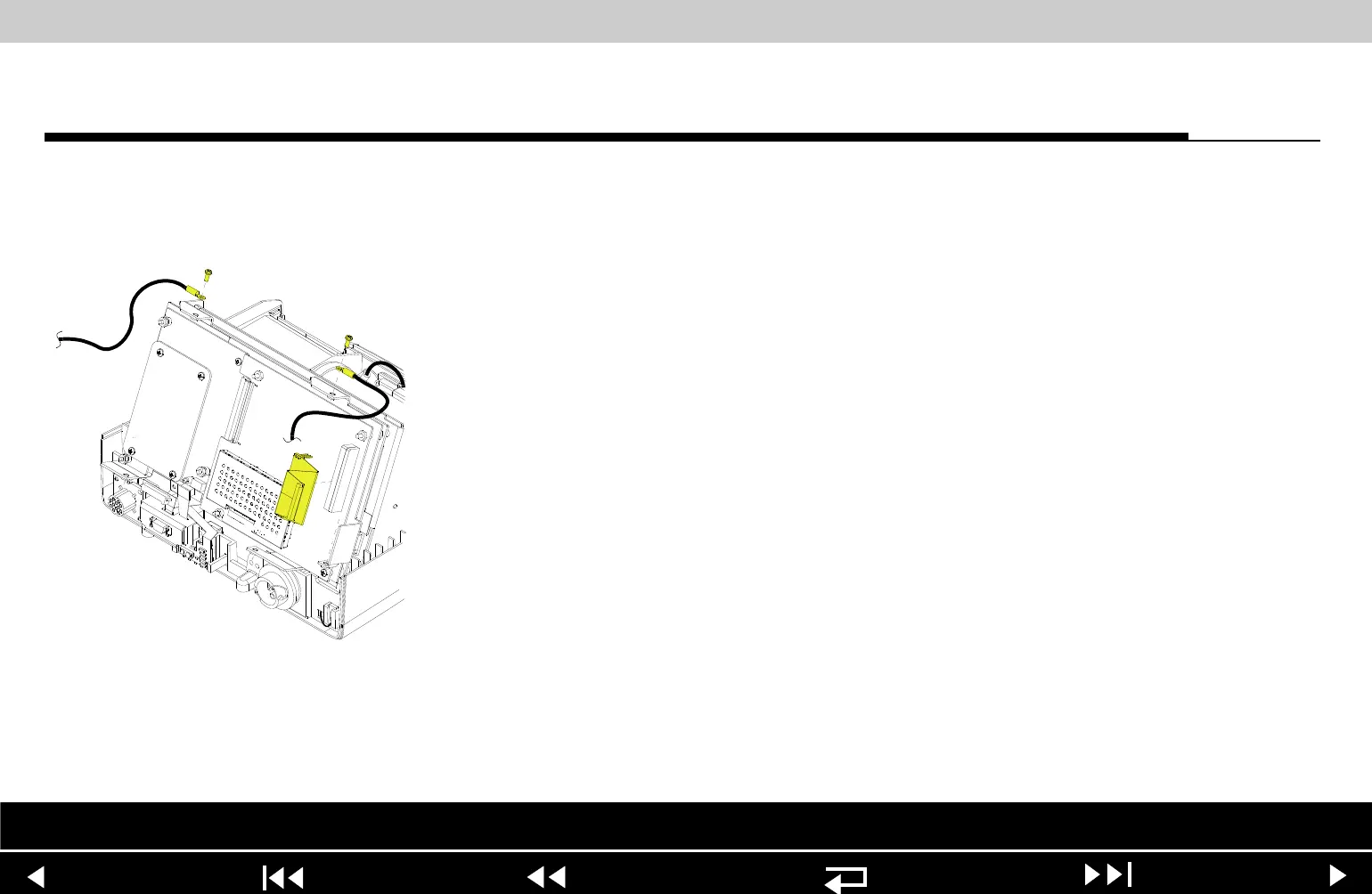
1. From the system shield, disconnect the two grounding straps (219) that
connect the top of the front case to the system shield, by removing the two
screws.
Note: Observe the positioning on the grounding harnesses. If they are
not reinstalled at the correct angles, the front case will not join with the rest of
the device correctly.
2. Pull the front case slightly forward, away from the boardstack assembly, and
disconnect the W18 UI Flex Cable from the A02 PP PCB at J21 and J22.
3. Disconnect the W18 UI Flex Cable from the A05 UI PCB at J31, and remove
the cable from the device.
Parts List Interconnect Front Case View Rear View Main Assemblies
9-40
















 To Next Page