Previous Page Table of Contents Section Contents
Back
Index Next Page
LIFEPAK 20/20e Defibrillator/Monitor Replacement Procedures
Boardstack (continued)
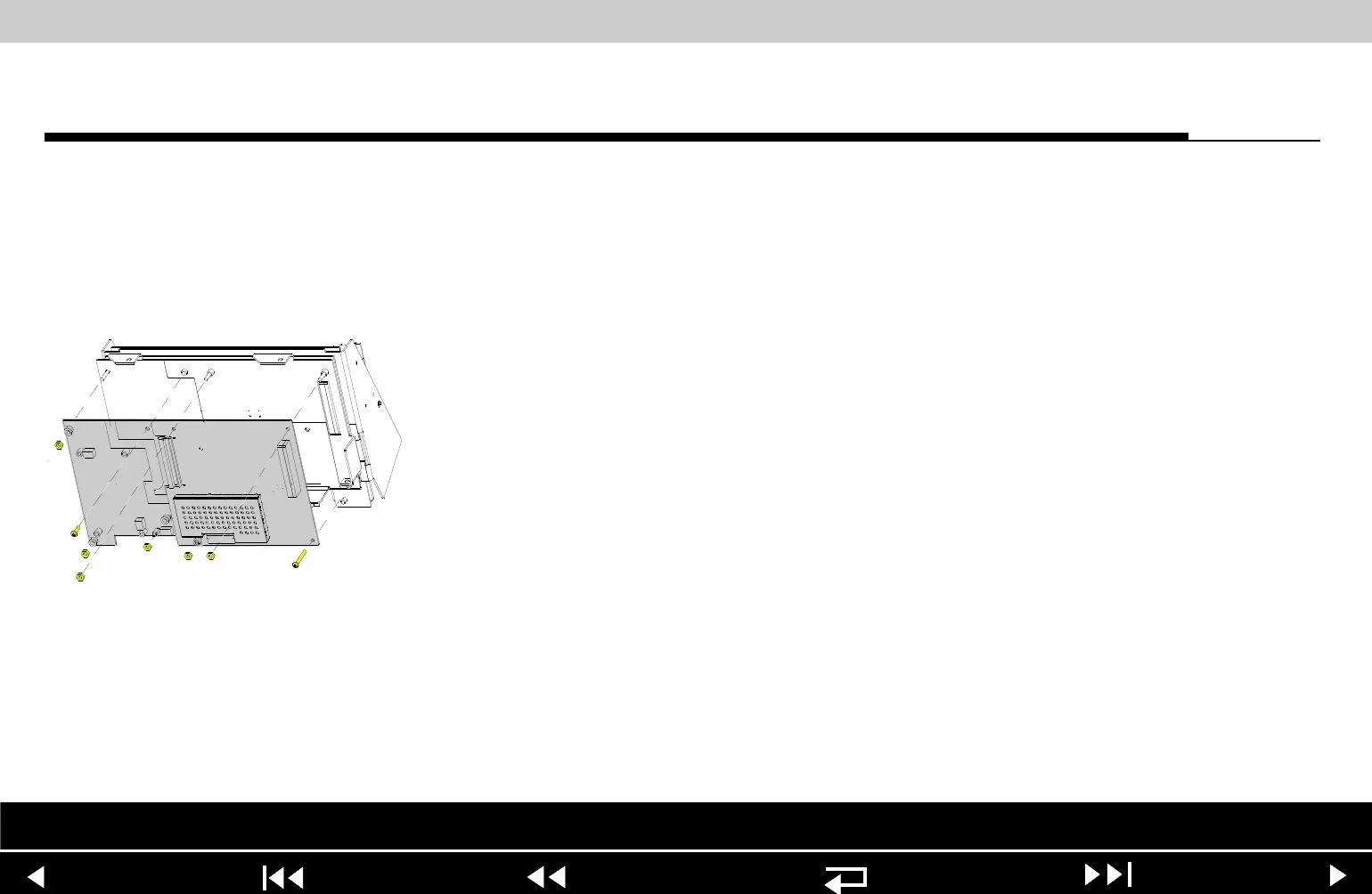
A02 Patient Parameter
and A06 OEM/SpO2
Assembly Removal
Note: Remove the following assemblies before beginning this disassembly:
– Top case
– Front case
– Boardstack assembly (optional removal)
To remove the A02 Patient Parameter and optional A06 OEM/SpO2 assemblies:
1. Disconnect the W05 SpO2 Flex Cable from the A06 OEM/SpO2 Assembly at
J54 by removing the screw (255).
2. Disconnect the W06 ECG wire harness from the A02 PP PCB at J23.
3. Remove and discard the 4-40 0.937 screw (125). Remove the three 4-40
nuts (161) from the A02 Patient Parameter PCB.
4. If the device is equipped with the A06 OEM/SpO2 option, remove the Nomex
shield (262) by removing the two washers (264) and nuts (161).
Note: Remove the A10 SpO2 module if replacing the A06 OEM PCB.
5. Lift the A02 Patient Parameter PCB (OEM/SpO2) assembly away from the
boardstack assembly. Ensure that the PCB clears the lip on the frame in the
lower right corner.
Parts Lists Interconnect System View Therapy View Main Assemblies
9-84
















 To Next Page