Previous Page Table of Contents Section Contents
Back
Index Next Page
LIFEPAK 20/20e Defibrillator/Monitor Replacement Procedures
Bottom Case (continued)
W03 IrDA Assembly
Removal
Note: The following assemblies must be removed before beginning this
disassembly:
– A07 Battery
– Top case
– Front case
– Boardstack (optional removal)
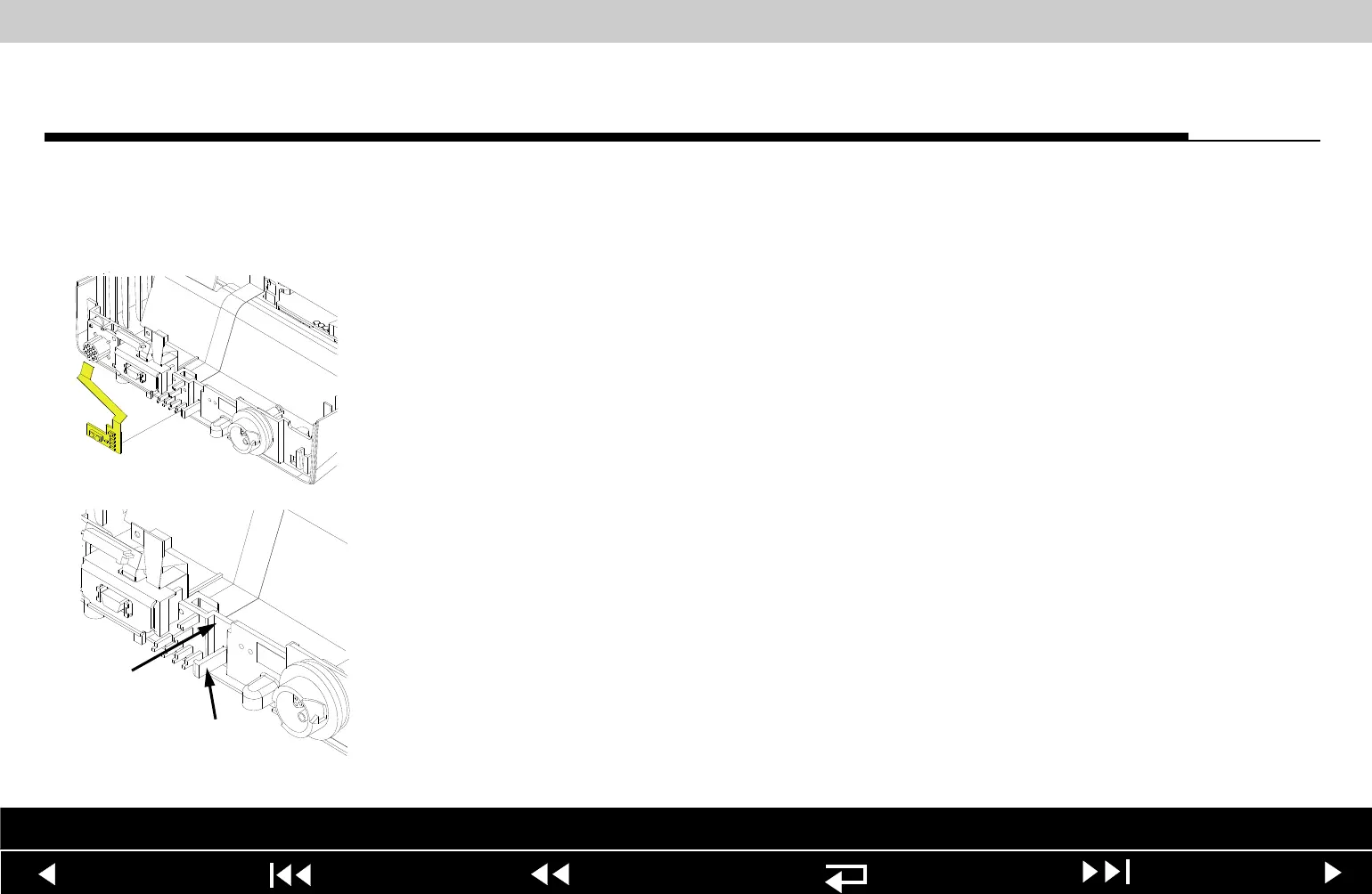
To remove the W03 IrDA Assembly:
1. If the boardstack is not removed, disconnect the W03 IrDA flex cable from
the A01 System PCB at J8 by first removing the screw (255) using a 3/32
allen driver.
2. Insert a slotted screwdriver into the slot between the bottom case cutout (A)
and the right snap tab (B).
3. Gently apply pressure to the screwdriver. Bend the right IrDA snap tab (B)
outward slightly, freeing the right edge of the W03 IrDA Assembly.
4. Remove the W03 IrDA Assembly from the bottom case.
5. If the boardstack is still installed in the bottom case, disconnect the IrDA
connector from the A01 System PCB at J8.
Parts List Interconnect Diagram Module View Connectors View Main Assemblies
9-146
















 To Next Page