Previous Page Table of Contents Section Contents
Back
Index Next Page
LIFEPAK 20/20e Defibrillator/Monitor Replacement Procedures
9-21
Battery Replacement
A07 Battery
Replacement
Note: There are two different types for the A07 Batteries. The LIFEPAK 20e
defibrillator/monitor uses the A07 Battery with the 6-pin connector, and
the LIFEPAK 20 defibrillator/monitor uses the battery with the 4-pin
connector. To remove the A07 Battery from the device:
1. Disconnect the device from ac power.
2. Place the device top down.
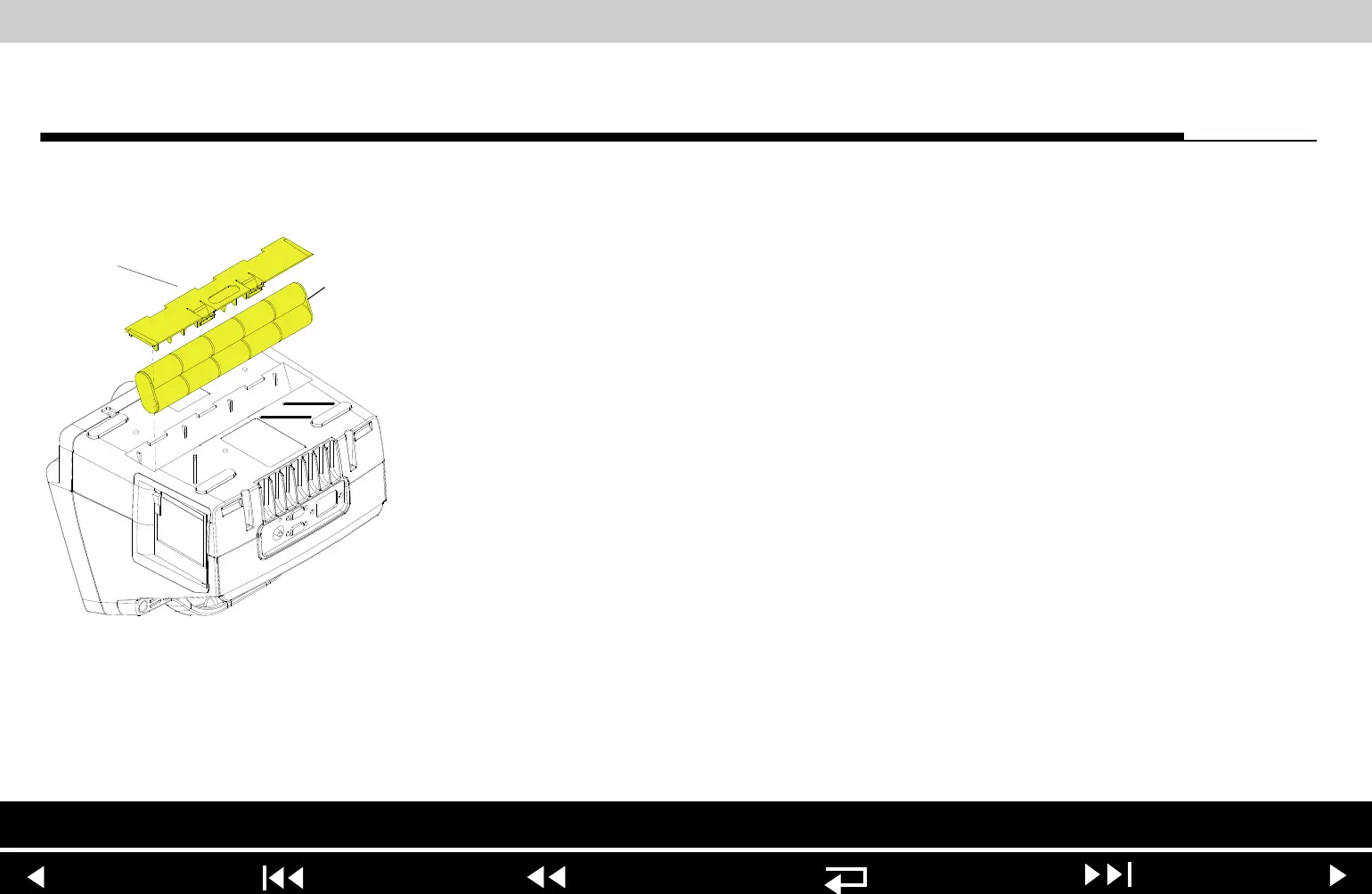
3. Insert two, small, flat-bladed screwdrivers into the door taps and pinch the
tabs to remove the battery door (103).
4. Remove and disconnect the A07 Battery.
To install the A07 Battery:
1. Place the device top down.
2. Connect the W08 Battery Cable to the A07 Battery.
3. Insert the A07 Battery into the battery compartment. (For the LIFEPAK 20
battery, ensure the fuse is facing toward the rear of the device.)
Note: Install the A07 Battery in the compartment with the wire harness
facing toward the front of the device.
4. Close the battery door (103).
5. Complete the LIFEPAK 20 Device PIP.
Parts List Modules View Main Assemblies
















 To Next Page