Previous Page Table of Contents Section Contents
Back
Index Next Page
LIFEPAK 20/20e Defibrillator/Monitor Replacement Procedures
Final Assembly (continued)
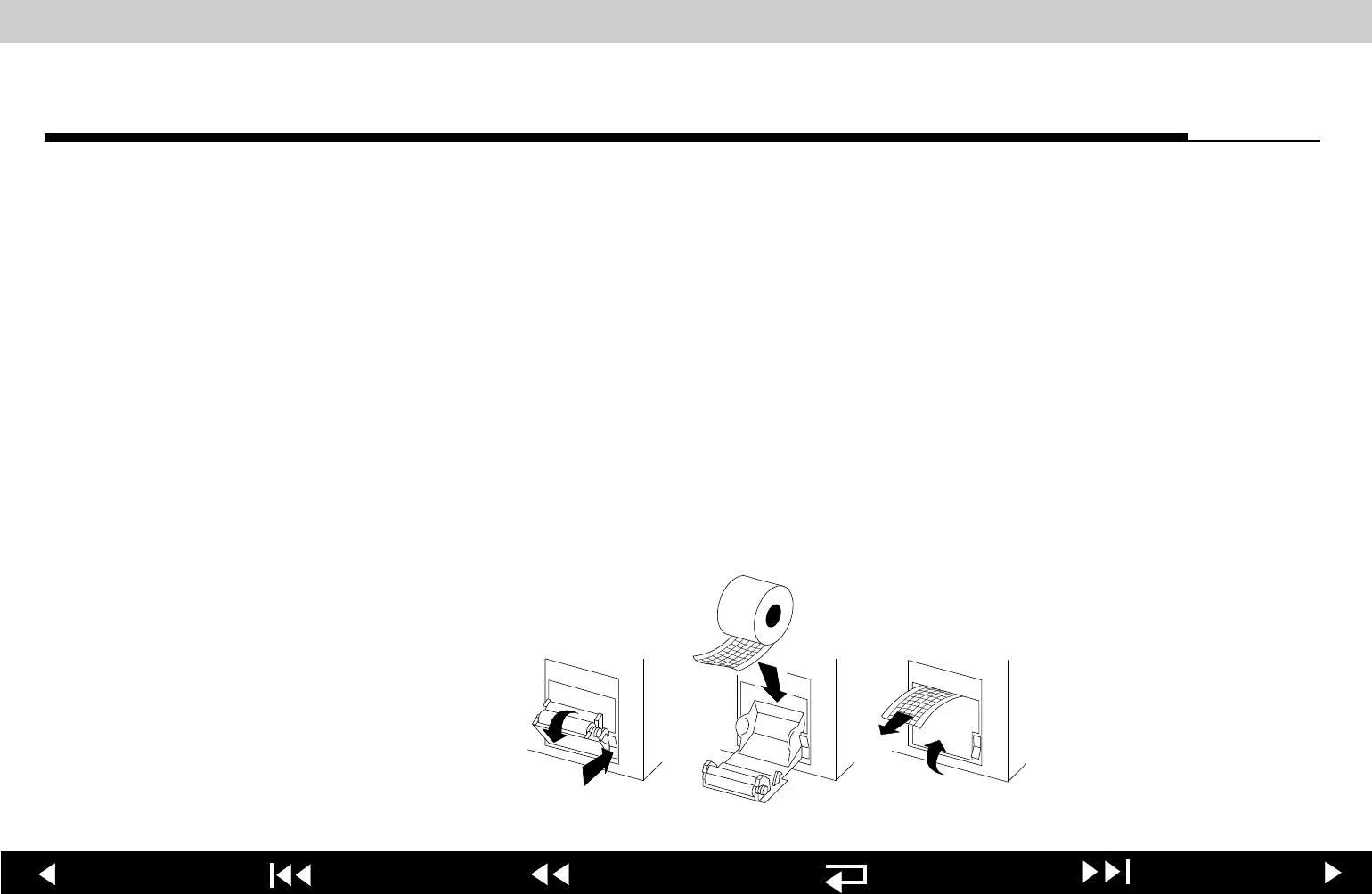
Installing Printer Paper
To install a new roll of printer paper into the printer:
1. Press the printer
button located on the left side of the device to open the
printer door.
2. Remove the old roll of paper.
3. Insert the new paper roll into the paper chamber, with the end coming from
under the roll.
Note: The printer will not print properly if the paper roll is inserted with the
end coming over the top of the roll. The paper roll must be inserted with the
end coming from under the roll.
4. Close the printer door. Ensure that the paper end extends out of the side of
the printer.
9-172
















 To Next Page