Previous Page Table of Contents Section Contents
Back
Index Next Page
LIFEPAK 20/20e Defibrillator/Monitor Replacement Procedures
Top Case (continued)
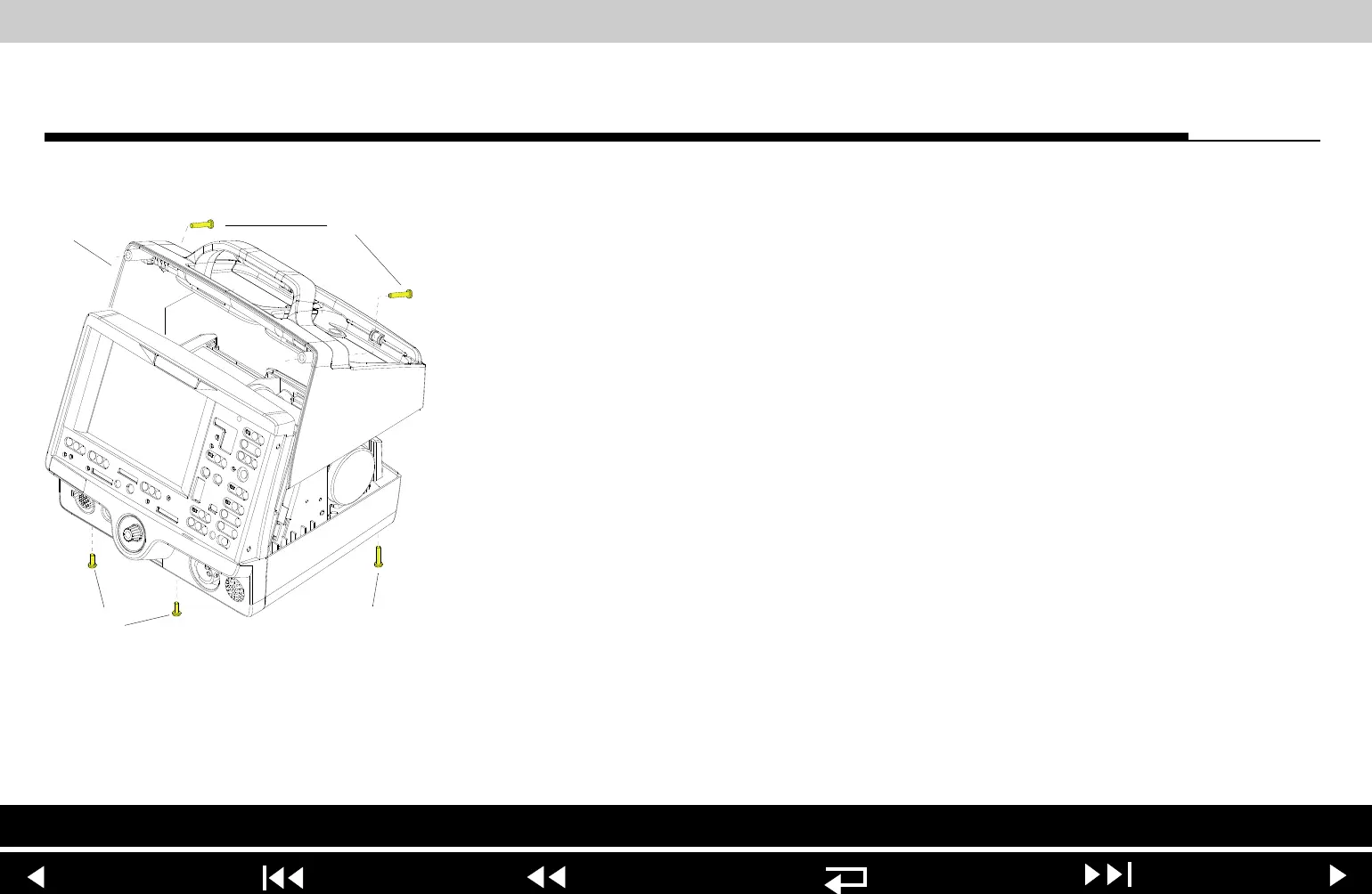
Top Case Installation To install the top case:
1. Align the front case to the bottom case.
2. Align the top case (242) to the bottom case.
3. Align the front case to the top case.
4. Secure the top case to the front case with two new 6-32 1.75 screws (167);
torque to 10 in-lb.
5. Turn the device face down and secure the front case to the bottom case with
two new 6-32 0.375 screws (169); torque to 10 in-lb.
6. Secure the top case onto the bottom case with two new 6-32 1.75 screws
(167); torque to 10 in-lb.
7. Install the A07 Battery into the device.
8. Review the labels parts list and install new labels.
9. Complete the LIFEPAK 20 Device PIP.
Parts List Main Assemblies
9-23
















 To Next Page