141
Polyend Tracker+ Manual
NOTES
Instruments
6
▌ SELECTING A SYNTH AND MODEL
1. Ensure the project in which to work is open and active and a pattern
selected for editing.
2. Press [Rec] to select edit mode.
3. Select a synth for the step instrument. On the desired step, Hold
[Instrument] + Turn (Jog) or use arrows to select Synth 1, Synth 2 or
Synth 3 instrument slot.
4. The selected Synth and its currently assigned model will be applied to
the step when the button is released. Synths can be applied on steps
for any of the 16 tracks.
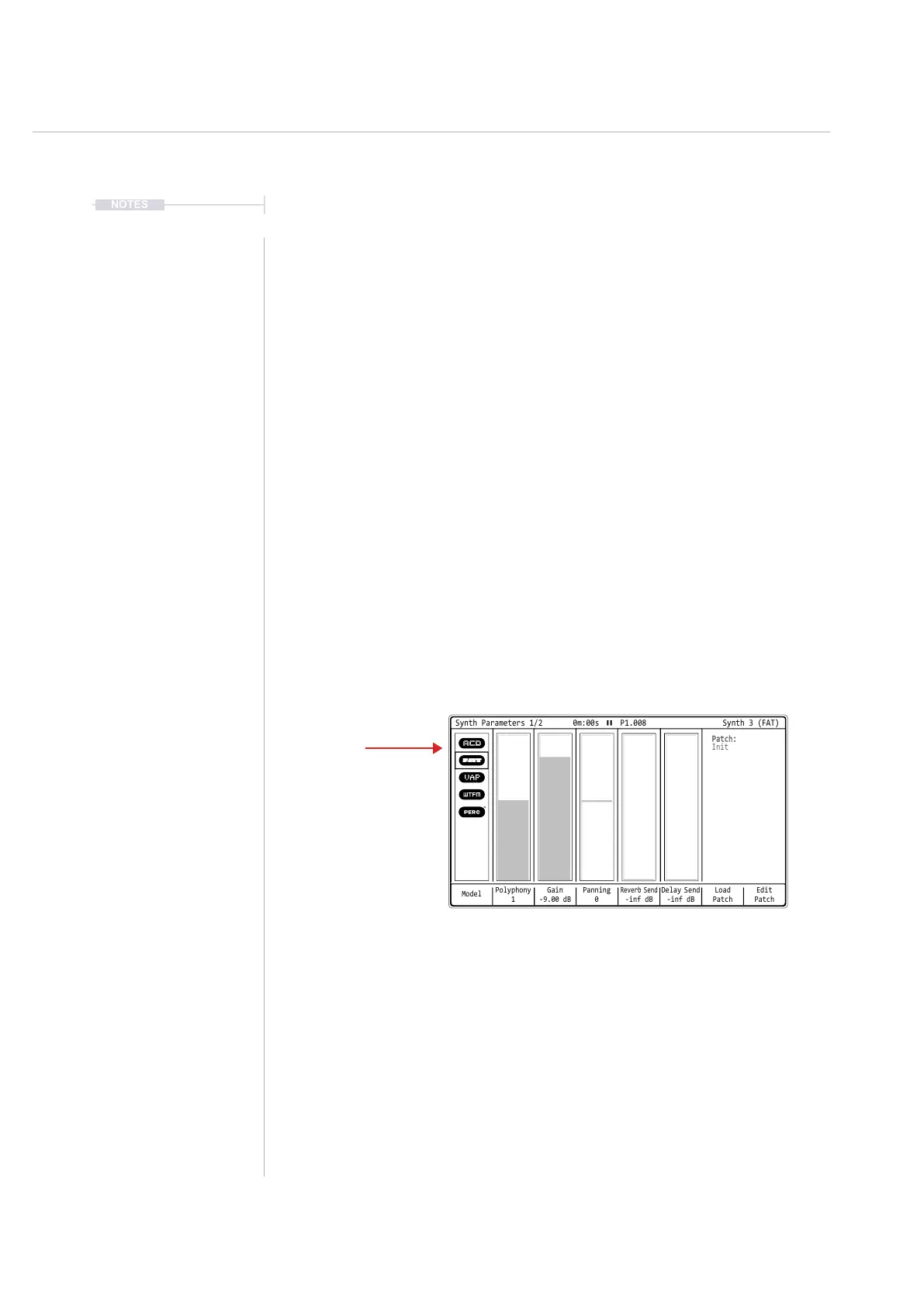
5. To edit the synth and change the model for the synth on the selected
step, Press [Instrument Parameters]. Ensure page 1/2 is selected.
6. Press [Model] to cycle and select the synth model for the selected slot.
7. A synth patch can also be loaded if required by pressing [Load Patch]
and select from the patch list.
Model
Polyphony
1
Gain
-9.00 dB
Delay Send
-inf dB
Panning
0
Load
Patch
Edit
Patch
Reverb Send
-inf dB
Synth Parameters 1/2 0m:00s P1.008
Patch:
Init
Synth 3 (FAT)
ACD
FAT
VAP
WTFM
PERC
Hold [Instrument] to select a synth for the step. On a synth instrument step to
select the synth to assign a model, Press [Instrument Parameters]. Select from
the available synth models to assign per slot or load a synth patch.



 To Next Page