142
Polyend Tracker+ Manual
NOTES
Instruments
6
▌ CONFIGURING A SYNTHESIZER
1. Ensure the project in which to work is open and active.
2. Select a step with a synth instrument to edit.
3. To edit the synth and change the model for the synth on the selected
step, Press [Instrument Parameters]. Ensure page 1/2 is selected.
4. Press [Model] to cycle and select the synth model for the selected slot.
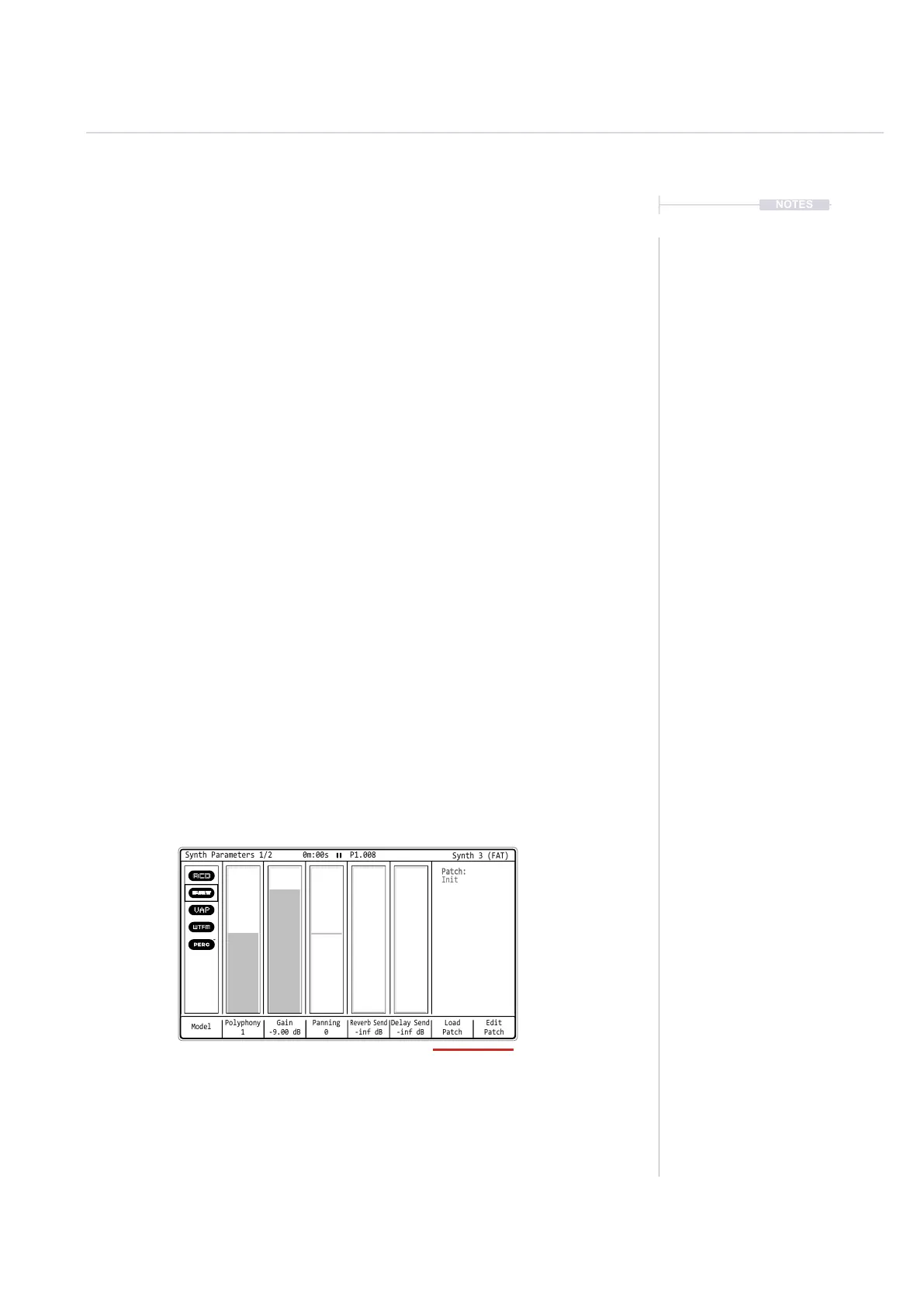
5. The parameters on page 1 will be presented. Use the screen buttons to
select and jog wheel or arrows to change the options:-
• Model: This selects from the available models to assign to the synth.
• Polyphony: The number of voices assigned to the synth. Up to 8
voices of polyphony are available in total in Tracker+ across all
synths. The 8 voices are divided and allocated per synth, for
example Synth 1 = 3, Synth 2 = 3, Synth 3 = 2.
• Gain: Adjusts the audio gain for the synth.
• Panning. Adjusts the stereo spread for the synth.
• The reverb and delay sends for the effects applied
6. The synth macro controls can be found on Page 2 of the instrument
parameters for the synth.
Patch dened parameter macro’s for the synth are available on page 1/2
of the synth parameters accessed using the [Instrument Parameters]
Button. Also access to the synth patch presets is presented in this page.
Model
Polyphony
1
Gain
-9.00 dB
Delay Send
-inf dB
Panning
0
Load
Patch
Edit
Patch
Reverb Send
-inf dB
Synth Parameters 1/2 0m:00s P1.008
Patch:
Init
Synth 3 (FAT)



 To Next Page