143
Polyend Tracker+ Manual
NOTES
Instruments
6
Macros enable a selection of parameters to be elevated to the instrument
parameter page for quick and easy access. This will allow on the y
adjustments to help support live performances and sound variations.
Tracker+ has 6 available macro slots in the instrument parameter page.
Macros are congured within the actual synth model parameters.
▌ ADJUSTING SYNTH MACRO PARAMETERS
1. Ensure the project in which to work is open and active.
2. Select a step with a synth instrument to edit or select a synth from the
instrument list. The assigned model and patch will determine the
available macros.
3. To access the synth macro controls, Press [Instrument Parameters].
Ensure page 2/2 is selected. The second page hosts macros.
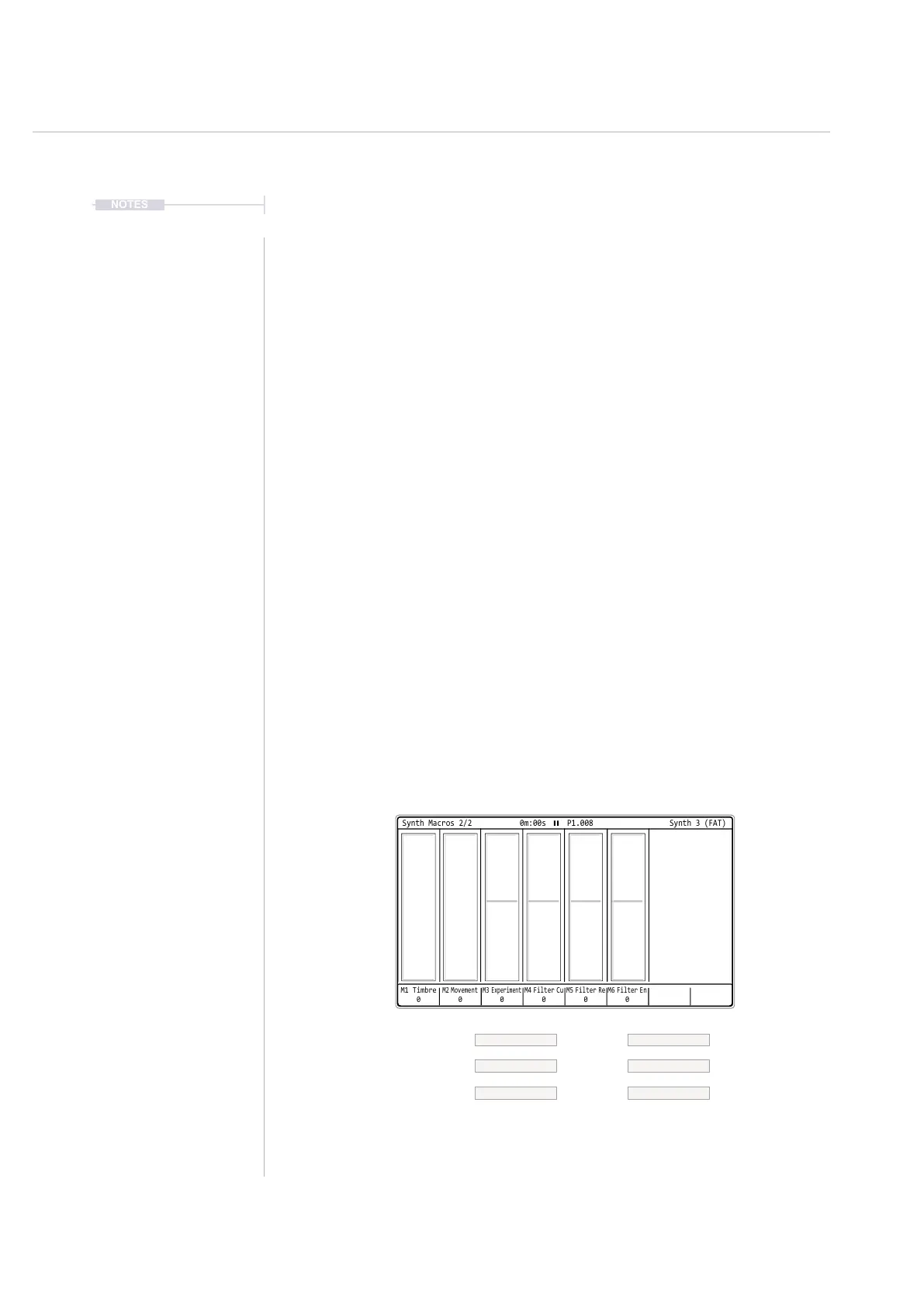
4. Synth parameters are assigned to 1-6 macro controls. Press the
associated screen button to select the macro to edit with the (Jog)
wheel or the arrow keys.
Example Macros
The use of macros allows various parameters to be assigned to the 6 parameters and offers
more exibility with patches that when using xed parameter assignments. The reverb and
delay send are also contained on this page.
M1 Timbre
0
M2 Movement
0
M3
Experiment
0
M6 Filter En
0
M4 Filter Cu
0
M5 Filter Re
0
Synth Macros 2/2 0m:00s P1.008
Synth 3 (FAT)
Macro 6Macro 3
Macro 5Macro 2
Macro 4Macro 1
Filter Env AmountExperiment
Filter ResonanceMovement
Filter CutoffTimbre



 To Next Page