147
Polyend Tracker+ Manual
NOTES
Instruments
6
▌ INITIALISING A PATCH
1. Ensure the project in which to work is open and active and a pattern
selected for editing. Ensure a synth step is selected.
2. To edit the synth and change the model for the synth on the selected
step, Press [Instrument Parameters]. Ensure page 1/2 is selected.
3. Select the synth model type.
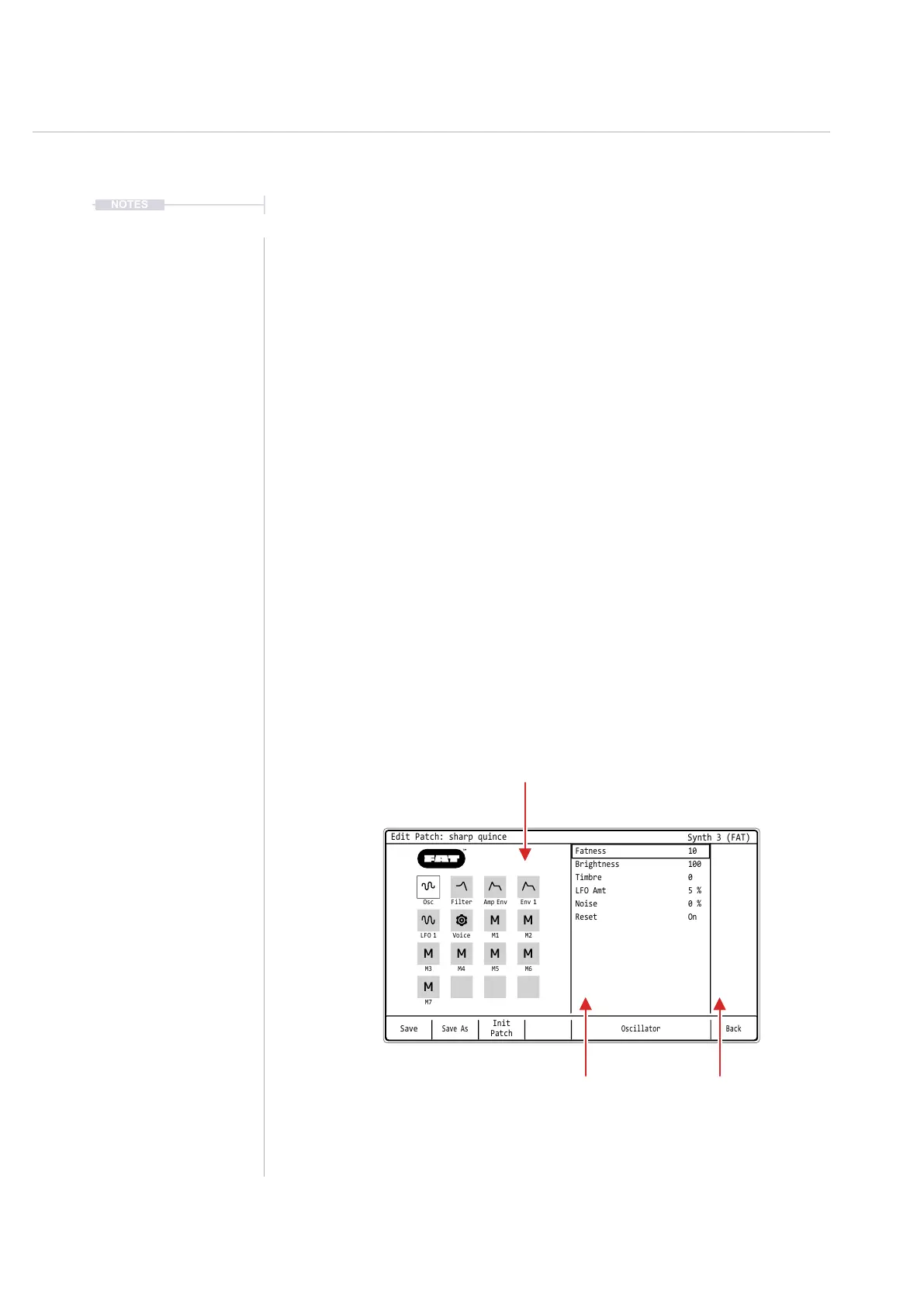
4. To create a blank patch use the patch editor. Press [Edit Patch] to select
the patch editor.
1. Press [Init Patch] screen button to load the blank patch template.
2. Press [Yes] to conrm loading the initialisation patch or [No] to
cancel without loading a new patch.
3. A patch can then be edited to design a sound.
5. To store the sound in the patch list on the SD card, select ‘Save’ or
‘Save As’ from the screen buttons. Save As will also present the option
to change the name.
Save
Save As
Init
Patch
Oscillator
Fatness 10
Brightness 100
Timbre 0
LFO Amt 5 %
Noise 0 %
Reset On
Osc
LFO 1
M3
M7
Filter
Voice
M4
Amp Env
M1
M5
Env 1
M2
M6
Back
Edit Patch: sharp quince
Synth 3 (FAT)
M M
M
M M
M
M
Synth Parameter Section
Select using the lit pads
Parameter list for the
selected synth section
Value of the
selected parameter



 To Next Page