258
Polyend Tracker+ Manual
NOTES
Song Mode
9
Creating a basic song is a starting point, but a number of additional editing
features are also available within Song Mode. Individual tracks can also be
re-positioned. Be careful when editing patterns as the song structure and
patterns are directly linked and edits can affect each other.
▌ BASIC EDITING OF AN EXISTING SONG
1. Press [Song] to select song mode. The slot and pattern selection
bounding box may be displayed green. Also only 1
st
and 2
nd
Screen
buttons to control play are available in ‘green’ mode - [Rec] off.
2. Press [Rec] to toggle to editing in ‘red’ mode. The slot and pattern
bounding box will be displayed red. Also all of the screen button options
are shown as available in ‘red’ mode - [Rec] on.
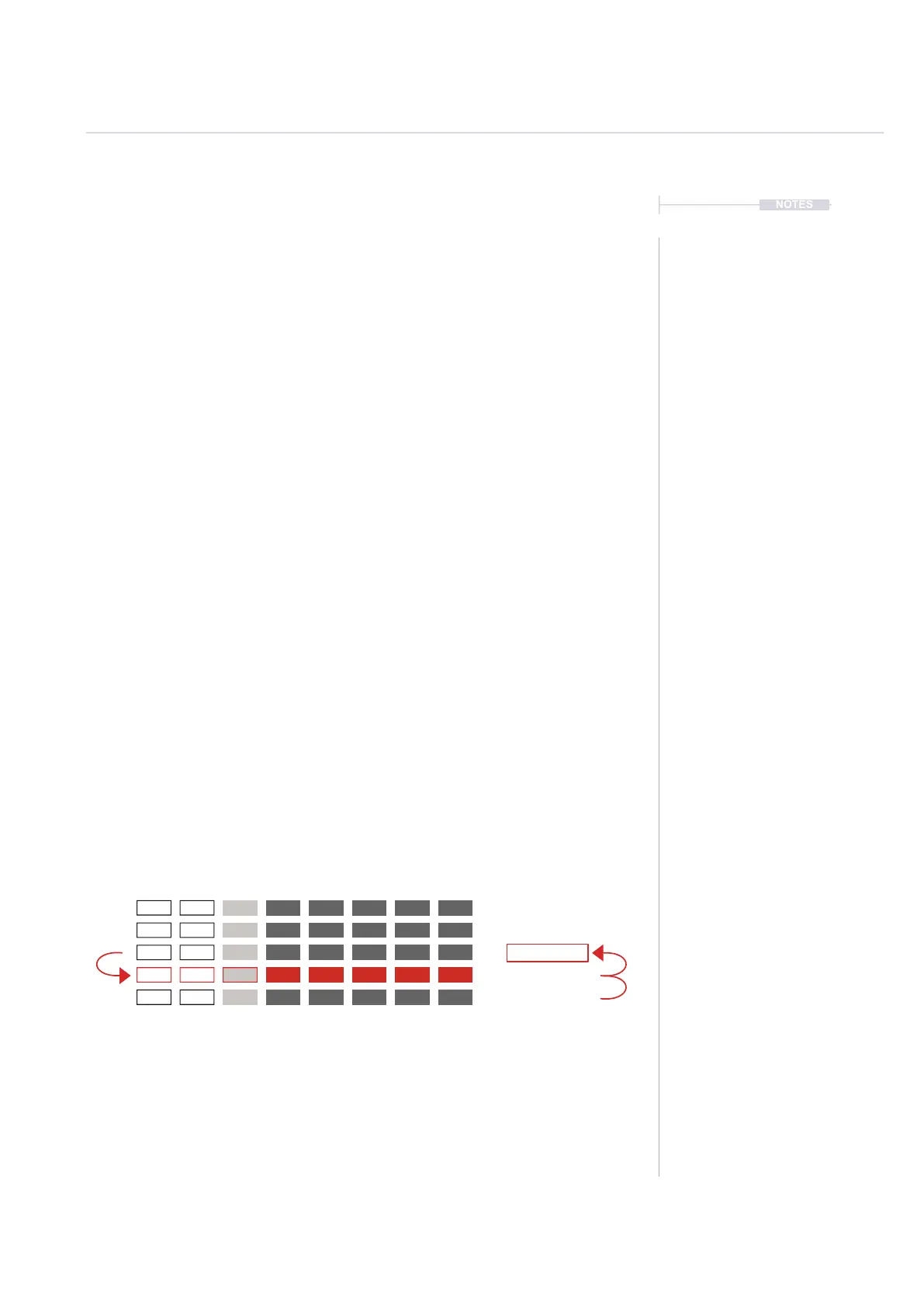
3. Navigate to the slot location desired, Turn (Jog). The location selected
is shown with the red bounding box over the slot number and pattern
number when editing. Alternatively Press [Up] and [Down] to also
navigate through the slots.
4. To delete the currently selected song slot, Press [Delete Slot], 5
th
Screen button. The selected song slot is deleted and the other slots will
move up the order.
5. Press [Add Slot], 4
th
Screen button to add a new song slot row. To add
an empty slot Hold [Shift] + [Add Empty Slot] , 4
th
Screen button.
6. The undo command does not restore deleted slots so be careful when
editing songs.
Track 1
By default, Adding a slot replicates
the current slot on a row below. Also
selects the new slot.
Adding an empty slot can be
performed by holding shift.
Deleting a slot removes the current
slot and moves the below slots up
in the order.
Track 4Track 2 Track 5 Track 7Track 3 Track 6 Track 8 Pattern
3
4
8
8
2



 To Next Page