259
Polyend Tracker+ Manual
NOTES
Song Mode
9
▌ EDITING TRACK CLIPS IN A SONG
1. Press [Song] to select song mode. The step and pattern cursor will be
displayed by a green bounding box. Also, only 1
st
and 2
nd
screen buttons
to control play are available in ‘green’ mode - [Rec] off.
2. Press [Rec] to toggle editing to ‘red’ mode. The step and pattern cursor
will be displayed by a red bounding box. Also, all of the screen button
options are shown as available in ‘red’ mode - [Rec] on.
3. Navigate to the desired track clip. Turn (Jog) to navigate through the
slots or Press [Up] or [Down]. Navigate to the Track by pressing [Left] or
[Right]. The selection is shown with the red bounding box over the
pattern for the track.
4. To select multiple track clips, Press [Shift] + [Left], [Right], [Up] or
[Down]. The red bounding box will encompass all of the selected tracks
5. To delete selected track clip(s), Press [Delete/Backspace].
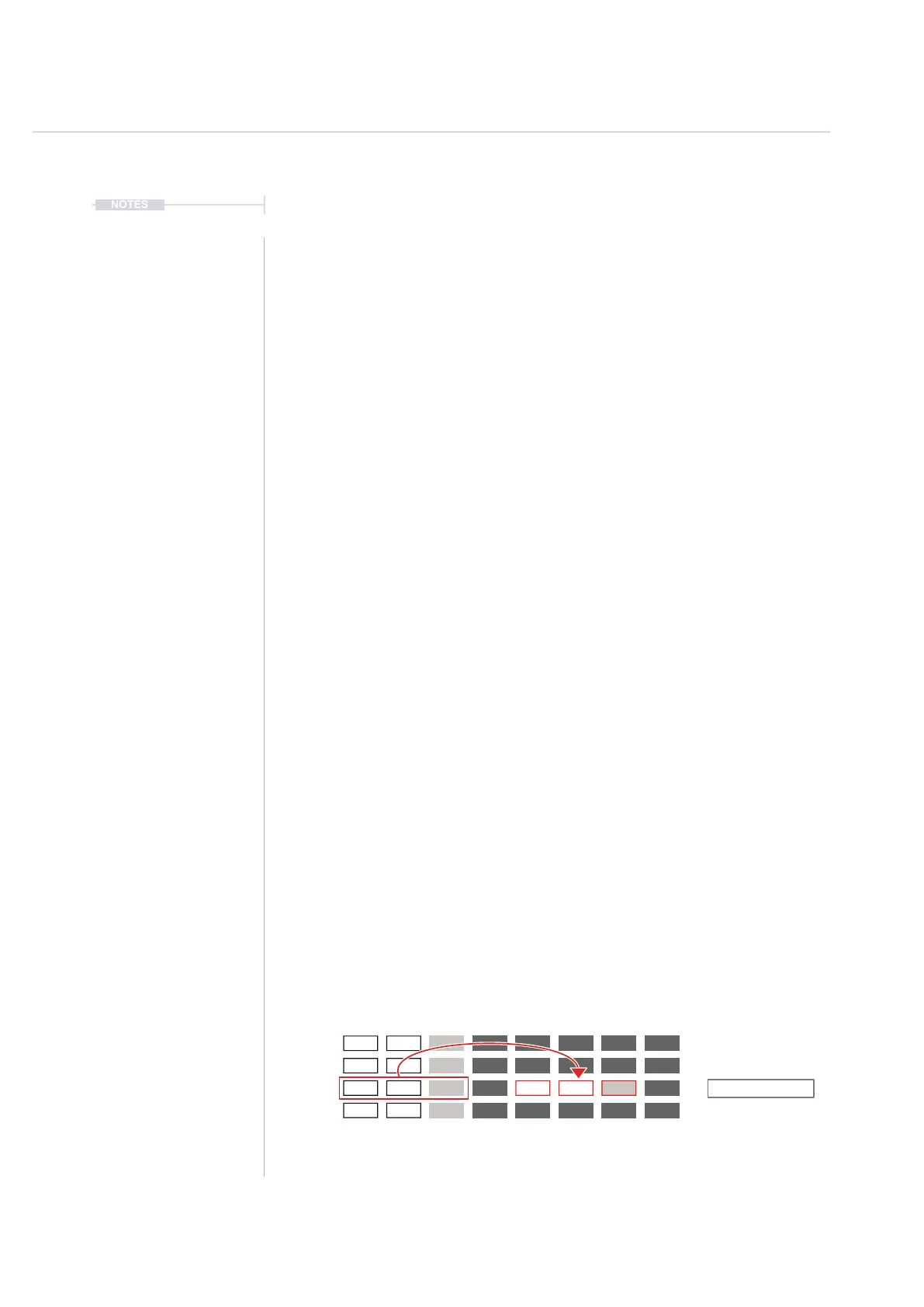
6. Press [Copy/Paste] to copy the highlighted and selected track(s).
7. Navigate to the target track clip location. Turn (Jog) to navigate through
the slots or Press [Up] or [Down]. Navigate to the Track by pressing
[Left] or [Right]. The selection is shown with the red bounding box over
the pattern for the track.
8. Press [Shift] + [Copy/Paste] to paste the previously copied selection into
the location selected. When pasting multiple tracks the highlighted track
location will represent the top left corner of the copied selection of
tracks and as such will paste into the adjacent track locations.
9. The copy / paste edits in song mode will also be performed
automatically in the pattern itself and reected back into the same
pattern in other slots. Switching to pattern mode will view any edits
made. Care must be taken to remember that the song mode and pattern
mode are directly linked. Previous edits can be restored by pressing
[Undo], 3
rd
Screen button.
Track 1
Copy one or more slot tracks
Paste the previously copied
tracks to another location.
Track 4Track 2 Track 5 Track 7Track 3 Track 6 Track 8 Pattern
3
4
8
8



 To Next Page