295
Polyend Tracker+ Manual
NOTES
MIDI
11
While integration with Polyend Play+ is a build in feature for mapping Play’s
controls, other MIDI controllers can also be used in Synthesiser Mode.
Synthesizer Mode
Notes on using MIDI Synthesiser Mode:-
• The external device must be congured to match the MIDI
Synthesizer CC controls and general Tracker+ MIDI conguration,
i.e. Channel etc.
• Tracker+ sequencer must be stopped to use as a MIDI synthesizer.
• The Synthesizer mode page does not have to be displayed to
operate in this mode. The last selected instrument will be the one
used for the synthesizer control from an external controller.
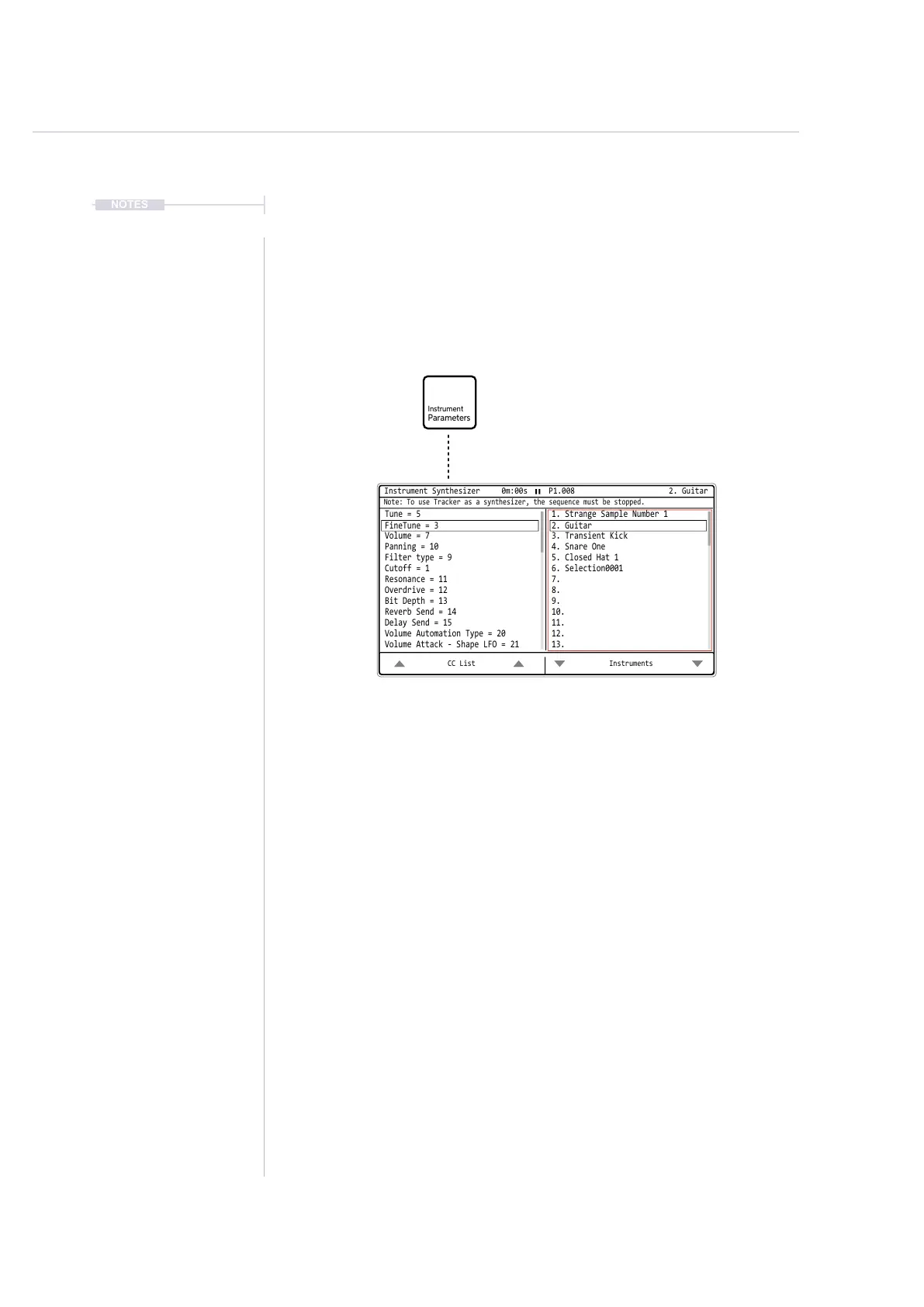
InstrumentsCC List
Note: To use Tracker as a synthesizer, the sequence must be stopped.
Instrument Synthesizer 2. Guitar0m:00s P1.008
1. Strange Sample Number 1Tune = 5
2. GuitarFineTune = 3
4. Snare OnePanning = 10
5. Closed Hat 1Filter type = 9
6. Selection0001Cutoff = 1
7.Resonance = 11
8.Overdrive = 12
9.Bit Depth = 13
10.Reverb Send = 14
11.Delay Send = 15
12.Volume Automation Type = 20
13.Volume Attack - Shape LFO = 21
3. Transient KickVolume = 7
Select [Instrument Parameters] page 1/2.
Screen Button [More] then Press [Instrument Synthesizer]
The right window will allow selection of
the instrument to control. The instrument
selected will be shown in the top bar.
The left window will display, as a
reference, the Tracker+ parameter
MIDI CC numbers.



 To Next Page