59
Polyend Tracker+ Manual
NOTES
Pattern Format
4
▌ REDUCING PATTERN LENGTH
1. Press [Pattern] to select the pattern mode page.
2. Ensure options page 2 is displayed. Press [More] to toggle between the
two pages of pattern options.
3. Press [Rec] to select recording mode and allow editing. Screen buttons
will be unavailable, shown dim, otherwise.
4. The current pattern can be reduced in severals ways. The options
available via the 8 screen buttons are:-
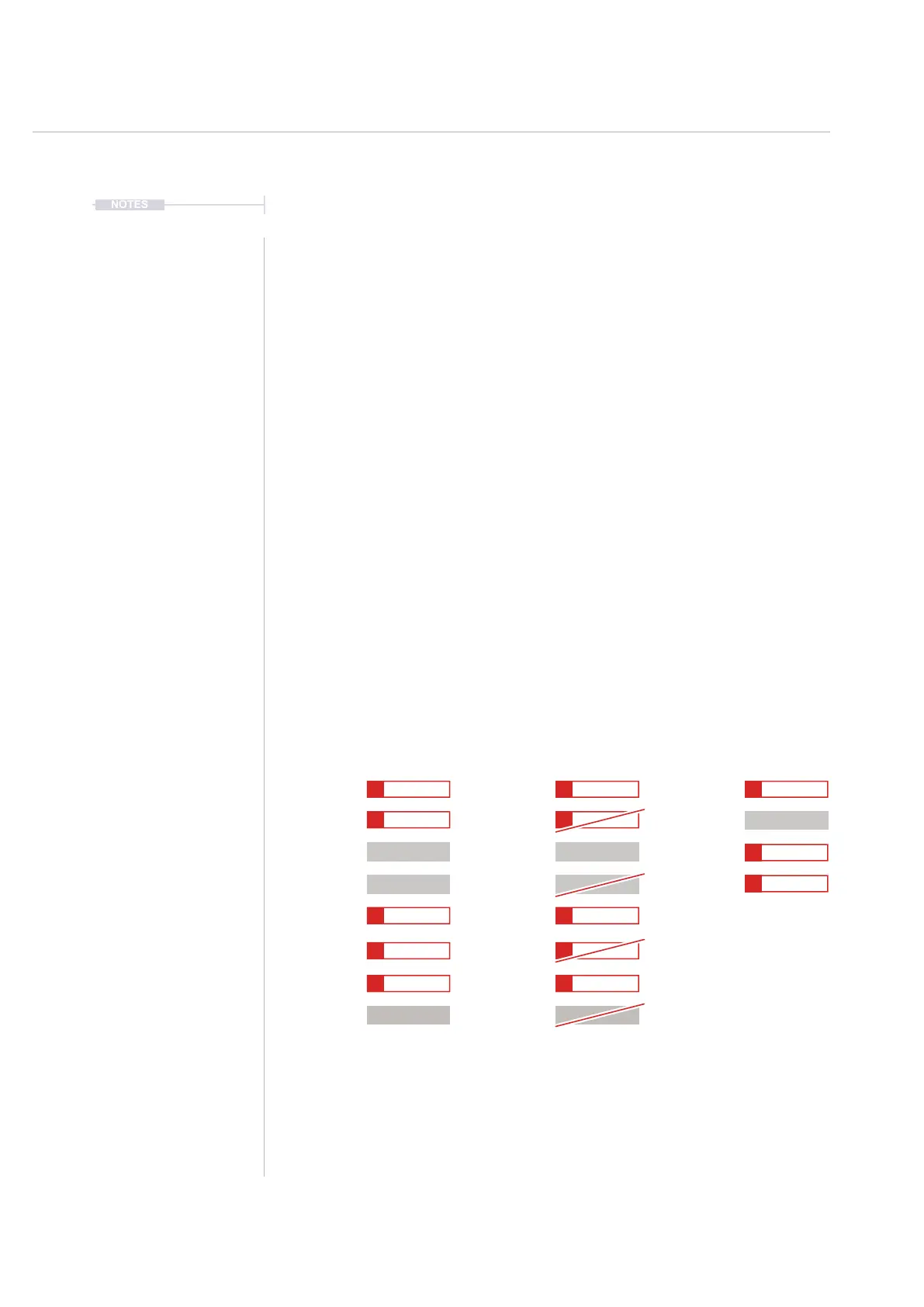
1. Press [Shrink Pattern]. The pattern will be reduced by deleting each
second step in the pattern. This will delete any step whether empty
or lled. Effectively halves the pattern length.
2. Adjusting [Length] will also reduce the pattern length. Any steps will
be hidden but will be restored if the pattern length is extended.
5. The [Undo] or [Redo] screen buttons can be used if required to restore
a previous state.
Original Pattern Affected Pattern
Every 2nd Step Deleted Resulting, Halved Pattern
Shrunk Pattern
Step 1 Step 1 Step 1
Step 6 Step 6
Step 5 Step 5
Step 2 Step 2 Step 2
Step 3 Step 3 Step 3
Step 7 Step 7
Step 8 Step 8
Step 4 Step 4 Step 4
C6 40
----
P 25 C6 40
----
P 25 C6 40
----
P 25
C6 40
----
P 25 C6 40
----
P 25
E5 40
----
P 25
C5 40
----
P 25 C5 40
----
P 25
C6 40
----
P 25
B5 40
----
P 25 B5 40
----
P 25
E5 40
----
P 25 E5 40
----
P 25



 To Next Page