Radioddity Extended manual for Radioddity DB25-D, DB40-D & GD-88 v3.0
© Radioddity 2023 page 198 of 252
Whilst updating the A-part on a Radioddity DB40-D or Radioddity GD-88 you
will see an ascending counter on the radio. Whilst updating the B-part on a
Radioddity DB40-D or Radioddity GD-88 there will not be such counter on the
radio due to technical reasons. However, the IAP-program itself will report on
the success of the B-update.
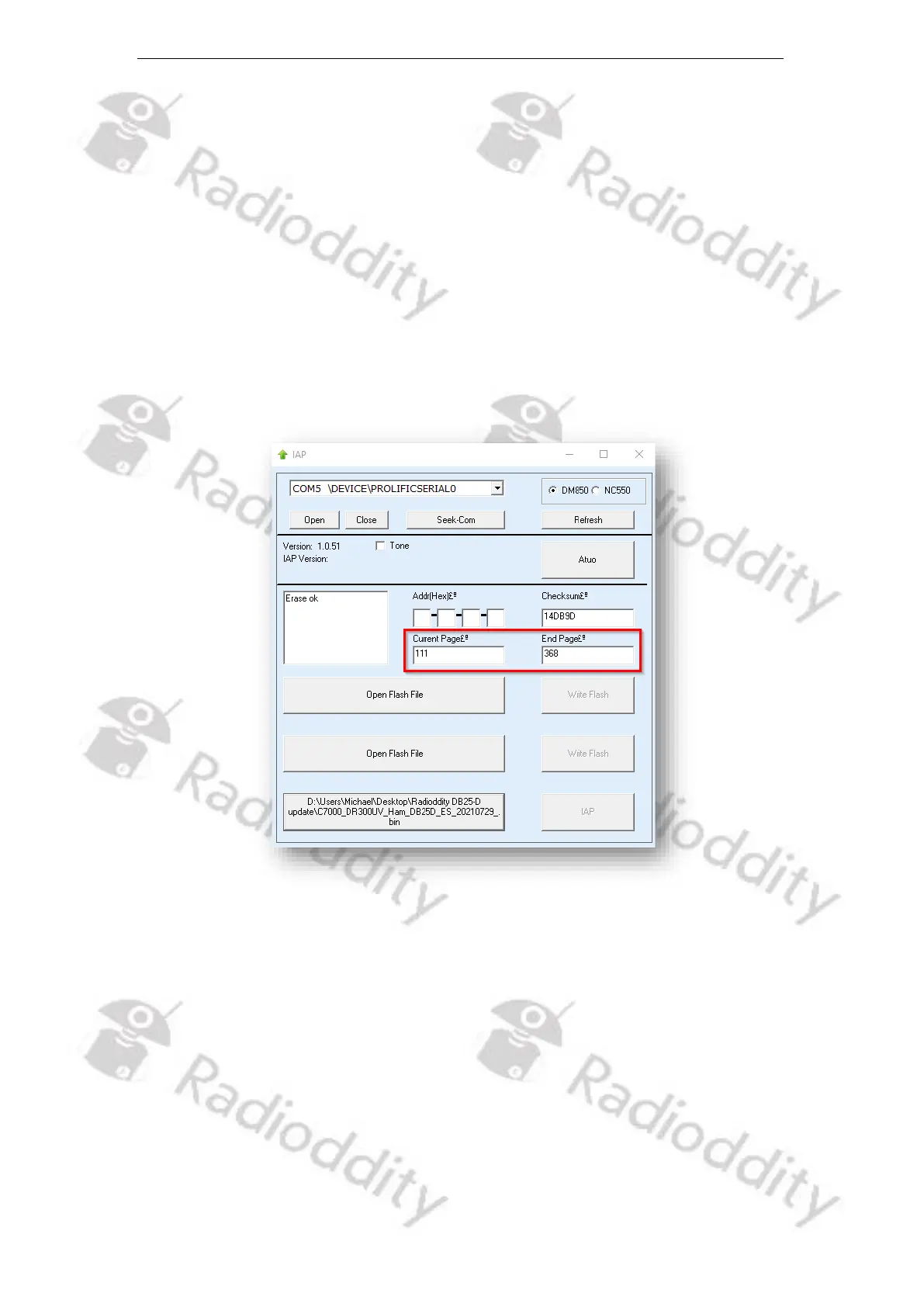
18. Do not press any key on the radio, do not remove power, just wait until the
radio has finished the update process and turns off! During the update
process, the status-LED will flash green and red and the application shows the
progress by the increasing number of ‘Current Page’. The progress is also
indicated on the Radioddity GD-88 during update of ‘IAP_A’. The progress will
not be indicated on the Radioddity GD-88 during update of ‘IAP_B’ but only on
the IAP update program.
19. As soon as the update has finished on the Radioddity DB25-D or DB40-D, the
radio will automatically shut down, whereas the Radioddity GD-88 will state
the following on its screen ‘Status: Rec Done!’. If you have just updated one of
the two GD-88 VFOs it is now time to select the second VFO (long press of the
upper side key) and update it with its corresponding firmware file as well.
After you have updated both VFOs of the Radioddity GD-88 turn off the radio.
20. You may now normally power on the radio again.
21. To check which firmware version currently is installed, click: MENU → Device
Info → Version



 To Next Page