Radioddity Extended manual for Radioddity DB25-D, DB40-D & GD-88 v3.0
© Radioddity 2023 page 197 of 252
Notes: Do not use update files intended for other radios, even if those radios
may be looking like the Radioddity DB25-D, DB40-D or GD-88. Using
files not intended to be used for a Radioddity DB25-D, DB40-D or
GD-88 may result in a loss of any warranty.
16. Whereas a firmware update for the Radioddity DB25-D consists of just one
single file, the Radioddity DB40-D and Radioddity GD-88 both do require two
separate files, one for each independent VFO (A and B). To select the target
VFO (IAP) for the file, long press the very same key as used for entering the
IAP-mode
In order to switch between ‘IAP_A’ and ‘IAP_B’. The firmware files normally end
on ‘(A)’ and ‘(B)’. Make sure that you always write the A-file to IAP-A and the B-
file to IAP-B. During firmware update of the Radioddity GD-88 A-part, the
status-LED will just constantly light red and the page-counter and the address-
field on the radio display will be updated. During firmware update of the
Radioddity GD-88 B-part, the status-LED will flash red/green but neither page-
counter nor the Address-field of the radio display will be updated. During
firmware update of the Radioddity DB40-D B-part, the page-counter nor the
Address-field of the radio display will be updated.
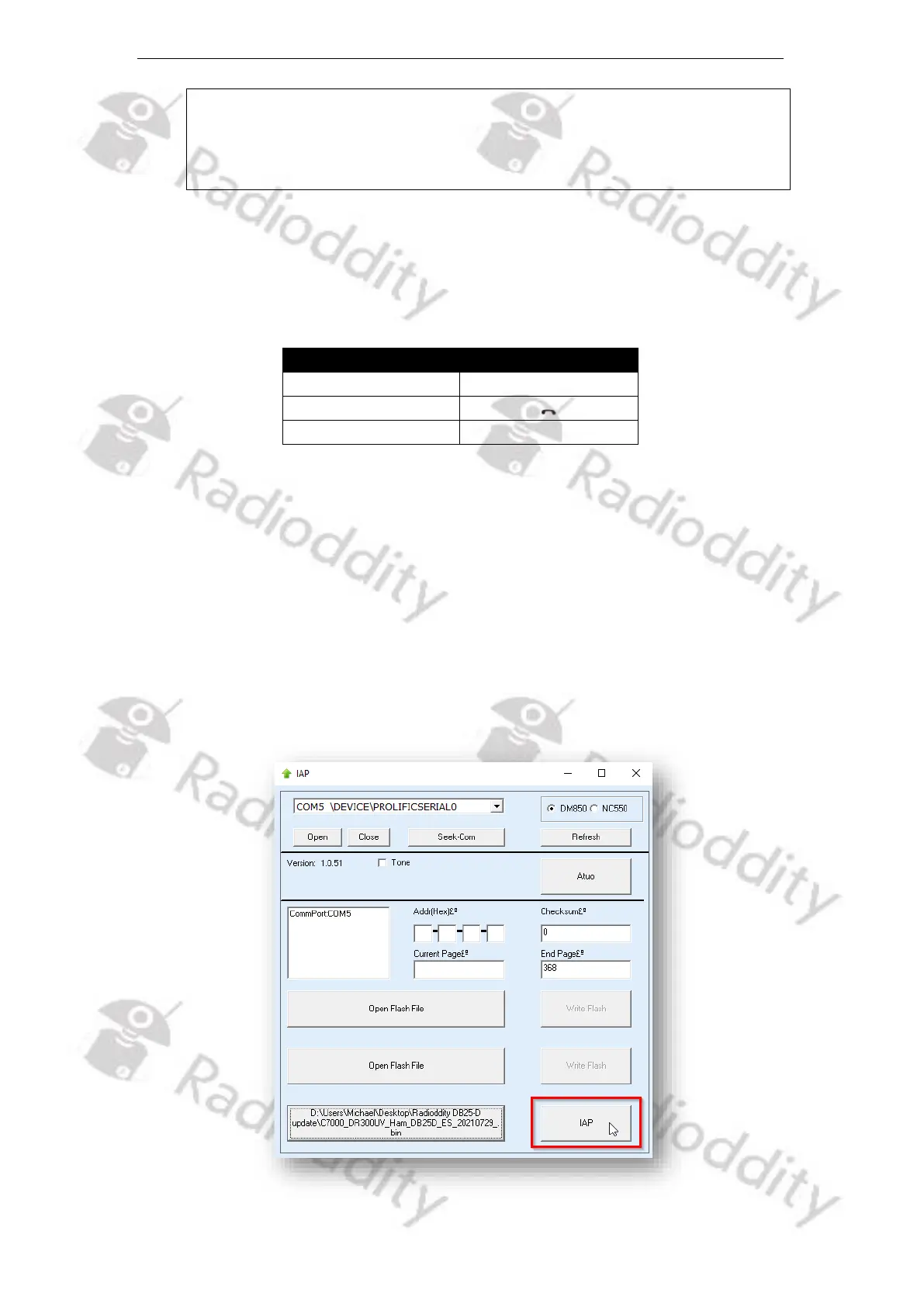
17. To start the actual update process, click on the ‘IAP’ button.



 To Next Page