Radioddity Extended manual for Radioddity DB25-D, DB40-D & GD-88 v3.0
© Radioddity 2023 page 196 of 252
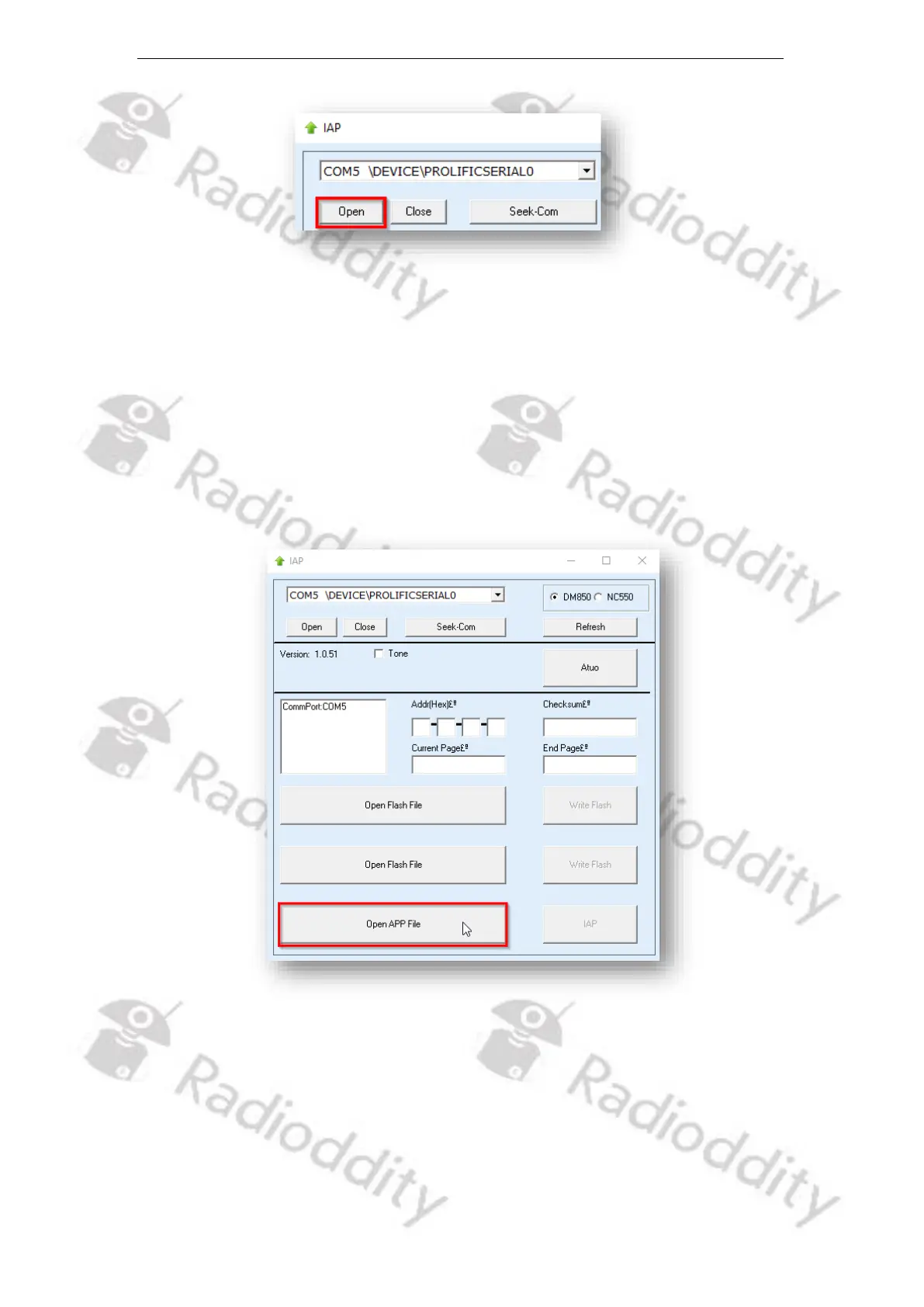
13. If the IAP-updater can connect to your Radioddity DB25-D, DB40-D or GD-88,
it will output ‘IAP Successfully’. If it isn´t able to connect to the radio, it will
stay on ‘CommPort:COMx’ (where ‘x’ represents the selected virtual COM-port
number of your programming cable ). If you forgot to shut down the CPS, you
will get a ‘The COMM port is occupied or doesn't exit!’ error.
14. Next click on the button ‘Open APP file’.
15. Now navigate to the path that does contain the update file that is intended to
be transferred to the Radioddity DB25-D, DB40-D or GD-88, such as:
‘959E.E66.EBPSAB.007 2023-12-01 01.12.34 (A).bin’.



 To Next Page