SCANNER ACCESSIBILITY OPTION (B815)
B291/B295/B296/B297 SM
1-82
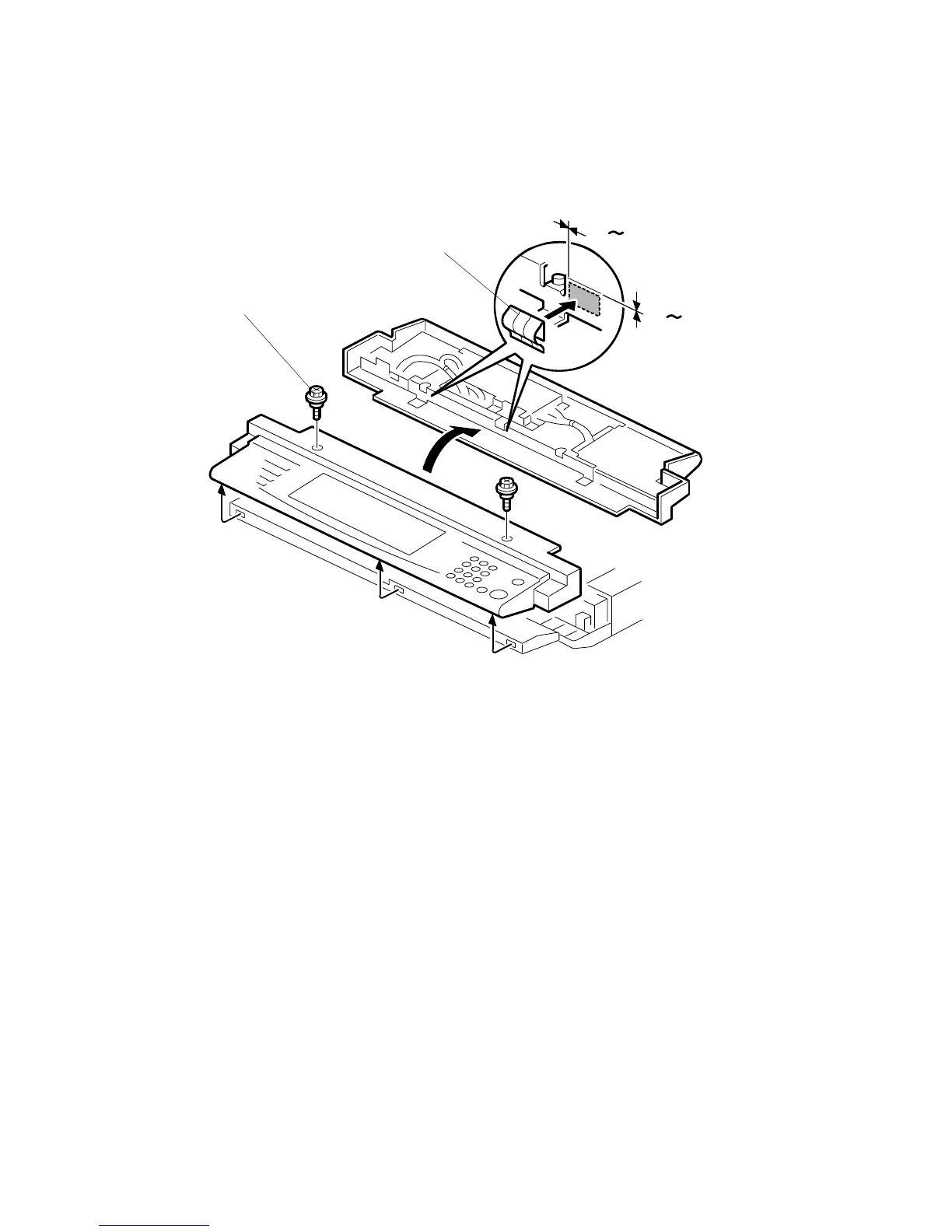
Install Anti-Static Springs on Operation Panel
1. Disconnect the screws holding the operation panel [A] (! x2 )
2. Pull the operation panel away from the copier (do not disconnect or remove)
and turn it over.
3. Peel the covers from the anti-static springs [B] and attach them as shown.
4. Press down gently on each spring to confirm that each spring is attached
securely.
5. Reattach the operation panel to the machine (! x2).
0 1mm
0
1mm
B815I107.WMF
[A]
[B]



 To Next Page