SCANNER ACCESSIBILITY OPTION (B815)
B291/B295/B296/B297 SM
1-84
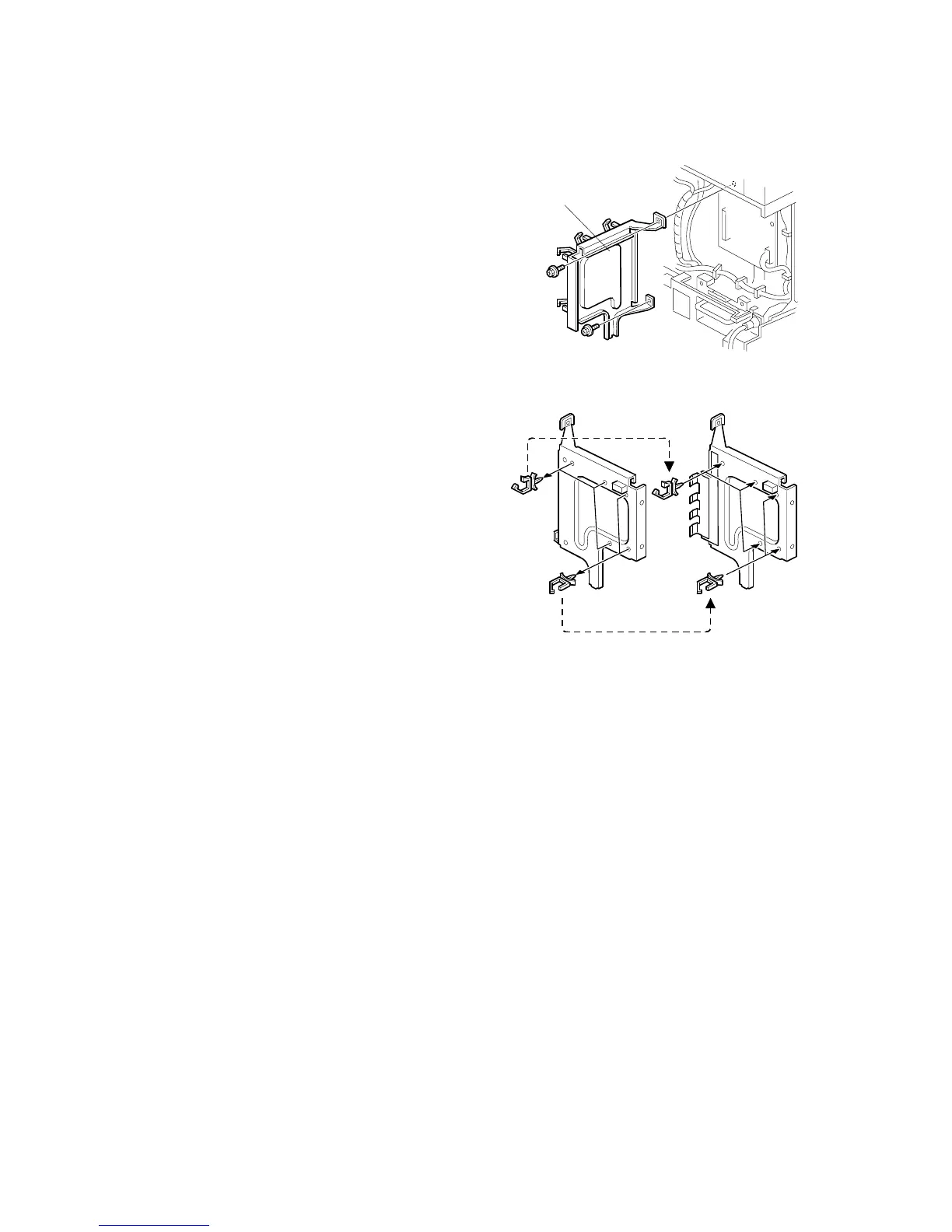
3. Remove:
• IPU shield plate [A] (! x2)
4. Remove the harness clamps [B] from
the old IPU shield plate and attach
them to the new plate (%x5).
5. Reattach:
• New IPU shield plate (! x2)
• Controller box (! x5, $ x1)
• Reattach rear lower cover (! x4)
• Reattach the corner plate (! x2)
• ARDF
Important:
• This completes the pre-installation procedure for this option.
• The mainframe can now be moved to the work site.
B815I110.WMF
B815I111.WMF
[A]
[B]
[B]



 To Next Page