SCANNER ACCESSIBILITY OPTION (B815)
B291/B295/B296/B297 SM
1-86
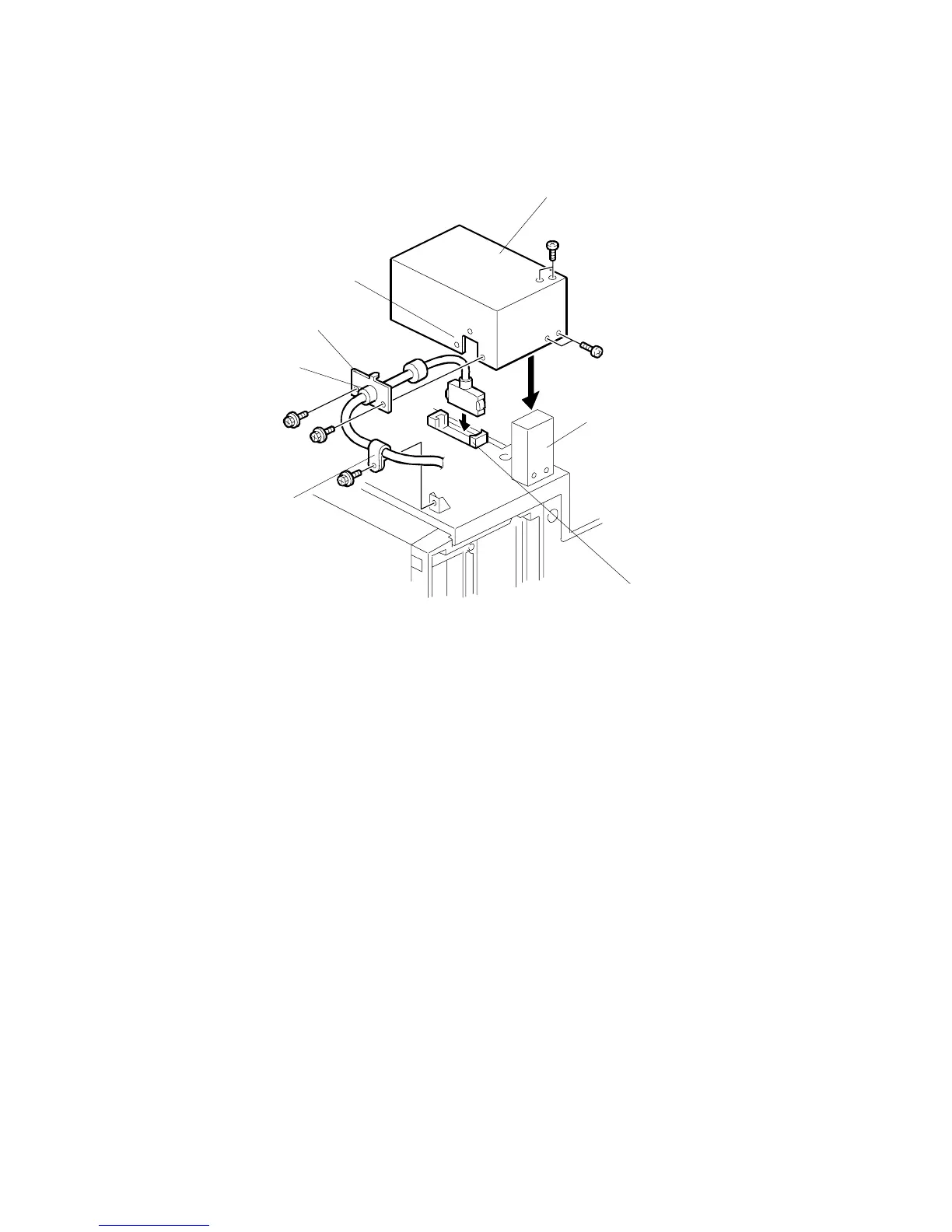
Connect the Long Scanner I/F Cable to Copier
1. Fasten the collar [A] of the long scanner I/F cable to the bracket [B].
2. Fasten the bracket to the side of the housing [C] (! x2)
3. Connect the cable [D] to the cable connector ($ x1).
4. Use the screws removed in Step 2 on the previous page to fasten the cable
cover [E] over the cable connection and the vertical post [F] of the scanner
stand (! x4).
5. Fasten the cable clamp [G] as shown (! x1).
B815I115.WMF
[A]
[B]
[C]
[D]
[E]
[F]
[G]



 To Next Page