Status Icon
46
Icon Description
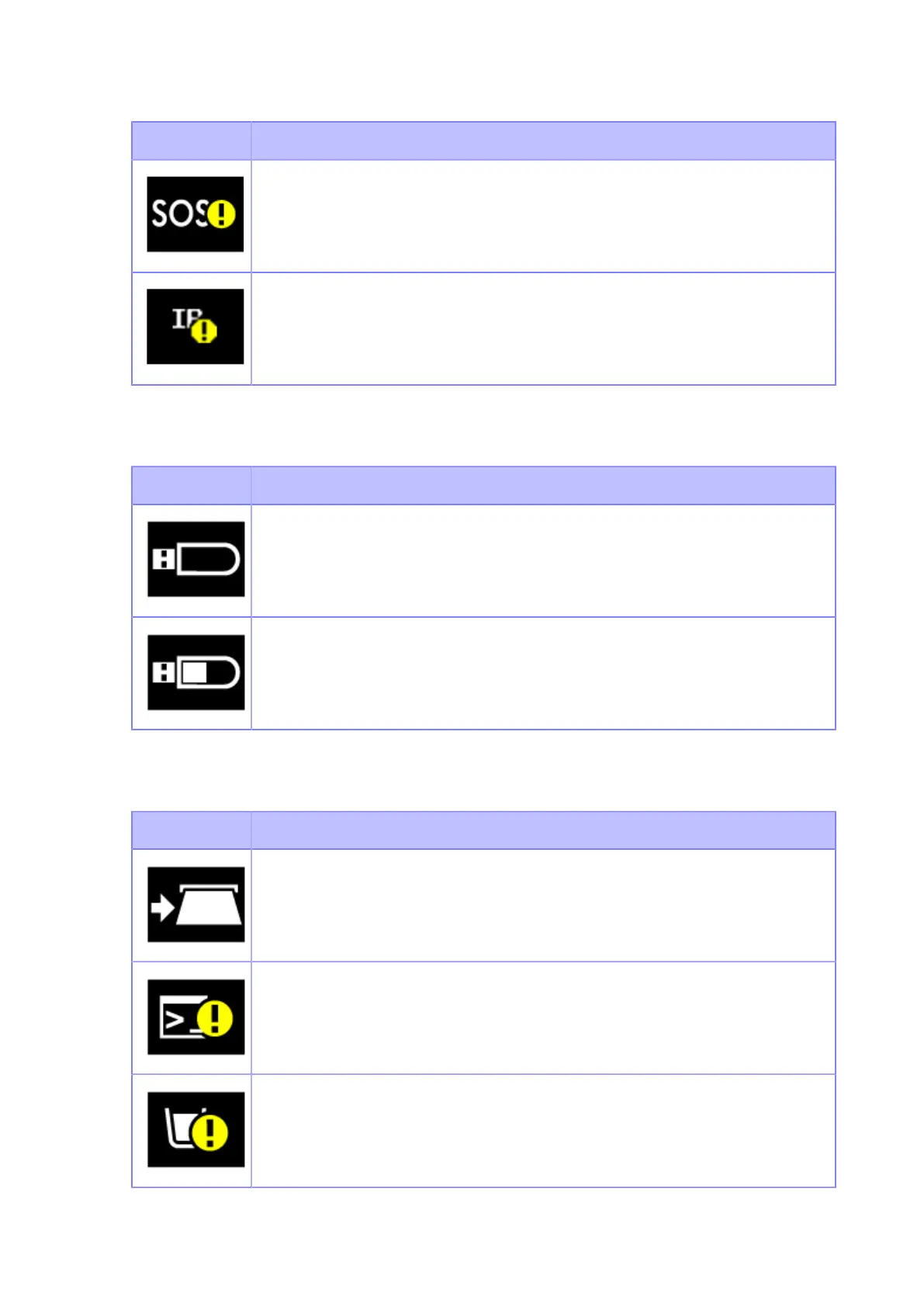
The periodic notification in the On-Demand mode of SOS as set previously has
arrived. Scan the QR code and send the information to the SOS cloud.
IP address could not be acquired. Or a communication error has occurred.
USB Memory Status
Icon Description
USB memory is connected.
Writing data from the USB memory stick.
Print Job Status
Icon Description
Waiting for media removal. Remove the media.
Command error detected. Check the print data.
Receive buffer is nearly full. Wait until the printer starts printing the previously sent
data, and then send the next data.



 To Next Page