Page 99
STAT
IM
2000/2000S Service Guide
96-108639 Rev 3.0
4. STAT
IM
2000 Calibration
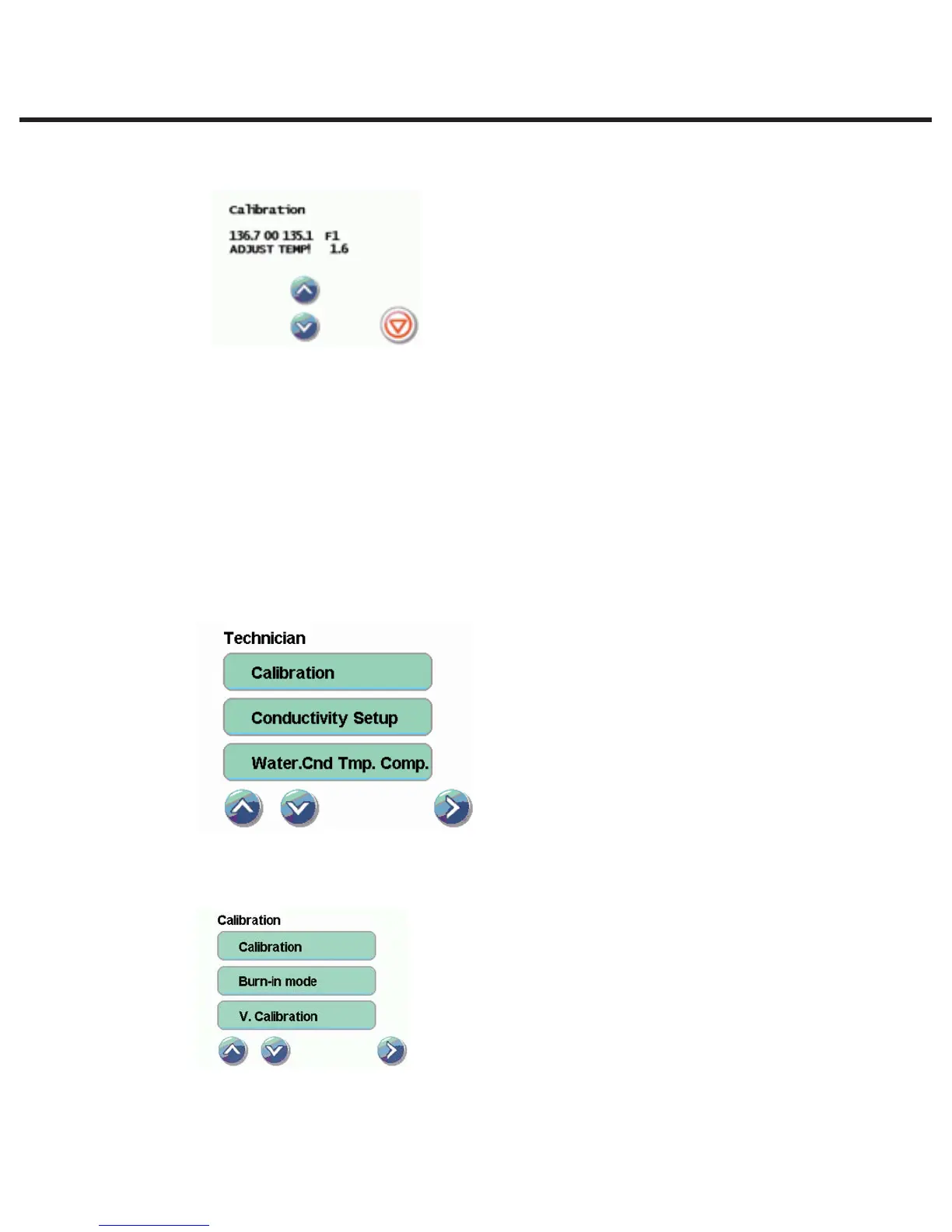
2. Wait for the chamber to reach the sterilization temperature of 134 °C (TTT) and for the ADJUST
TEMP! message to appear
3. The temperature displayed on the LCD needs to match the temperature displayed on the
digital thermometer.
4. Use the arrow keys to change the temperature display on the LCD until the temperatures are
within ±0.2°C. Observe the temperatures displayed on the LCD and the digital thermometer for
30 seconds. The temperatures registered should remain within ± 0.2°C of one another. If not,
make adjustments using the arrow keys.
5. Press the STOP button on the touchscreen when finished.
2. Validation thermocouple calibration
To calibrate the validation thermocouple:
1. Access the service menu as described above.
2. From the service menu, select Calibration.
3. To start a validation thermocouple calibration cycle, select V. Calibration in the Calibration
submenu. The STATIM will run a Validation Assy. calibration cycle.
STATIM 2000/2000S/2000 G4 Service Guide



 To Next Page