Page 176
STAT
IM
2000/2000S Service Guide
96-108639 Rev 3.0
8. Water Pumps, Reservoir, and Compressor
6. Using the button on the control box or appropriate keypad button (revision 7.x controllers),
activate the pump for 2 seconds to purge any air that is trapped in the fittings. Empty any
water that enters the pump tester by removing the bottle from the cap. Recap the pump test
bottle. The pump tester MUST be empty before starting the pump test.
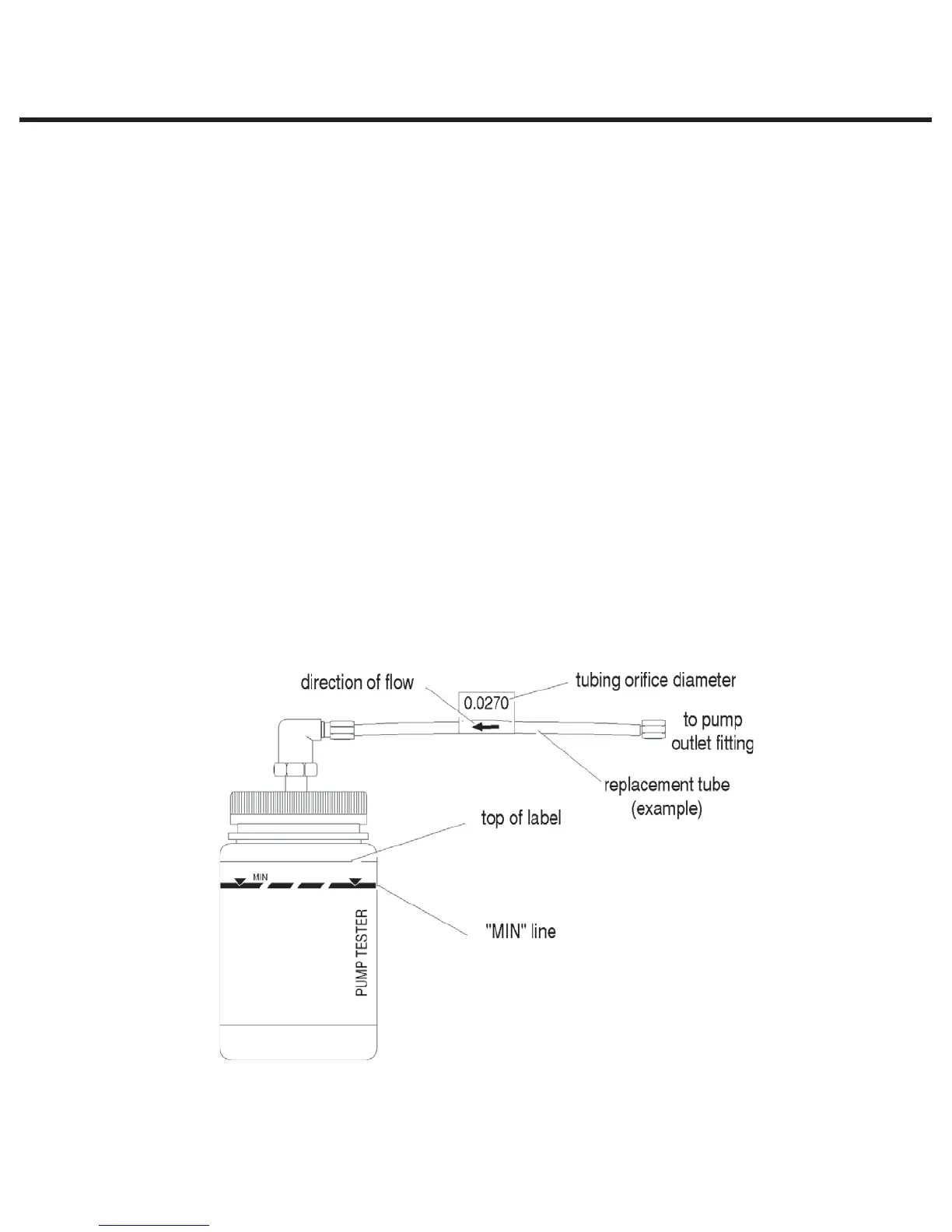
7. Be prepared to record the time it takes for the water level displayed on the pump tester to
reach the top of the line marked MIN (see Figure 13). Activate the pump.
8. If the water level reaches the top of the line marked MIN within the time allotted in the Pump
Flow Parameters chart, the pump is performing correctly. If the water level reaches the top of
the line marked MIN in less than that time or if the water level does not reach the top of the
line marked MIN within the allotted time, remove the tube and try a different size, repeating the
test procedure until the correct size is established.
9. If flow requirements cannot be met using the largest or smallest diameter tubes, pump
replacement will be necessary.
10. If a test proves successful, disconnect the test bottle. Using a 3/8-inch wrench connect the
replacement tube to the top of the steam generator.
11. Make sure there is sufficient steam-process distilled water in the reservoir and activate the
pump using the control box or appropriate keypad button (if using revision 7.x controllers) for
5 seconds to ensure that the pump is functioning and observe for leaks.
12. If the pump is replaced, a dielectric strength test (Hi-Pot) and a protective bonding impedance
test (ground continuity) should be performed on the STATIM unit at this stage.
NOTE: These tests must be performed on the STATIM again once the work is completed and
the cover has been returned to the unit.
13. Run a sterilization cycle and observe all fittings and tubes for leaks. Check LCD read-outs for
messages indicating cycle status.
Figure 13
STATIM 2000/2000S/2000 G4 Service Guide



 To Next Page