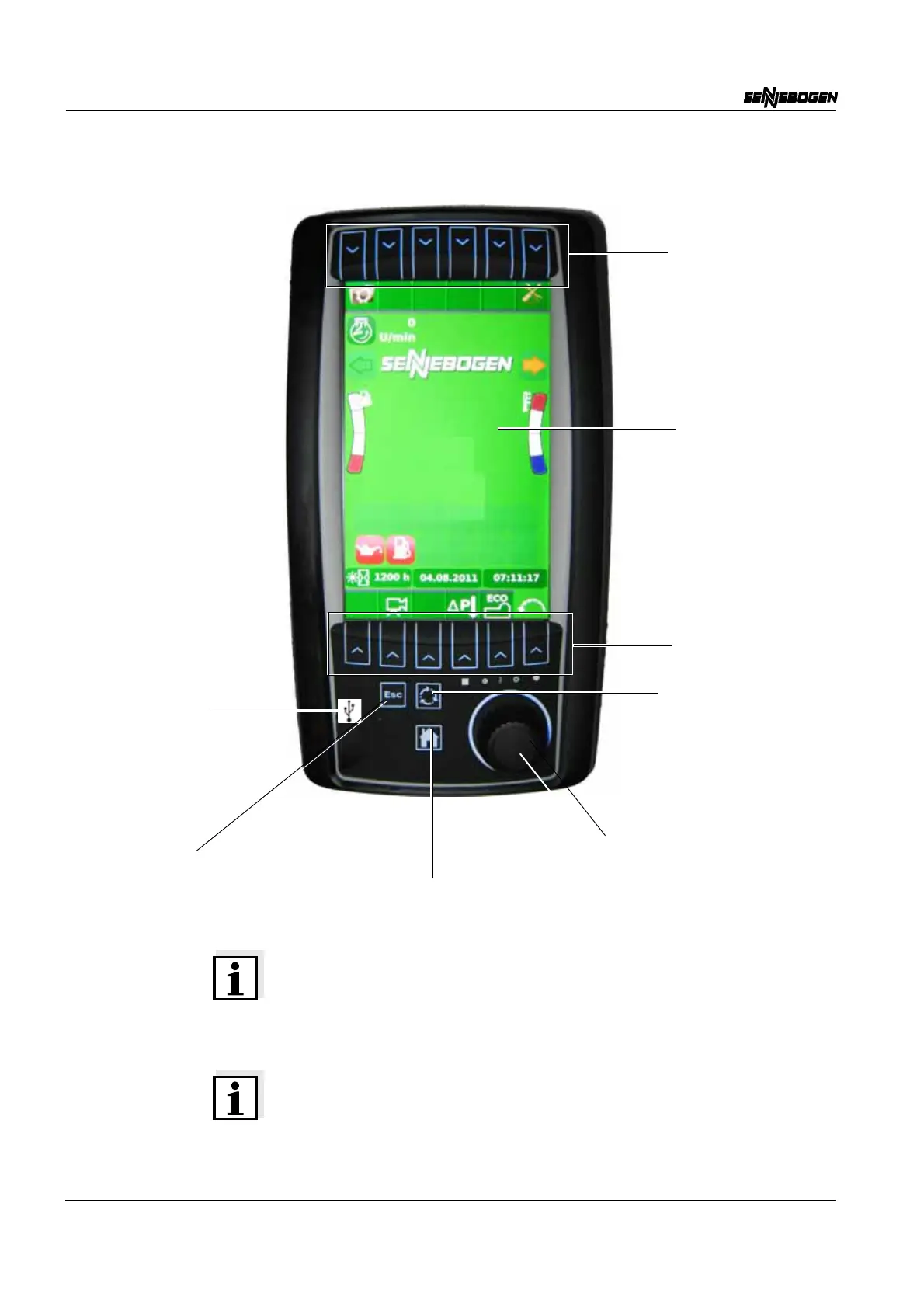
SENCON - Sennebogen Control System - Start page
SENCON / 01.2013
5 - 2
5.1 Start page
Note on the SCROLL Wheel
As soon as an arrow is displayed on a page, the scroll wheel can be
used to scroll (turn) in the appropriate direction. Within lists, "turn to the
right" means a movement downward, "turn to the left" means a
movement upward.
Note on the HOME Button
The button is not activated if the operator is in a detailed view or is
adjusting a setting.
Upper quick
selection buttons
Display
Cancel/Back (ESC button)
Scroll wheel and pushbutton (SCROLL wheel)
Back to start page (HOME button)
Save/Reset
(SET button)
USB port for
service use
(folding)
Lower quick
selection buttons


 To Next Page