SENCON - Sennebogen Control System - Diagnostics
SENCON / 01.2013
5 - 9
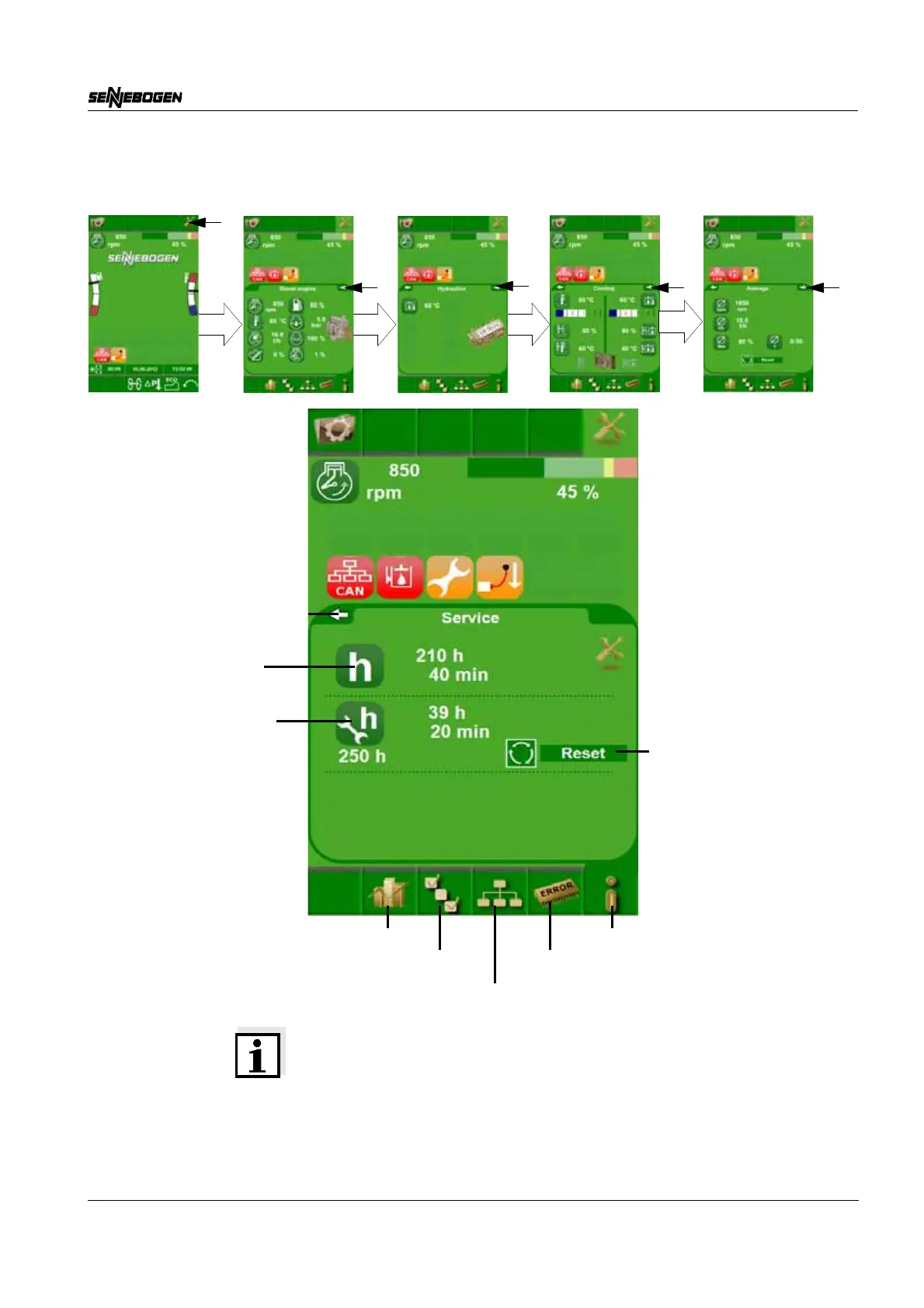
5.3.5 Service
Note on Reset*
50 operating hours before a service deadline, the Reset button
appears. Press and hold the SET button for 5 seconds to reset the
service interval display. The service interval display then increases by
250 operating hours. The reset display then disappears again.
Page back (SCROLL left)
Network
Statistics Info/Process data
Parameterization
Error memory
Operating hours
Next service due in...
Reset service interval
display with the SET
button (Reset*)
counter



 To Next Page