SENCON - Sennebogen Control System - Settings/Parameterization
SENCON / 01.2013
5 - 32
5.4.7 Activate automatic idle
Automatic idle helps to save resources by automatically lowering the
engine speed during longer pauses while working.
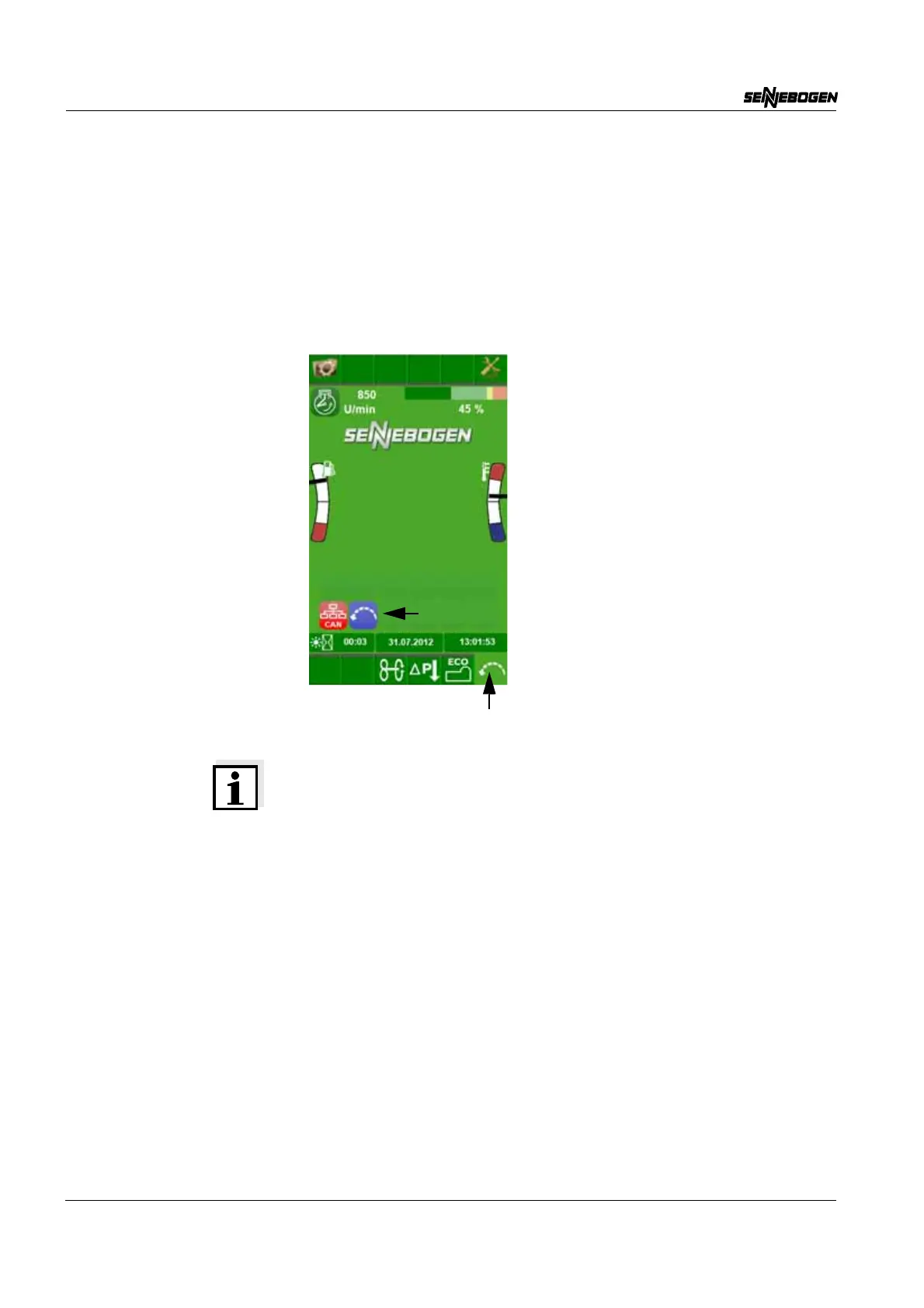
The automatic idle must be switched on via the quick-select button (1)
on the start page. A brief click suffices. Automatic idle can be switched
off in the same manner. When starting the machine automatic idle is
already activated.
Note on the lowering stages of the automatic idle
Automatic idle has 3 stages:
Stage 1 reduces the speed to 50 % of the maximum speed after
5 seconds.
Thereafter, stage 2 reduces the speed to idle after an additional
8 seconds.
Stage 3 switches off the engine after an additional 5 minutes.


 To Next Page