SENCON - Sennebogen Control System - Diagnostics
SENCON / 01.2013
5 - 11
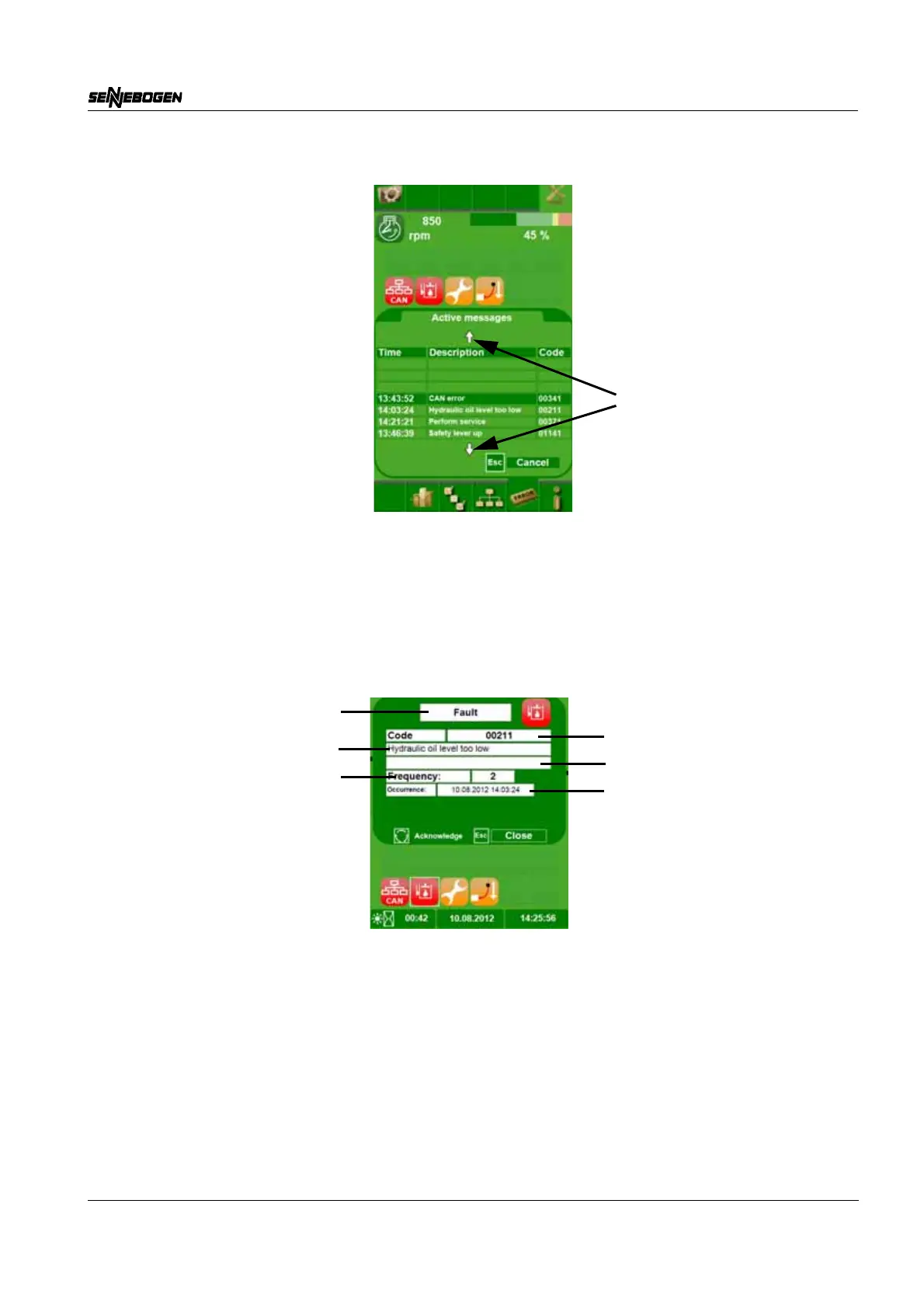
Press the SCROLL wheel to activate the error list. 2 arrows (1) appear
in the menu, indicating that the list can now be scrolled.
The list can be scrolled by moving the SCROLL wheel up or down.
The selected message has a dark green background.
If the SCROLL wheel is pressed, the detailed view of the selected
message opens.
Detailed view
The ESC button returns the operator to the previously active view.
Error, information, or warning
Error code
Error information
Additional information
Frequency of error occurrence
Last occurred



 To Next Page