SENCON - Sennebogen Control System - Settings/Parameterization
SENCON / 01.2013
5 - 20
Note
If the operator presses the SCROLL button, he enters selection mode
and can switch between the functions.
A white frame indicates a selected field. Switch between the various
fields using the SCROLL wheel. If the SCROLL wheel is pressed again,
the selected field becomes active and the value can be changed by
turning the SCROLL wheel.
The selected field then has a green frame. To save the value,
the operator must press the SCROLL wheel again. The value can be
reset using the ESC button.
Note on OptiMode
OptiMode can be adjusted in increments of 10 from 40% to 100%.
OptiMode enables active regulation of the response (aggressiveness)
of the hydraulic system, allowing you to operate the machine with more
sensitivity and more economically as needed. For this reason,
Optimode is already activated after restart of the machine and is set at
60 %.
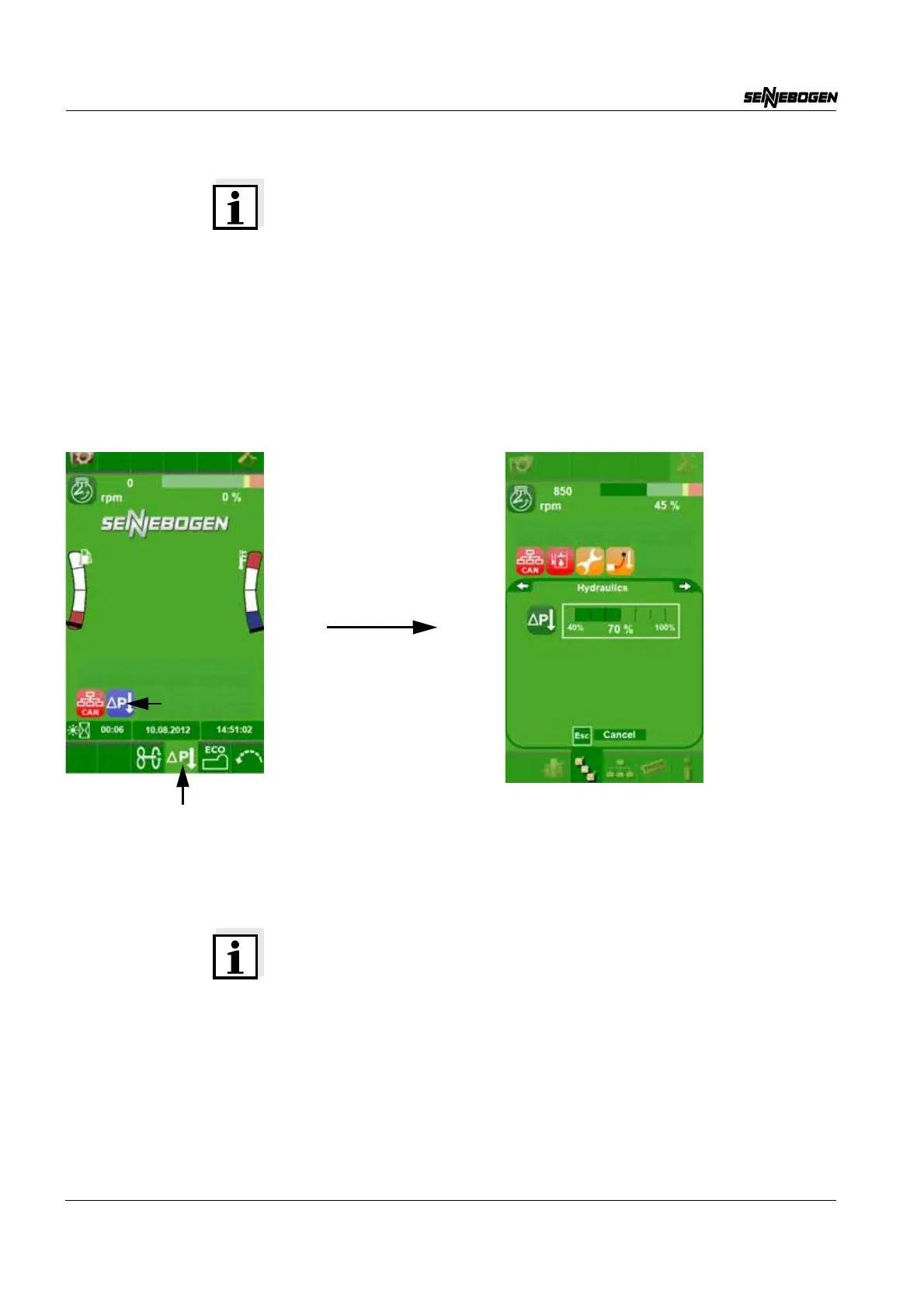
OptiMode must be switched on using
the quick selection button on the start page.
Just a quick click is enough. Use the same
method to switch the OptiMode off again.
If the operator presses the quick selection
button for 2 seconds, the parameterization
of the hydraulic system appears.


 To Next Page