SENCON - Sennebogen Control System - Settings/Parameterization
SENCON / 01.2013
5 - 28
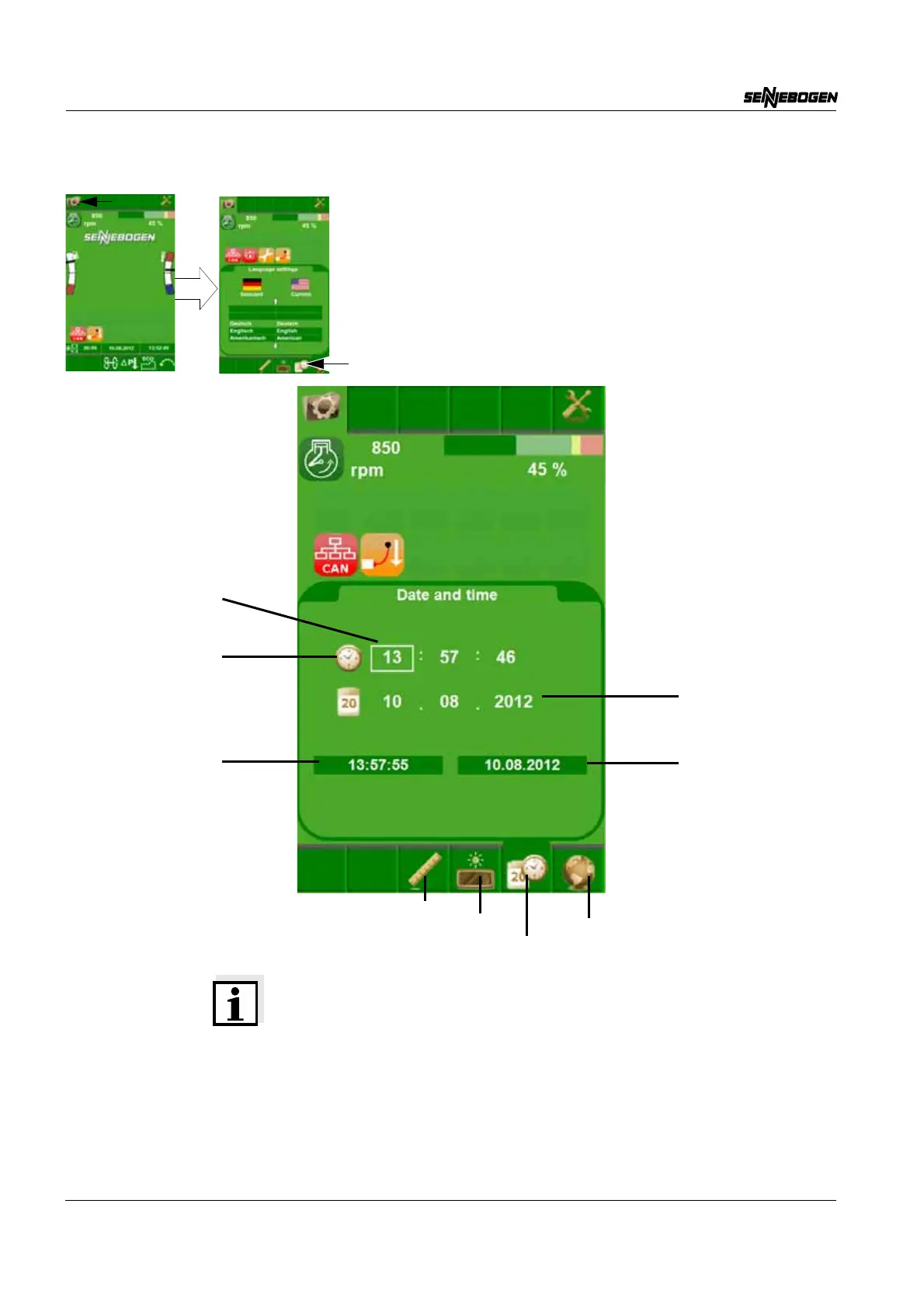
Date/Time
Note on Setting Date and Time
The operator can switch between the individual values using the
SCROLL wheel. The currently selected value is framed in white. If the
SCROLL wheel is pressed, the field becomes active (green frame) and
the value can be adjusted with the SCROLL wheel. If the SCROLL
wheel is pressed again, the new value is saved and immediately
appears in the view below.
Language
Date/Time
Brightness
Units
Current time
Current date
Time
Selection frame
Date



 To Next Page