4-87
PDW-700/V1 (E)
4-10-5. ACCELERATION SENSOR
This menu allows you to check the acceleration sensor on
the optical drive.
n
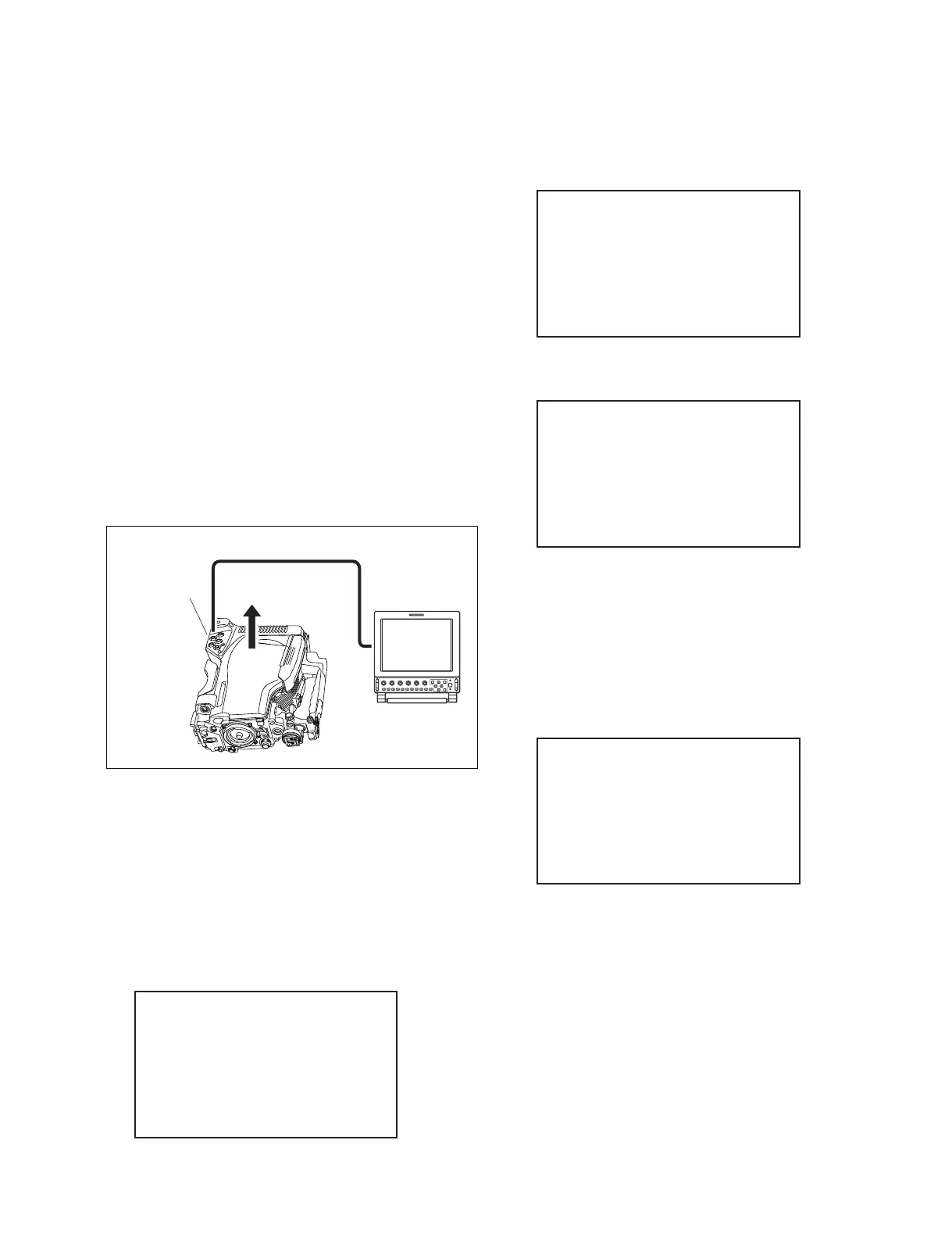
Be sure to place the unit horizontally with the outside
panel facing upward as shown in the figure when checking
the sensor.
The check may be failed if the optical drive is incorrectly
placed.
Preparation:
1. Place the unit with the outside panel facing upward as
shown in the figure.
2. Connect the component cable to the TEST OUT
connector and the monitor.
3. Select VIDEO OUT MENU from the VIDEO OUT
page in the OPERATION menu.
The menu appears on the connected monitor.
Menu hierarchy:
[DRIVE MAINTENANCE]
→ [CHECK]
→ [DEVICE]
→ [ACCELERATION SENSOR]
1. A confirmation screen appears.
2. Select “YES” by turning the MENU knob, and press
the MENU knob.
A confirmation screen appears.
3. Check that the unit is placed horizontally, and press
the MENU knob.
When the optical drive is detected as horizontal, the
following screen appears.
If failed:
The following screen appears.
Check optical drive posture and sensor installation.
n
CHECKING: Disconnection check result
SENSOR POSTURE: SENSOR POSTURE check result
If the disconnection check results in an error, the SENSOR
POSTURE check is not carried out.
ACCELERATION SENSOR
CHECK START?
*YES
NO
ACCELERATION SENSOR
PLACE DRIVE
HORIZONTALLY
ARE YOU SURE?
*YES
NO
ACCELERATION SENSOR
CHECKING...OK
SENSOR POSTURE:OK
ACCELERATION SENSOR
CHECKING...OK
SENSOR POSTURE:TILTING!
DRIVE MAINTENANCE
*CHECK
ADJUST
ERROR LOGGER
OTHERS
TEST OUT
Component cable
Monitor
Outside panel



 To Next Page