9-10
PDW-700/V1 (E)
9-2-8. Auto Iris Adjustment
Fixtures and Equipment:
. SD waveform monitor
. Black and white monitor
. Grayscale chart
Preparation:
. Connect an SD waveform monitor to the TEST OUT
connector.
. Lens IRIS → AUTO
. OUTPUT/DCC switch (inside panel) → CAM/ON
. Shoot a grayscale chart in the full underscanned monitor
frame.
Adjustment Procedure:
1. On the menu, adjust as follows.
MENU: MAINTENANCE
PAGE: AUTO IRIS 2
ITEM: IRIS APL RATIO
Spec.: Set AUTO iris operation depending on the
application.
(Automatic iris operation mode setting can be
set in the range of the average level operation
to peak-to-peak level operation of the video
signal.)
IRIS APL RATIO = MIN → peak-to-peak
level only
IRIS APL RATIO = MAX → average level
only
2. On the menu, adjust as follows.
MENU: MAINTENANCE
PAGE: AUTO IRIS 2
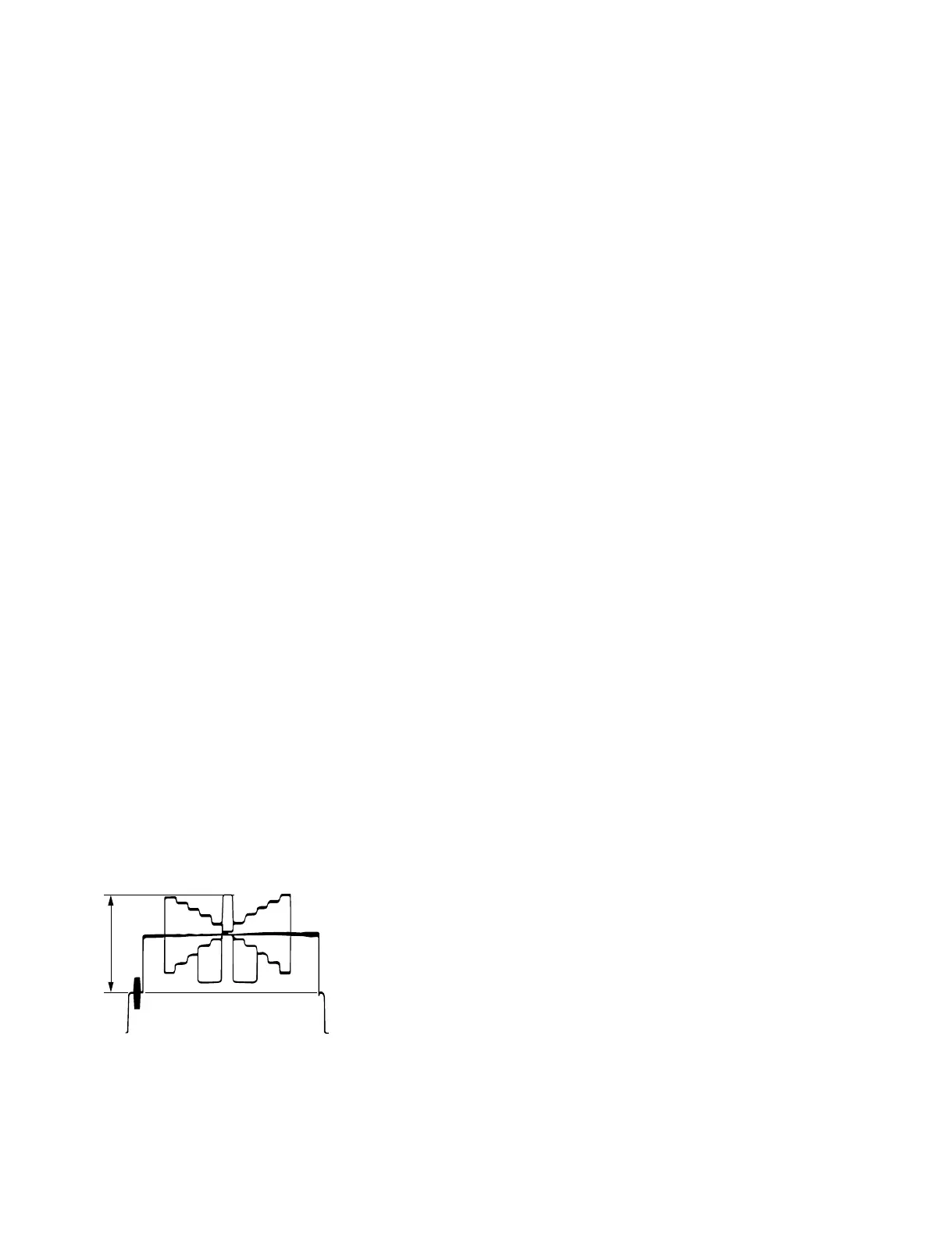
ITEM: IRIS LEVEL
Spec.: A = 100 ± 2 IRE (NTSC)
A = 700 ± 14 mV (PAL)
A
3. On the menu, adjust as follows.
MENU: MAINTENANCE
PAGE: AUTO IRIS 2
ITEM: IRIS SPEED
Spec.: Adjust to the desired operation speed of auto
iris.
4. On the menu, set as follows.
MENU: MAINTENANCE
PAGE: AUTO IRIS 2
ITEM: CLIP HIGH LIGHT → ON or OFF
Spec.: Set the level to the desired AUTO iris.



 To Next Page