1-44
PDW-700/V1 (E)
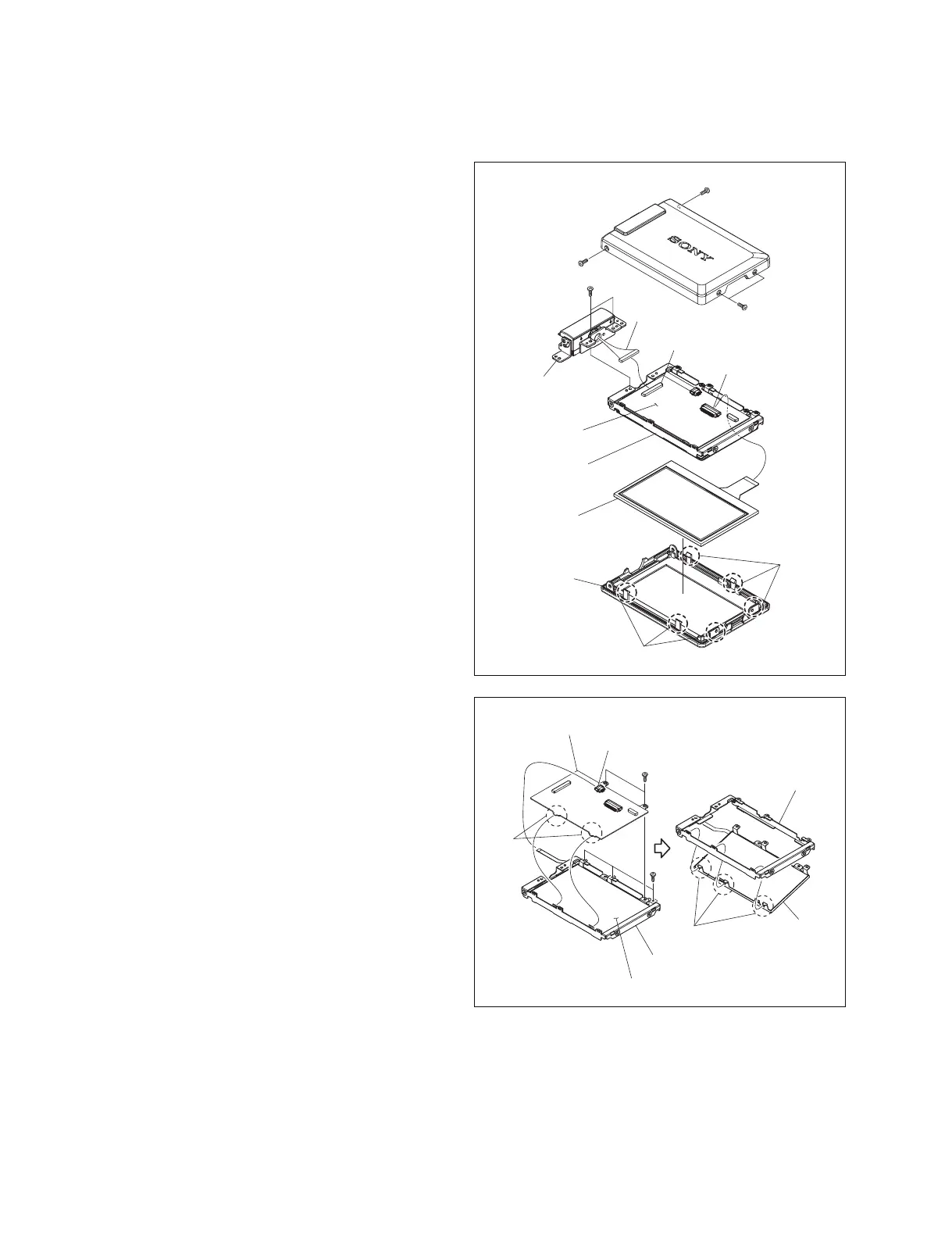
1-8-3. LCD Backlight and LCD Panel
1. Remove the LCD block. (Refer to Section 1-8-1.)
2. Remove the four screws a (M2 x 3) , and remove the
LCD cover.
3. Remove the two screws b (M2 x 3) .
4. Disconnect the harness from the connector (CN1) on
the PD-118 board, and remove the LCD hinge.
5. Disconnect the flexible card wire of the LCD panel
from the connector on the PD-118 board.
6. Release the six claws on the LCD bezel to remove the
LCD frame.
7. Remove the LCD panel from the LCD bezel.
8. Disconnect the flexible card wire of the LCD backlight
from the connector (CN3) on the PD-118 board.
9. Remove the two screws c (M2 x 3) .
10. Release the hooks on the PD-118 board from the LCD
backlight to remove the PD-118 board.
11. Remove the three screws d (M1.7 x 2.5) .
12. Release the claws on the LCD backlight from the LCD
frame to remove the LCD backlight.
Claws
Claws
LCD bezel
LCD panel
PD-118 board
LCD hinge
CN1
CN2
Harness
LCD frame
a
a
a
b
LCD backlight
LCD backlight
Hooks
Claws
PD-118 board
LCD frame
LCD frame
CN3
c
d



 To Next Page