PDW-700/V1 (E)
7-24
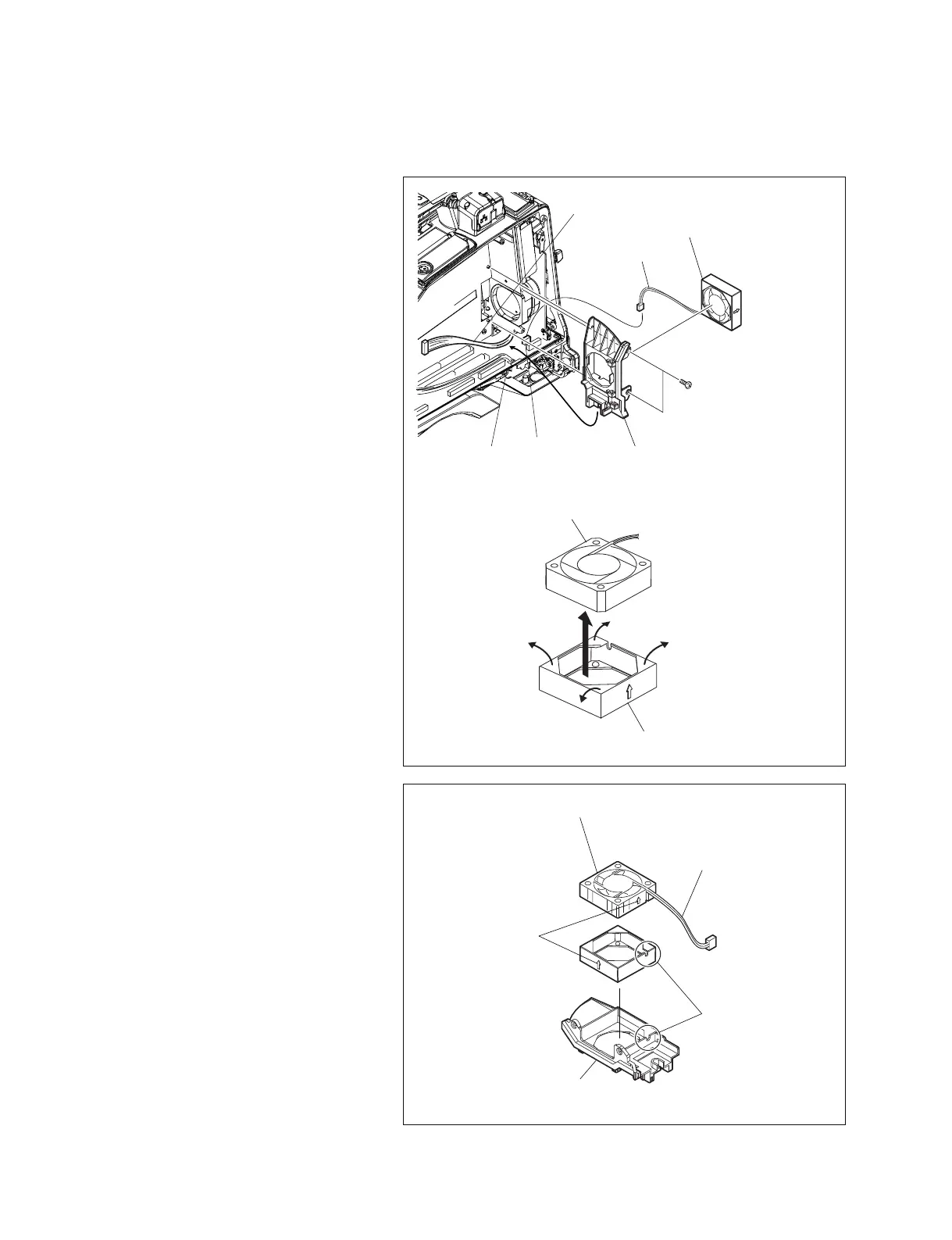
7-4. Replacing Fan Motor (Rear)
1. Remove the inside panel.
(Refer to Section 1-7-3.)
2. Remove the DCP-44 board assembly.
(Refer to Section 7-7-4.)
3. Remove the DVP-45 board assembly.
(Refer to Section 7-7-6.)
4. Disconnect the harness from the connector
(CN103) on the MB-1111 board.
5. Remove the two screws, and disconnect the
harness through the bottom hole of the fan
fitting holder.
6. Remove the fan assembly from the fan fitting
holder.
7. Tilt the four corners of the cushion outward
to remove the fan motor.
n
The cushion (FAN) is made of rubber and
soft enough to remove the fan motor easily.
8. Attach the fan cushion to the new fan motor.
n
The arrow (9) on the fan motor must be
pointing in the same direction as that on the
cushion (FAN).
9. Insert the fan assembly into the fan fitting
holder until it stops.
m
. Be sure that the arrow (9) on the cushion
(FAN) points toward the rear panel, and
that the fan harness comes to the bottom.
. When reinstalling, be sure that the cushion
(FAN) is not flipped over or sagged.
10. Reinstall the removed parts by reversing
steps 1 to 5 of removal.
MB-1111 board
CN3
B2.6 x 5
Fan fitting holder
Harness
Fan harness
Fan assembly
Fan motor
Cushion (FAN)
Fan fitting holder
Fan harness
Place the
fan harness
Fan motor
Arrow (9)



 To Next Page