2-15
PDW-700/V1 (E)
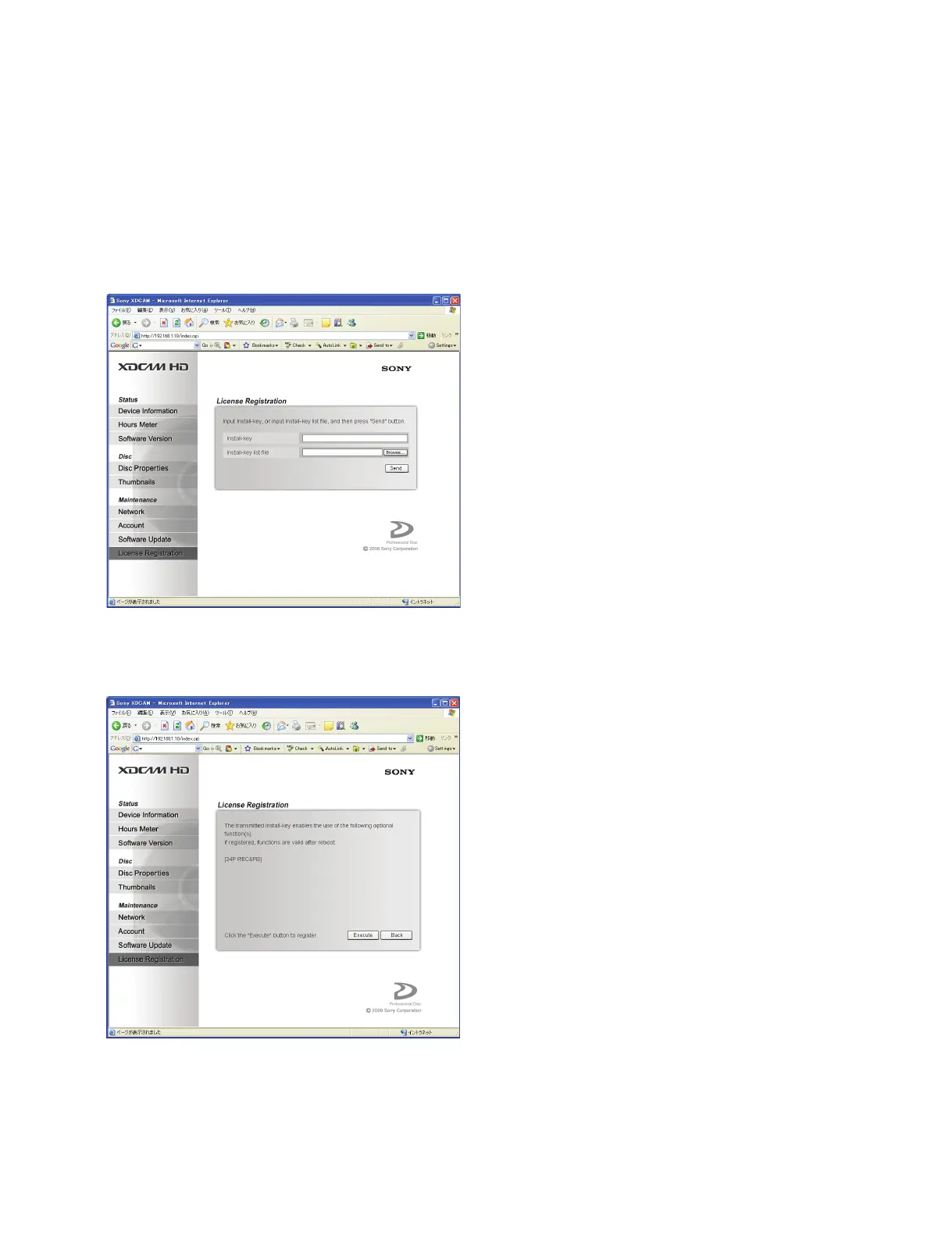
2-4-4. License Registration
License registration of software option using the Install key can be made from the
License Registration page of the Maintenance menu.
Procedure
1. Enter the Install key character string in the Install-key field or alternately click the “Browse” button
in the Install-key list file field to select the Install key list file.
2. Click “Send”.
3. The software option that is enabled by sending the Install key is displayed. To register the software
option being displayed, click the “Execute” button.



 To Next Page