PDW-700/V1 (E)
8-5
DRIVE MAINTENANCE
ADJUST
SKEW
TAN ADJUST
*RAD ADJUST
RAD ADJUST
ADJUST START?
*YES
NO
RAD ADJUST
ADJUSTING...COMPLETED
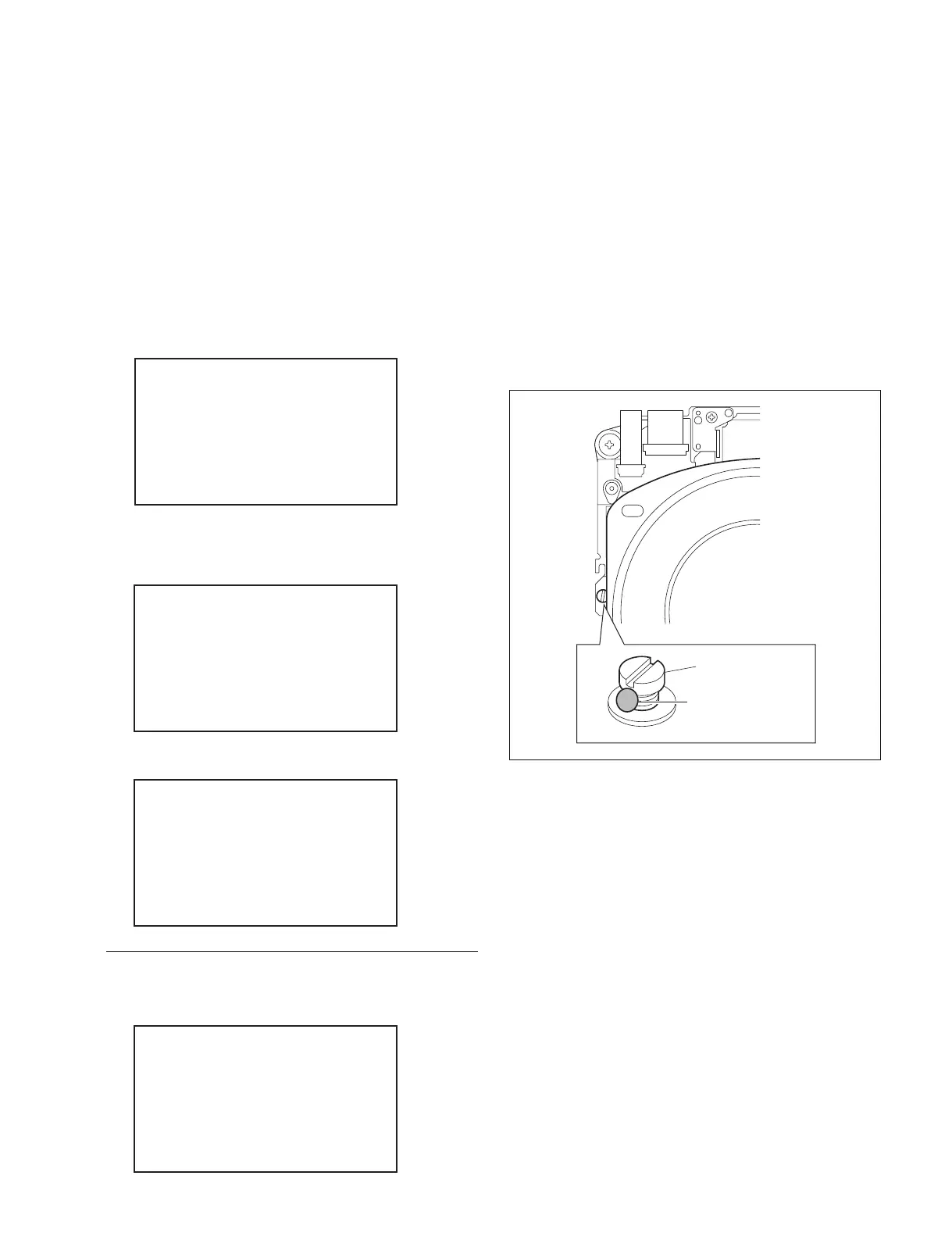
Tangential IN
adjustment screw
Locking compound
8-4-2. Radial Skew Adjustment
n
This adjustment is made automatically.
You need not adjust radial skew using the adjustment
screw as shown in the previous adjustment item.
1. Perform steps 1 to 5 in “8-4-1. Tangential Skew
Adjustment”.
2. Select “RAD ADJUST” by turning the MENU knob,
and press the MENU knob.
A confirmation screen appears.
3. Select “YES” by turning the MENU knob, and press
the MENU knob.
The result appears.
4. When “OK” appears, press the MENU switch.
n
If failed, the optical block assembly may be defective.
5. Press the MENU switch again. The ADJUST screen
appears.
6. Remove the cartridge and the weight.
7. Apply locking compound to the screw shown in the
figure.
n
Apply the locking compound to the screw as shown in
the figure, being careful not to put it over the head of
the screw.
In case of error:
The defect in the optical block assembly is thought.
RAD ADJUST
ADJUSTING...FAILED



 To Next Page