2-14
PDW-700/V1 (E)
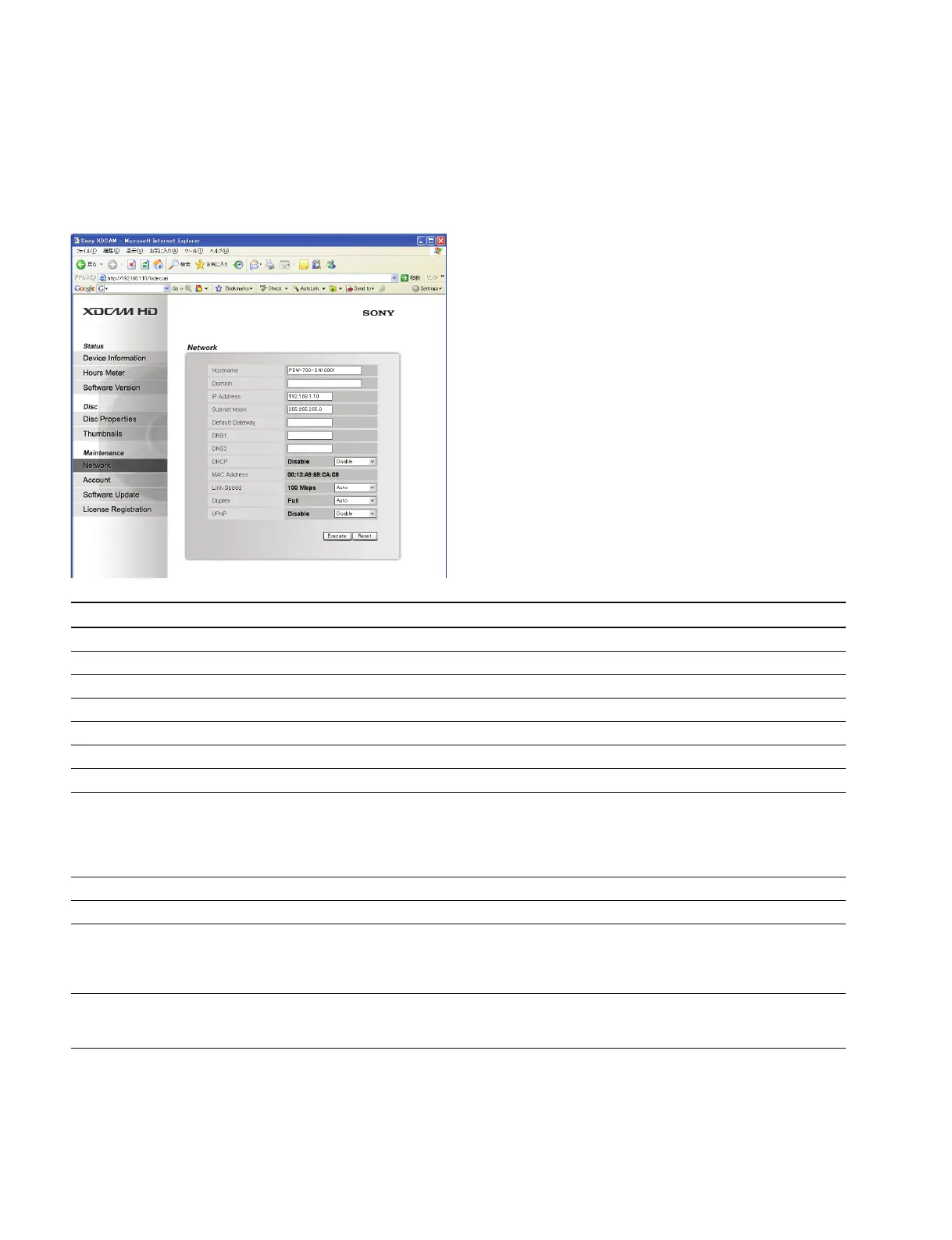
2-4-3. Network
The network-related settings can be changed on the Network page of the Maintenance menu.
n
The function is the same as that of the NETWORK page of the MAINTENANCE menu on the camcorder.
Item Setting Default Function
Hostname Character string Serial No. of PDW-700 Sets a host name
Domain Character string _ Sets a domain name
IP Address xxx.xxx.xxx.xxx 192.168.1.10 Sets an IP address (See below)
Subnet Mask xxx.xxx.xxx.xxx 255.255.255.0 Sets a subnet mask (See below)
Default Gateway xxx.xxx.xxx.xxx 0.0.0.0 Sets a default gateway (See below)
DNS1 xxx.xxx.xxx.xxx _ Sets a DNS server 1
DNS2 xxx.xxx.xxx.xxx _ Sets a DNS server 2
DHCP Enable/Disable Disable Sets whether to automatically acquire an IP address on
the DHCP server
Enable: Enables automatic acquisition. If the server does not
respond in 30 seconds, the IP address is set by Auto IP
Disable: Disables automatic acquisition
MAC Address Display only _ Displays a MAC address
Link Speed AUTO/10Mbps/100Mbps Auto Sets a communication speed
Duplex AUTO/Full Duplex/ Auto Sets a communication mode
Half Duplex Auto
Full Duplex: Full-duplex communication
Half Duplex: Half-duplex communication
UPnP Enable/Disable Disable Sets whether to use a UPnP
Enable: Use
Disable: Not use
Procedure
1. Enter the IP address (or the subnet mask or the default gateway).
(Pressing “Reset” clears the Input window.)
2. Press “Execute” to change the setting.



 To Next Page