PDW-700/V1 (E)
7-30
7-7-5. FP-157 Board
Note on removing FP-157 board:
This unit is always energized to retain data, even while the
POWER switch is off. The data is also retained by the
lithium battery on the FP-157 board. For this reason, if the
board is repaired with power supplied, ICs on the board
may be broken. Be sure to remove the lithium battery
before removing the FP-157 board.
n
Removing the lithium battery with a screwdriver or a
similar tool may cause short-circuiting. Remove the battery
with a bamboo stick or a similar insulator.
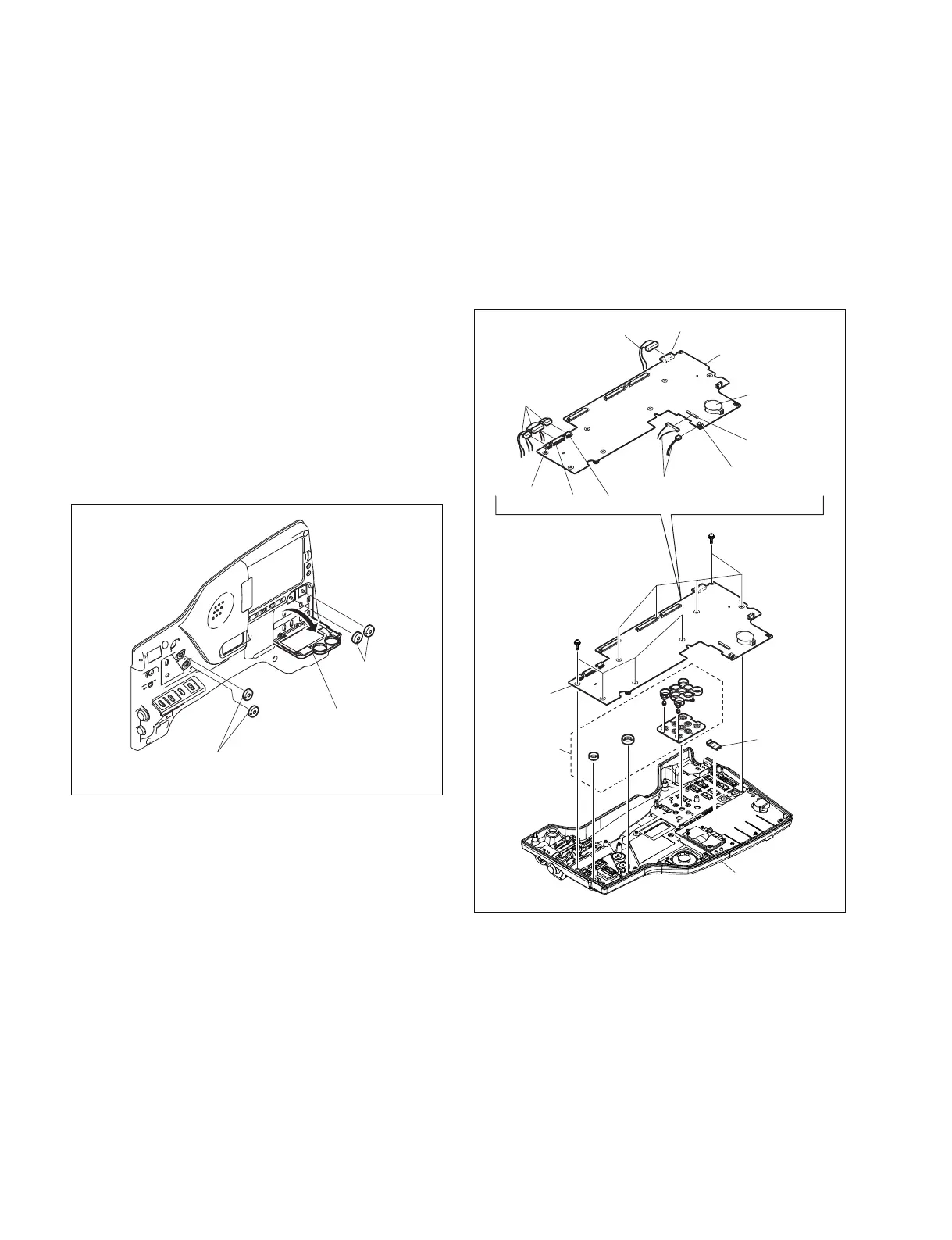
1. Remove the inside panel. (Refer to Section 1-7-3.)
2. Remove the knobs A (two pieces) .
3. Open the switch door (R) , and remove the knobs B
(two pieces) .
Knobs (B)
Knobs (A)
SW door (R)
CN850
CN700
CN701
CN702
CN703
CN802
PSW2 x 5
PSW
2 x 5
LCD
harness holder
FP-157 board
Inside panel
Unfixed parts
FP-157 board
Harnesses
Harness
Lithium battery
Harnesses
4. Remove the LCD harness holder.
5. Disconnect the harnesses from the six connectors
(CN700, CN701, CN702, CN703, CN802, CN850) on
the FP-157 board.
6. Remove the nine screws (PSW2 x 5) , and remove the
FP-157 board.
n
After removing the FP-157 board, be careful not to
drop the unfixed parts.
7. Reinstall the removed parts by reversing steps 1 to 6 of
removal.



 To Next Page