PDW-700/V1 (E)
7-36
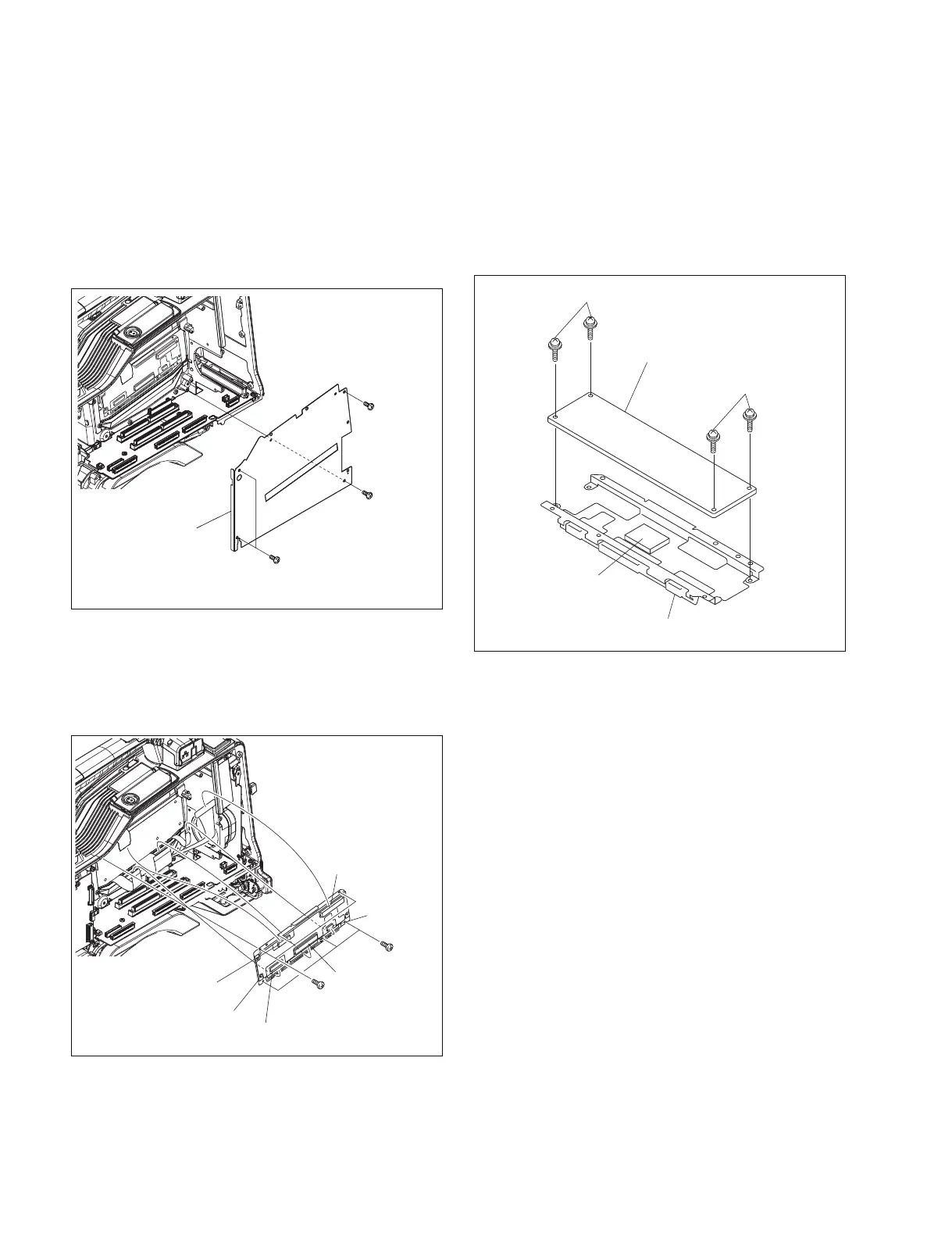
7-7-17. DR-606 Board
1. Remove the inside panel. (Refer to Section 1-7-3.)
2. Remove the DCP-44 board. (Refer to Section 7-7-2.)
3. Remove the DVP-45 board. (Refer to Section 7-7-3.)
4. Remove the fan motor (rear) . (Refer to Section 7-4.)
5. Remove the four screws (B2.6 x 5) , and remove the
separator (center) .
PSW2 x 4
PSW2 x 4
DR-606 board
Radiation sheet
Heat sink
B2.6 x 5
Separator
(center)
B2.6 x 5
B2.6 x 5
DR-606
board
assembly
B2 x 3
B2 x 3
CN100
CN102
CN857
CN858
CN101
6. Disconnect the harness from the connector (CN100) .
7. Disconnect the flexible card wires from the four
connectors (CN101, CN102, CN857, CN858) .
8. Remove the six screws (B2 x 3) , and remove the DR-
606 board assembly.
9. Remove the four screws (PSW2 x 4) , and remove the
DR-606 board.
n
When the DR-606 board is removed from the heat
sink, if the radiation sheet is affixed to the IC, peel of
the radiation sheet from the IC carefully so as not to
damage the radiation sheet.
10. Reinstall the removed parts by reversing steps 1 to 9 of
removal.



 To Next Page