2-13
PDW-700/V1 (E)
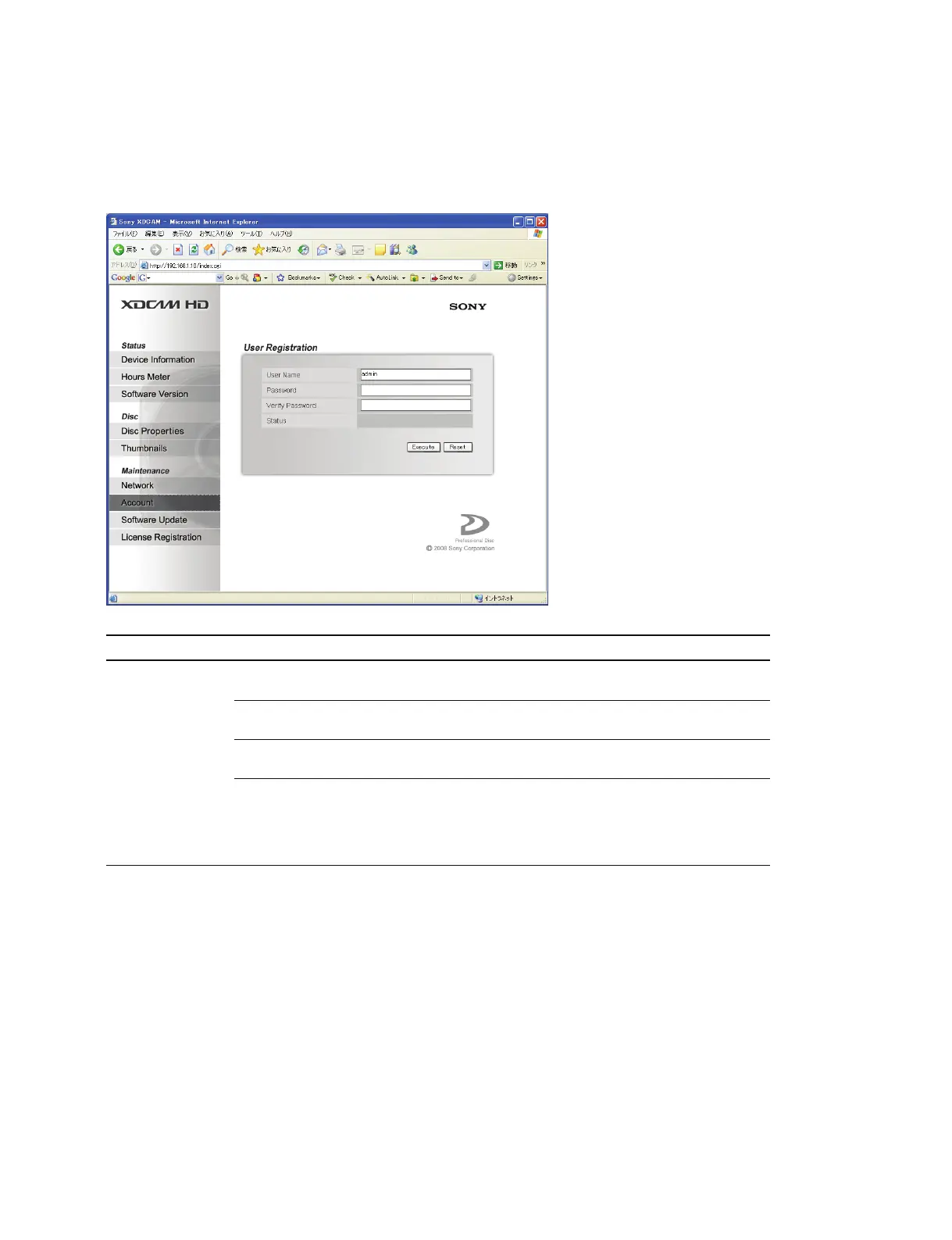
2-4-2. Account
The user password for the XDCAM website can be changed on the Account page of the Maintenance
menu.
Item Setting Function
User Registration User Name 31-byte alphanumeric User name
and hyphen
*
Password 31-byte alphanumeric New password
and hyphen
*
Verify Password 31-byte alphanumeric New password (Re-enter the new password for
and hyphen
*
verification)
Status Display only Success: Displayed when the user password is
changed
Error: Displayed when an unusable character
is used in the password, or the verify
password is conflict
* : Uppercase and lowercase characters are distinguished.
Procedure
1. Enter the new password in the Password box and Verify Password box.
(Pressing “Reset” clears the Input window.)
2. Press “Execute” to change the password.



 To Next Page