4-56
PDW-700/V1 (E)
4-7. FILE Menu
For details of the file structure and the method to save the files, refer to “Section 5. File System.”
n
When the range of setting is surrounded by parenthesis ( ) in the setting column, the setup value is the
relative value. The range of setting in parenthesis ( ) can be different from what shown in the manual
depending on the setting in the layer lower than this menu.
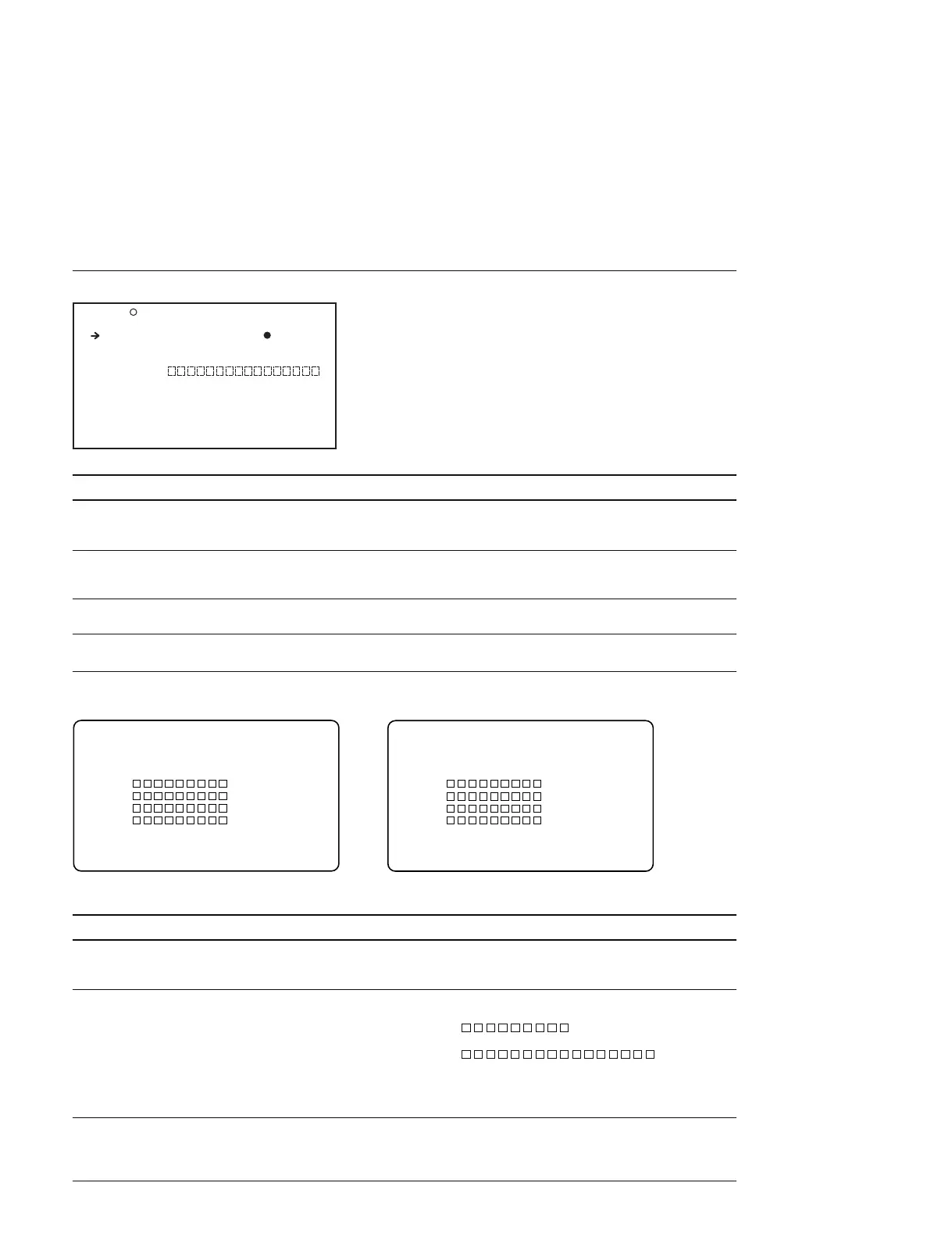
USER FILE Display (Operating the USER files)
Item Setting Function
USER FILE LOAD Press the MENU knob to move Reads the USER file from a Memory Stick
to the file selection display (For the description of the file selection display,
see below to the following descriptions)
USER FILE SAVE Press the MENU knob to move Saves the USER file to a Memory Stick
to the file selection display (For the description of the file selection display,
see below to the following descriptions)
F.ID 16 characters (alphanumeric characters, Sets the file ID (When the USER FILE SAVE is
symbols and spaces) executed, this ID is saved)
USER PRESET Press the MENU knob Returns all the items of the USER menu to the
to execute this menu item standard setup
File selection display
Item Setting Function
MEMORY STICK ACCESS Display only The display appears when inserting a Memory Stick or
during saving data in a Memory Stick or during reading
data from a Memory Stick
DISPLAY MODE ALL/F.ID/DATA/MODEL Switches the attributes when displaying the following file
ALL : File ID and date are displayed
( 00/JAN/00)
F. ID : File ID is displayed
( )
DATA : Date and time of saving the file are displayed
(00/00/00 00 : 00 : 00)
MODEL: Model name and format are displayed
(PDW-700 59.94i )
001 to 005
Press the MENU knob
When the file does not exist, the message NO FILE is displayed
to execute this menu item Select the target read file from which data is read or select
the target storage file to which the data is going to be stored
When saving the data in a new file, select NEW FILE
F01 USER FILE TOP
USER FILE LOAD : EXEC
USER FILE SAVE : EXEC
F.ID :
USER PRESET : EXEC
P00 USER LOAD ESC
MEMORY STICK ACCESS
DISPLAY MODE : ALL
001. 00/000/00
002. 00/000/00
003. 00/000/00
004. 00/000/00
005.NO FILE
P00 USER SAVE ESC
MEMORY STICK ACCESS
DISPLAY MODE : ALL
001. 00/000/00
002. 00/000/00
003. 00/000/00
004. 00/000/00
005.NEW FILE
USER FILE LOAD USER FILE SAVE



 To Next Page