PDW-700/V1 (E)
7-26
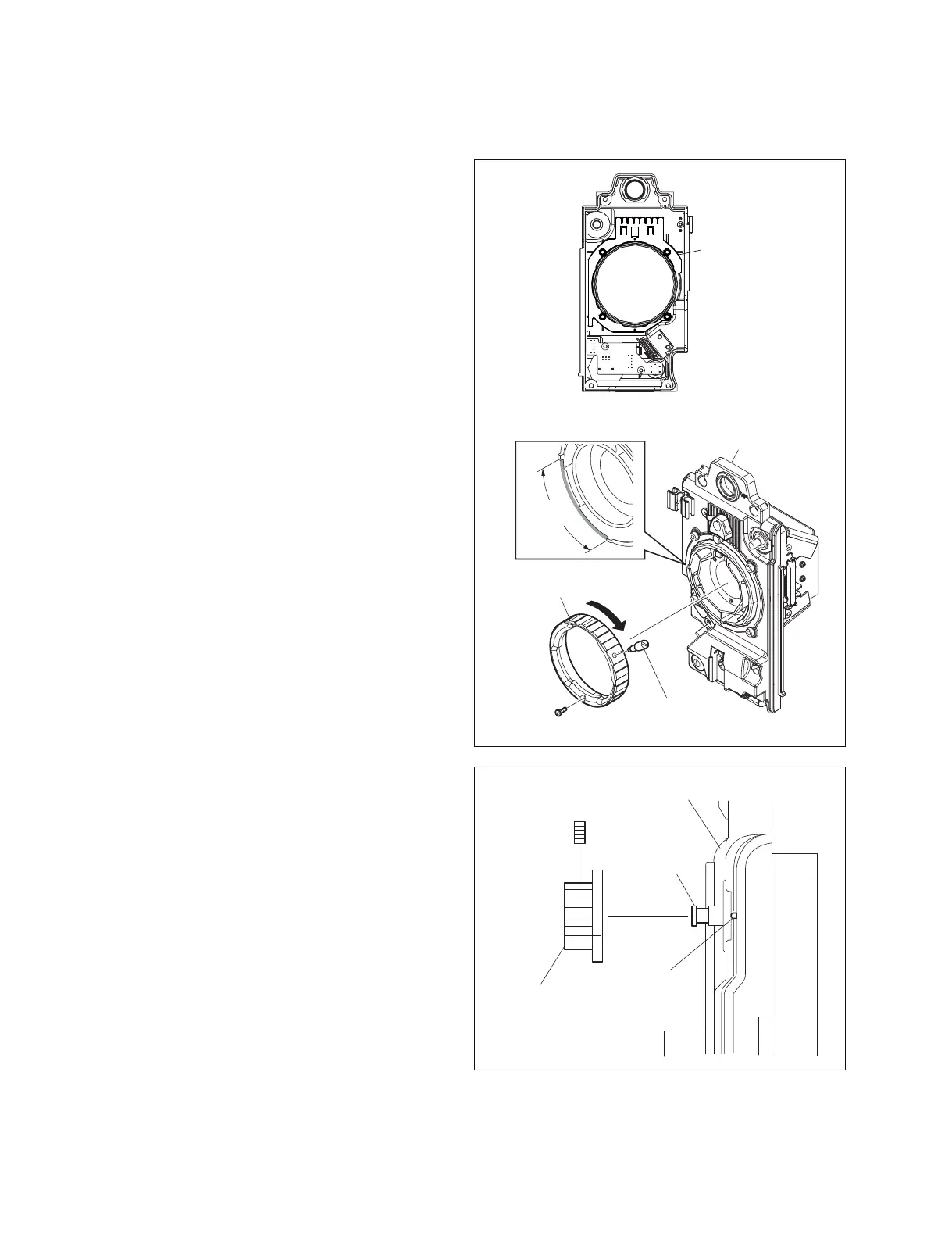
7-5-2. Reinstalling CCD Unit
1. Attach the new shield finger LM to the front panel.
m
. Do not directly touch shield finger LM.
Be careful not to get hurt with the edges when
handling them.
. Confirm that shield finger LM is in position.
2. Install the CCD unit to the front panel with four screws
and four spring washers.
n
When installing the CCD block, be careful so that the
optical axis does not tilt (misaligned) due to a play.
If a picture on the monitor screen tilts, loosen the
screws of the CCD block and adjust the installation so
that the picture becomes horizontal.
3. Fully turn the lens mount clockwise to install.
4. Turn the lens mount counterclockwise until the screw
(M2 x 4) hole comes in the range shown in the figure.
5. Attach the mount lever and the screw (M2 x 4) .
Installation
range
M2 x 4
Front panel
Lens mount
Mount lever
1
WP3 x 3
Filter knob
Knob shaft
Mark
Front panel
Shield finger LM
6. Attach the filter knob with the setscrew, while
adjusting the knob using the following steps.
(1) Shift the lens mount holder to the position shown
in the figure.
(2) Move the lever in the arrow direction and remove
the mount cap.
n
Do not touch the filter while the mount cap is
removed.
7. Attach the front panel assembly.
(Refer to Section 1-7-5.)
8. Attach the inside panel. (Refer to Section 1-7-3.)
9. Attach the outside panel. (Refer to Section 1-7-1.)
n
When a new CCD unit is installed, camera adjustment
is required. (Refer to Section 7-6.)



 To Next Page