1-35
PDW-700/V1 (E)
1-7. Removing/Installing
1-7-1. Removing Outside Panel
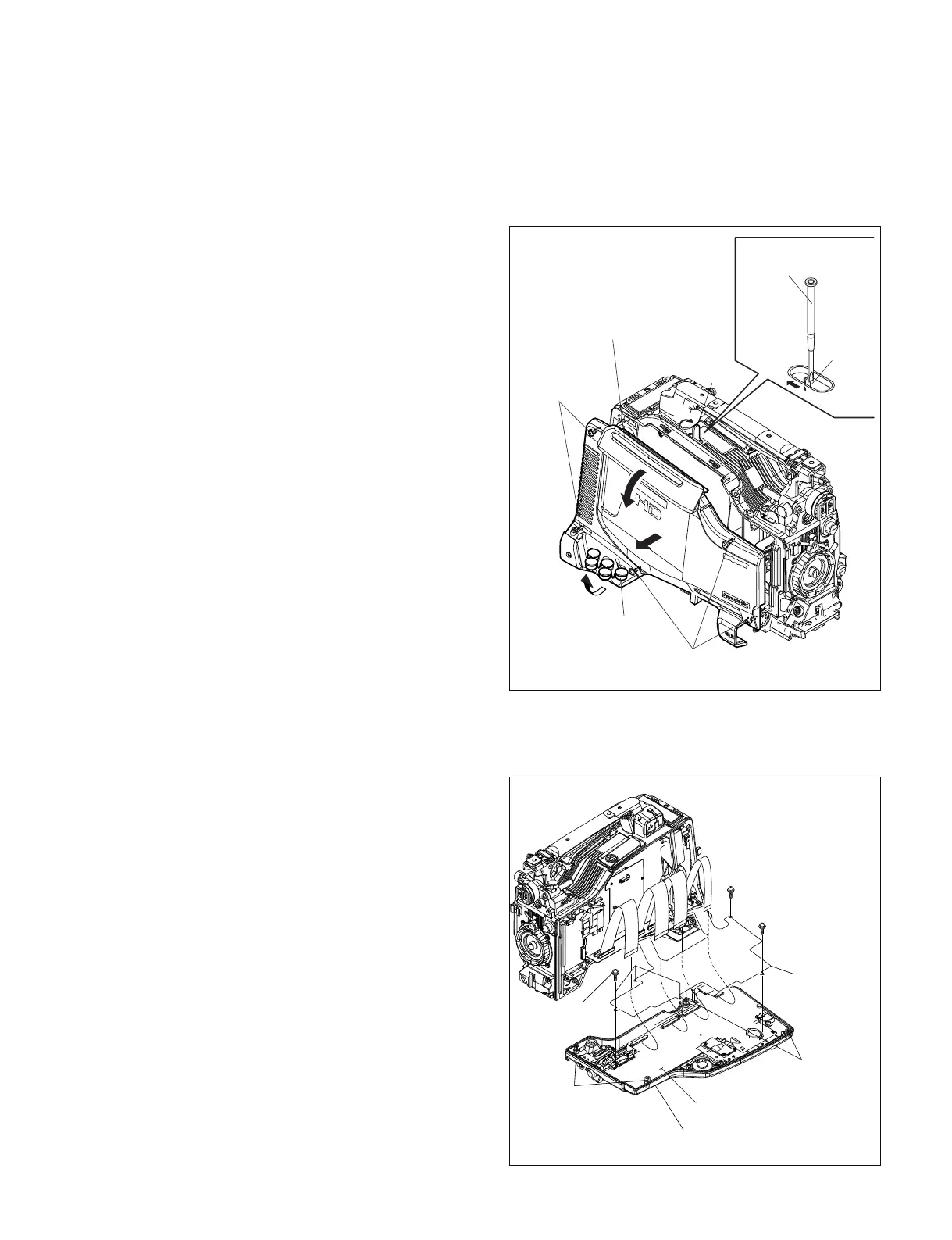
1. Open the cover in the direction of the arrow A.
2. Push the lock lever in the direction of the arrow B with
a screwdriver. The cartridge lid assembly is opened in
the direction of the arrow C.
3. Open the BNC cover in the direction of the arrow D.
4. Fully loosen the five screws (with drop-safe) of the
outside panel, and remove the outside panel in the
direction of the arrow E.
n
Close the cover securely after use.
1-7-2. Reinstalling Outside Panel
1. Reinstall the outside panel to the unit with its cartridge
lid assembly opened, by tightening the five screws.
n
Do not tighten the screws with the cartridge inside. Be
sure to take out the cartridge before installing the
outside panel. (Refer to Section 1-6.)
2. Close the cartridge lid assembly.
3. Close the BNC cover.
1-7-3. Inside Panel
1. Fully loosen the four screws (with drop-safe) of the
inside panel, and open the inside panel.
2. Disconnect the flexible card wires from the four
connectors (CN105, CN106, CN107, CN801) on the
FP-157 board.
3. Remove the five screws of the FP cover, and remove
the inside panel.
Screws
(with drop-safe)
Screws
(with drop-safe)
BNC cover
Cartridge lid
assembly
Flat-blade screwdriver
Lock lever
A
Cover
E
C
D
B
CN105
CN106
CN107
CN801
FP-157 board
Inside panel
FP cover
PSW2
x
5
PSW2
x
5
PSW2
x
5
Screws
(with drop-safe)
Screws
(with drop-safe)



 To Next Page