2-8
PDW-700/V1 (E)
2-4. Maintenance Menu
2-4-1. Software Update
In the Software Update page of the Maintenance menu, the batched update using the firmware package
file can be performed.
In this section, the update method using the Web browser (Internet Explorer) is explained.
n
The figures shown in this page are the sample of display. Due to the specification change, the actual
screen display may differ from the sample figures.
Tools/Equipment Required
. Personal computer (referred to as PC hereafter)
. Firmware package file
. Network cable (crossover or straight-through)
For obtaining the firmware package, contact your local Sony Sales Office/Service Center.
Preparation
1. Eject the disc.
2. Remove the i.LINK cable, the headphones and the audio cable.
3. Set the VDR switch in inside panel to STBY.
4. Connect the camcorder in either method mentioned below. (Refer to Connection Diagram.)
. Connect the camcorder and the host PC via other network device (such as a hub).
. Connect the camcorder and the PC directly (using network crossover cable).
5. Copy the obtained firmware package to an arbitrary directory on the host PC.
6. Start up the Internet Explorer of host PC.
n
Use the Internet Explorer for updating.
If other browser is used, the update may not be properly done.
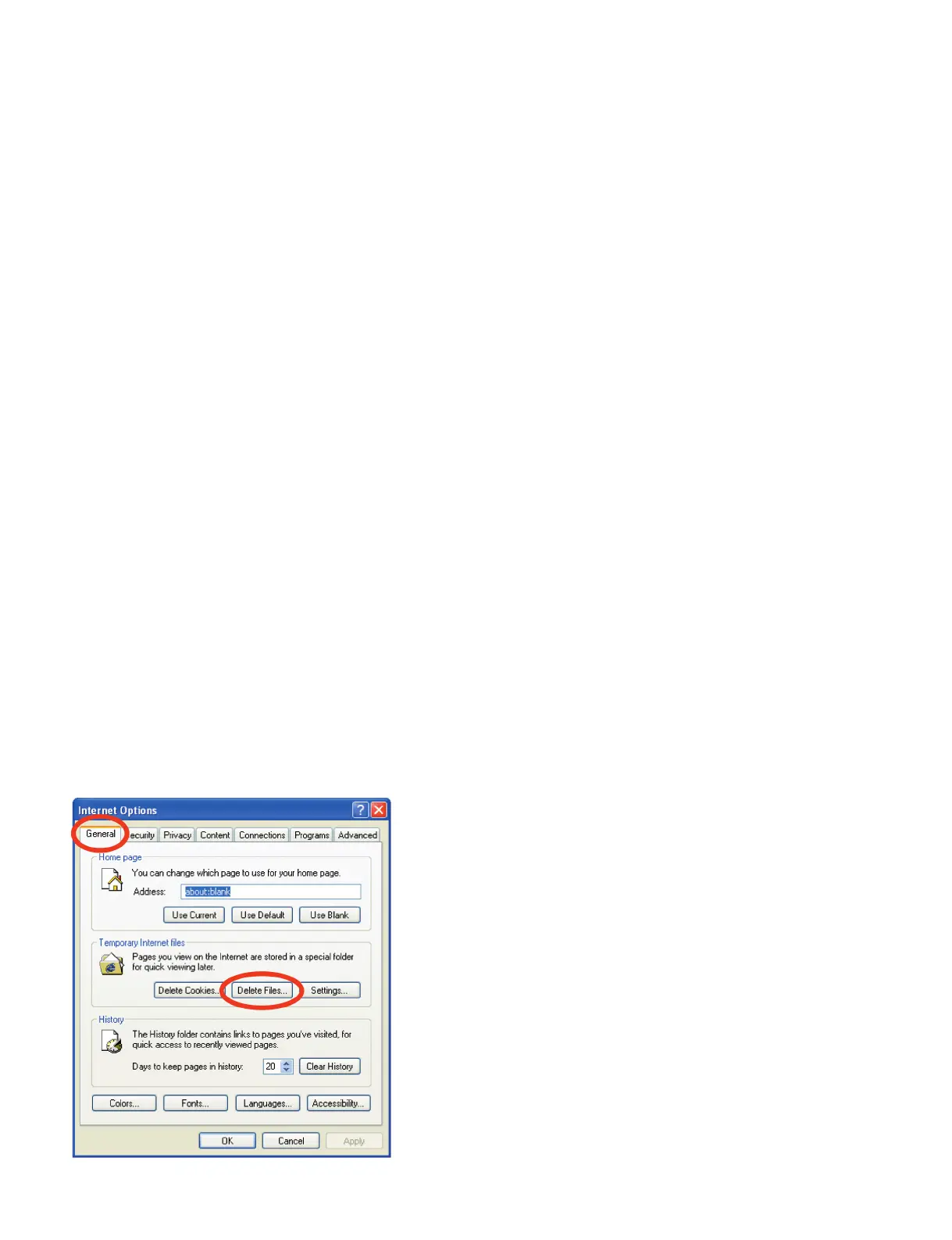
7. Select “Tool” - “Internet Options”.
8. Click “Delete Files” on the “General” page to delete the Temporary Internet files.



 To Next Page