9-7
PDW-700/V1 (E)
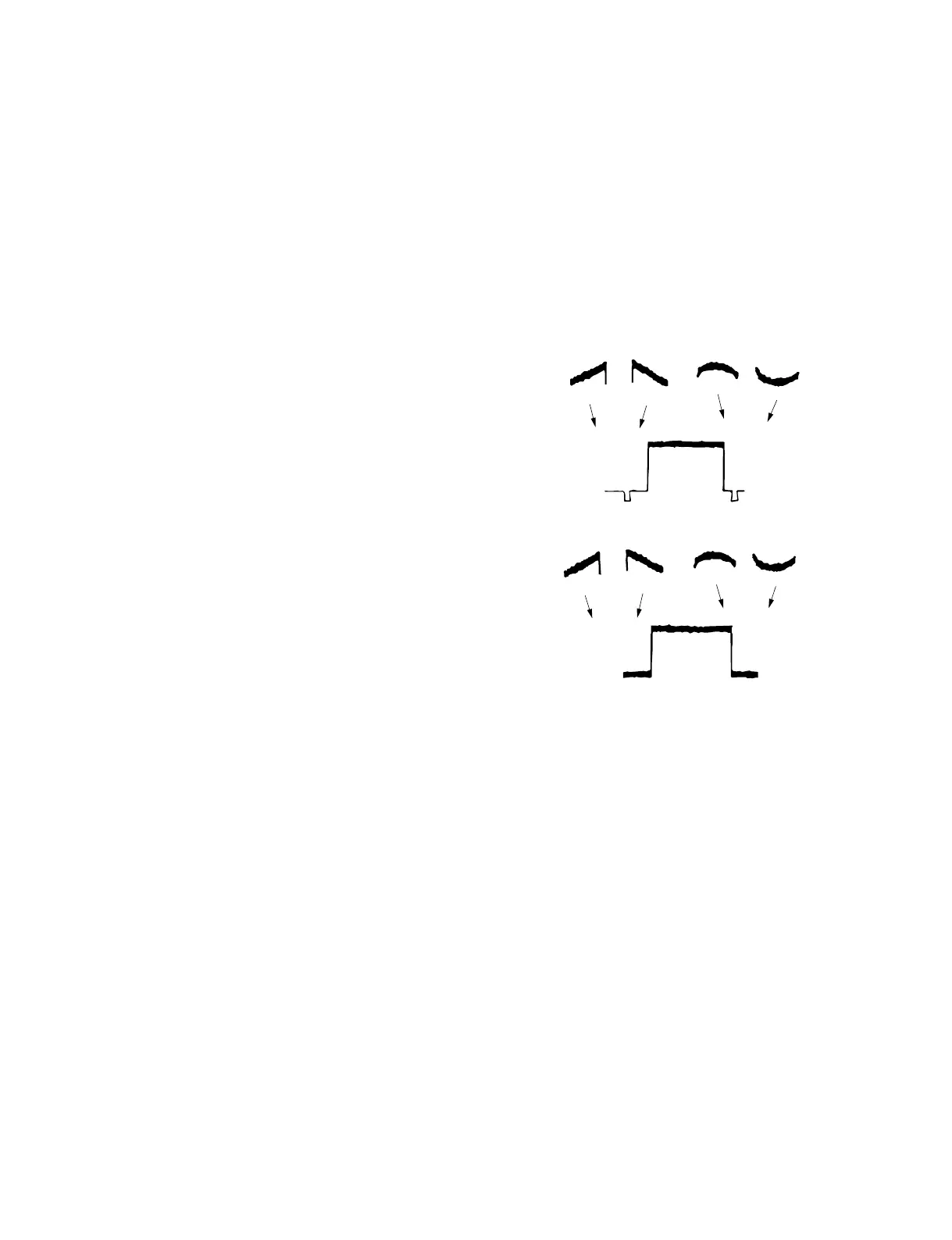
(H SAW)
(H PARA)
(V SAW) (V PARA)
(2) On the menu, perform the G-channel adjustment
as follows.
MENU: SERVICE
PAGE: WHITE SHADING
ITEM: G WHT H SAW
ITEM: G WHT V SAW
ITEM: G WHT H PARA
ITEM: G WHT V PARA
Spec.: Make the waveform of the G-channel
flat.
(3) On the menu, set as follows.
MENU: SERVICE
PAGE: WHITE SHADING
ITEM : WHT SHAD CH SEL → R
ITEM : TEST OUT SELECT → R
(4) Adjust the shading for the R-channel in the same
procedure as the G-channel adjustment.
(5) On the menu, set as follows.
MENU: SERVICE
PAGE: WHITE SHADING
ITEM: WHT SHAD CH SEL → B
ITEM: TEST OUT SELECT → B
(6) Adjust the shading for the B-channel in the same
procedure as the G-channel adjustment.
Setting after Adjustment:
. On the menu, set as follows.
MENU: SERVICE
PAGE: WHITE SHADING
ITEM: TEST OUT SELECT → VBS
9-2-5. White Shading Adjustment
n
This adjustment could not be correctly performed if the
uneven white pattern is used, luminance is not correct, or
lens iris and lens zoom are not in good conditions.
Fixtures and Equipment:
. HD waveform monitor
. Full white pattern (White window chart)
Preparation:
. Connect an HD waveform monitor to the TEST OUT
connector.
. Lens IRIS → AUTO
. Waveform monitor setting
LUM mode
VOLT FULL SCALE range → 0.5
. Shoot a fully occupied full white pattern in the under-
scanned monitor frame.
Adjustment Procedure:
Perform either step 1 or step 2 for the white shading
adjustment.
1. Auto white shading adjustment
(1) On the menu, set as follows.
MENU: SERVICE
PAGE: SHADING
ITEM: AUTO WHT SHADING → EXEC
(2) Push the MENU knob.
(3) When adjustment ends successfully, the message
“COMPLETE” appears.
n
The auto adjustment takes about 30 seconds.
2. Manual white shading adjustment
When performing fine adjustment after executing the
black shading auto adjustment, or when performing
manual adjustment without executing the auto adjust-
ment, proceed as follows.
(1) On the menu, set as follows.
MENU: SERVICE
PAGE: WHITE SHADING
ITEM: WHT SHAD CH SEL → G
ITEM: TEST OUT SELECT → G
n
The HD signal is output when TEST OUT
SELECT is set to a signal other than VBS.



 To Next Page