EasyManua.ls Logo

STONEX R2 PLUS - Appendix V: STANDARD LIMITED WARRANTY

STONEX R2 PLUS
144 pages
Print Icon
To Next Page IconTo Next Page
To Previous Page IconTo Previous Page
Loading...
Stonex R2 PLUS Total Station - User Manual 134
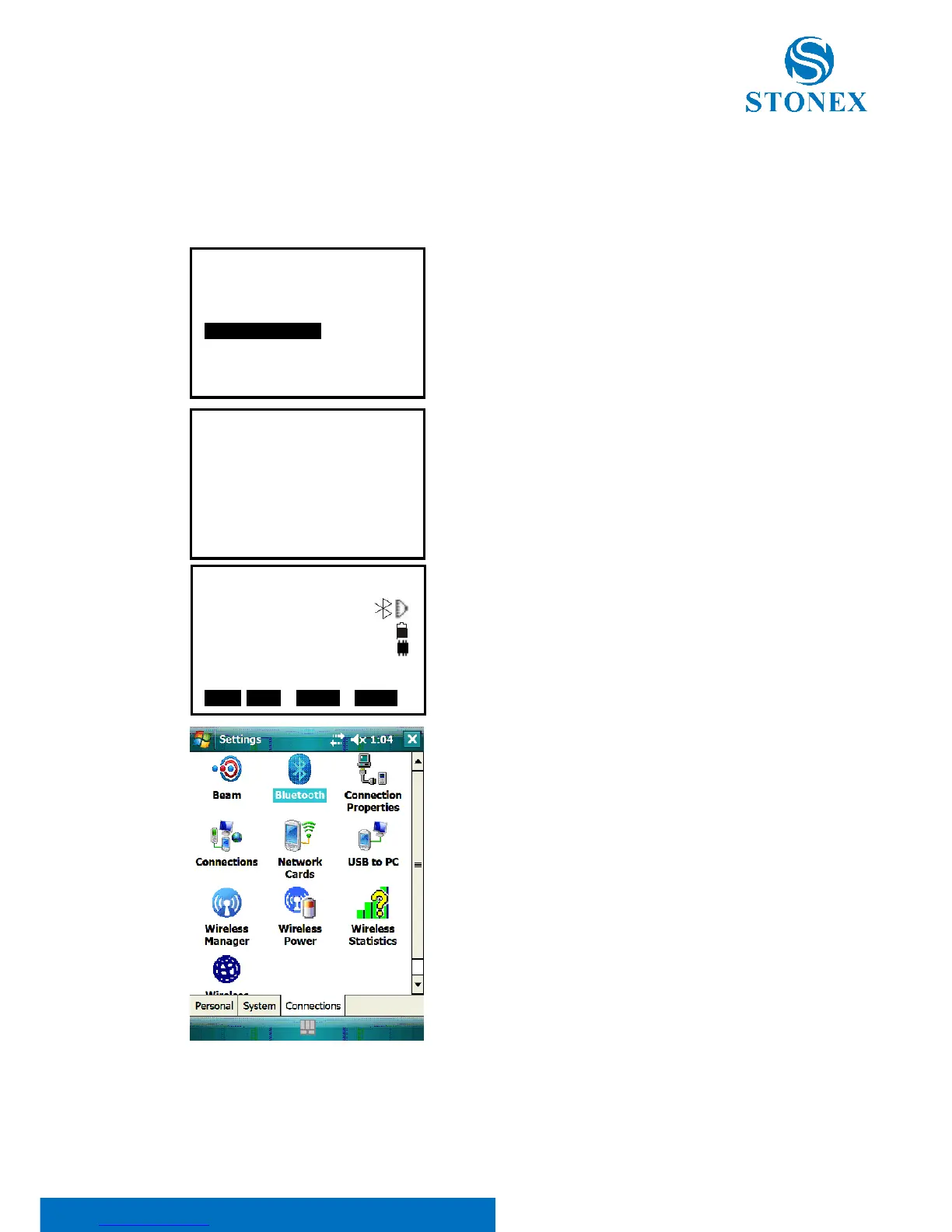
Appendix IV Connect the R2 PLUS series and PDA
with Bluetooth
1. Power on, press Config Key, select Com setting.
2. Set Baud rate as 9600, Comode as B-TOOTH
3. Back to basic measurement screen, you will
see the Bluetooth mark on the screen right.
4. Open the Bluetooth on your device

Config
1.Meas condition
2.Inst config
3.Inst adjust
4.Com setting
5.Unit
6.Date & Time
7.Key Function
Com setting
1.Baud rate
2.Data bits
3.Parity
4.Stop bit
5.Check sum
6.Xon/Xoff
7.Comode :B-TOOTH
:9600
:8bit
:No
:1bit
:No
:No
Meas PC 0.0
ppm 0
SD
VA 302.5432gon II
HA 85.8888gon P1
EDM OCC OFST R E C

Table of Contents

Related product manuals