Stonex R2 PLUS Total Station - User Manual 83
20.3 Input Road Vertical Elements
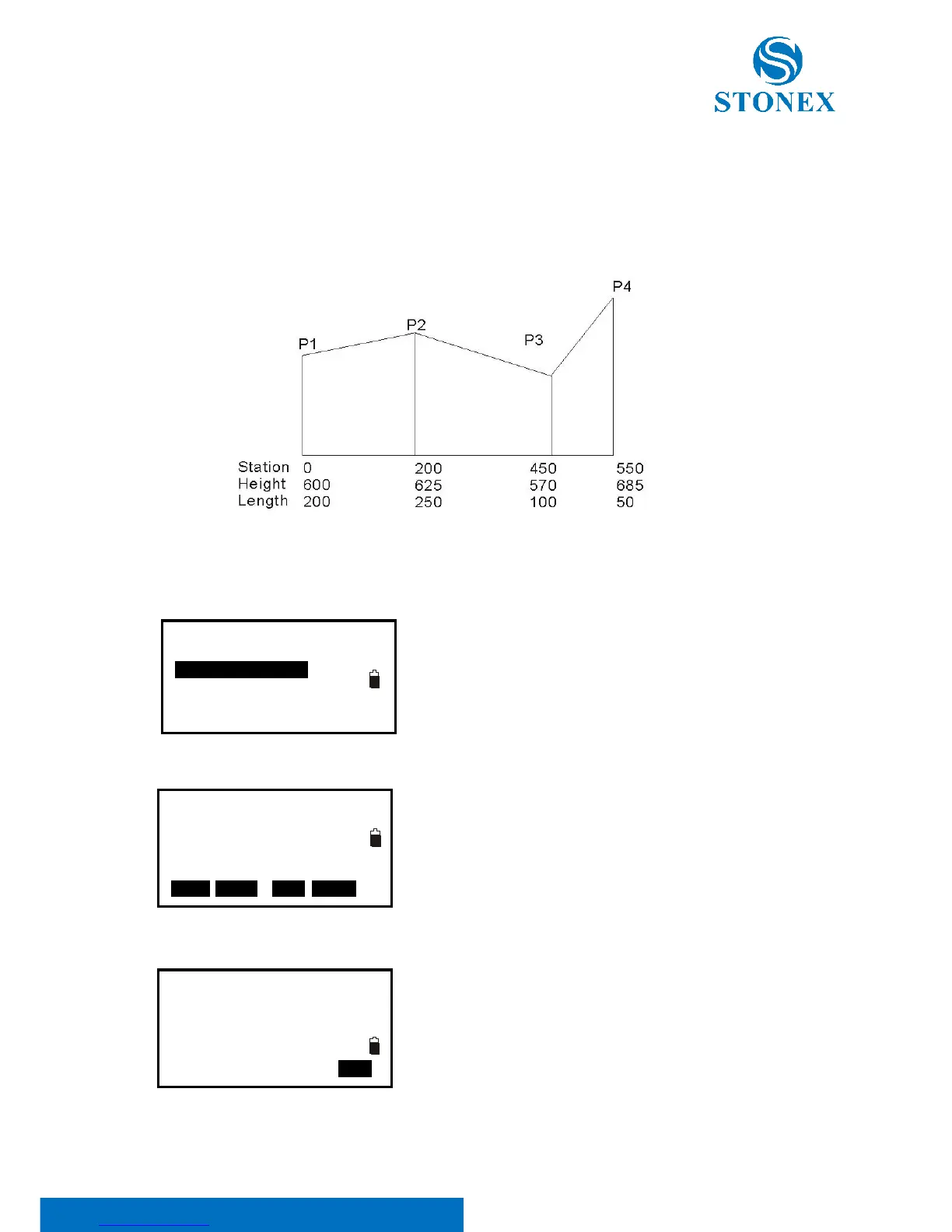
Road vertical elements is confirmed by some intersection points, you should input same
parameters for the intersection points, including station, height, and length from this intersection
point to next intersection point.
20.3.1 Input Vertical Road Element
1. Make sure the instrument is in Road Define menu, select
2.Vertical Curve to vertical elements editing menu.
Here:
Press F1:[FIST] key, the cursor will move to the first
element.
Press F2:[LAST] key, the cursor will move to the last
element.
Press F3:[Del] key to delete the selected element.
Press F4:[ADD] key to add a new vertical element.
2. Press F4 to display Vertical road element inputting
menu. Input the parameter for vertical element.
Press F4:[ENT] key to confirm.



 To Next Page