Working with the Tools Page Maintenance
Page 93
© Copyright 2021 Stratasys. All rights reserved.
Maintenance
From this page you can perform a variety of maintenance procedures on the printer, and view
diagnostic/printer state information. Please note that advanced maintenance must be
performed by an authorized service representative only.
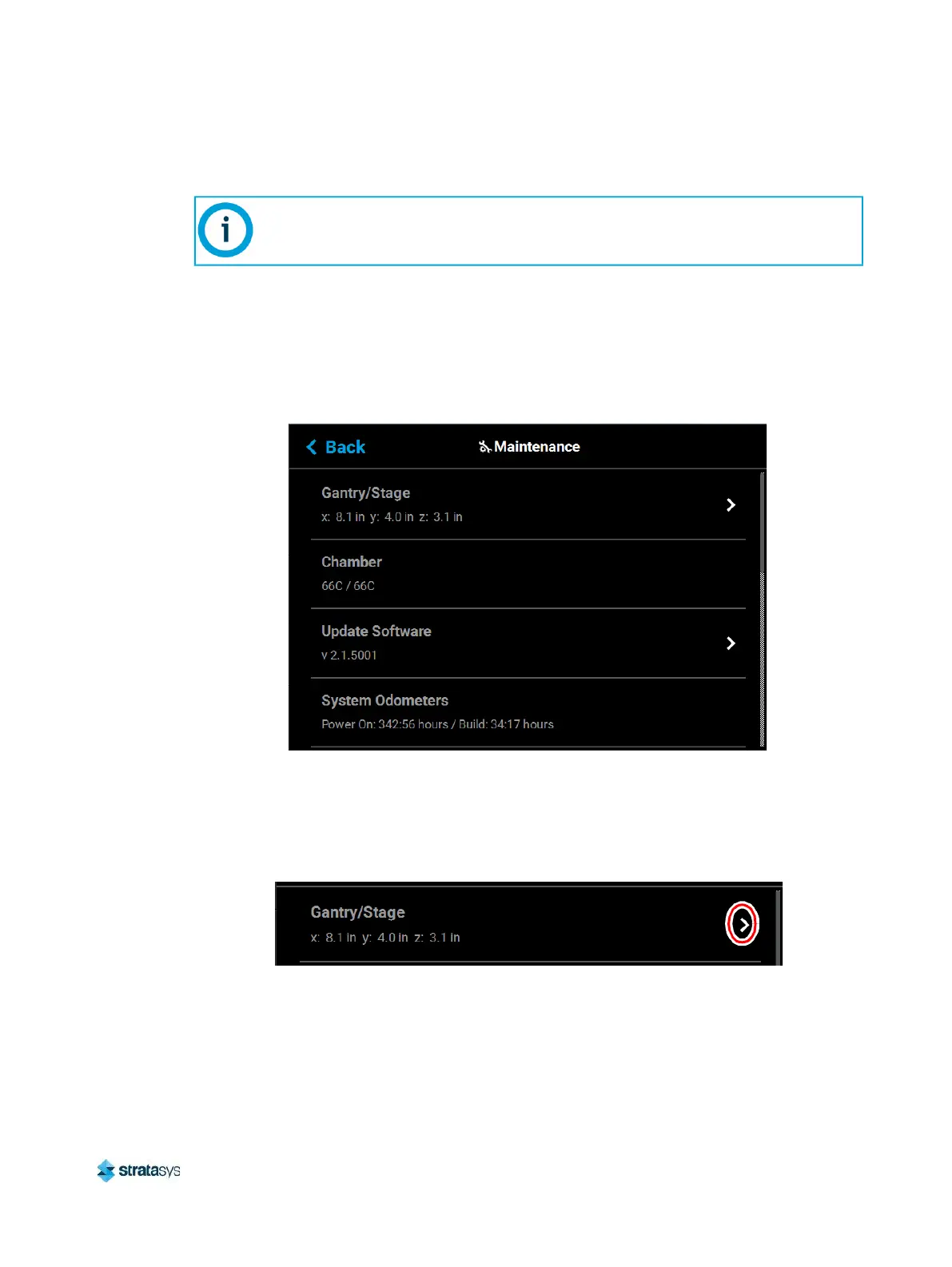
To access the Maintenance page, press the Maintenance button within the Tools page; a
screen similar to the following will be displayed.
Figure 69: Maintenance Page
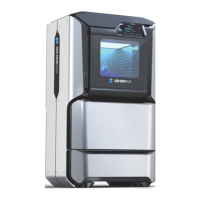
Gantry/Stage
Position information for the X, Y and Z axes is displayed within the Gantry/Stage row. Pressing
anywhere within the Gantry/Stage row will open the Gantry/Stage page.
Figure 70: X, Y, Z Position
This section provides an overview of the Maintenance page and its features, but
does not go into detail regarding printer maintenance procedures. See Chapter , 7
Maintenance (page 167) for detailed maintenance information.





 To Next Page