Basic Setup Stabilizing the Printer
Page 14
© Copyright 2021 Stratasys. All rights reserved.
Stabilizing the Printer
To stabilize the printer:
1. Roll the printer to its desired operating location and verify that minimum space
requirements have been met.
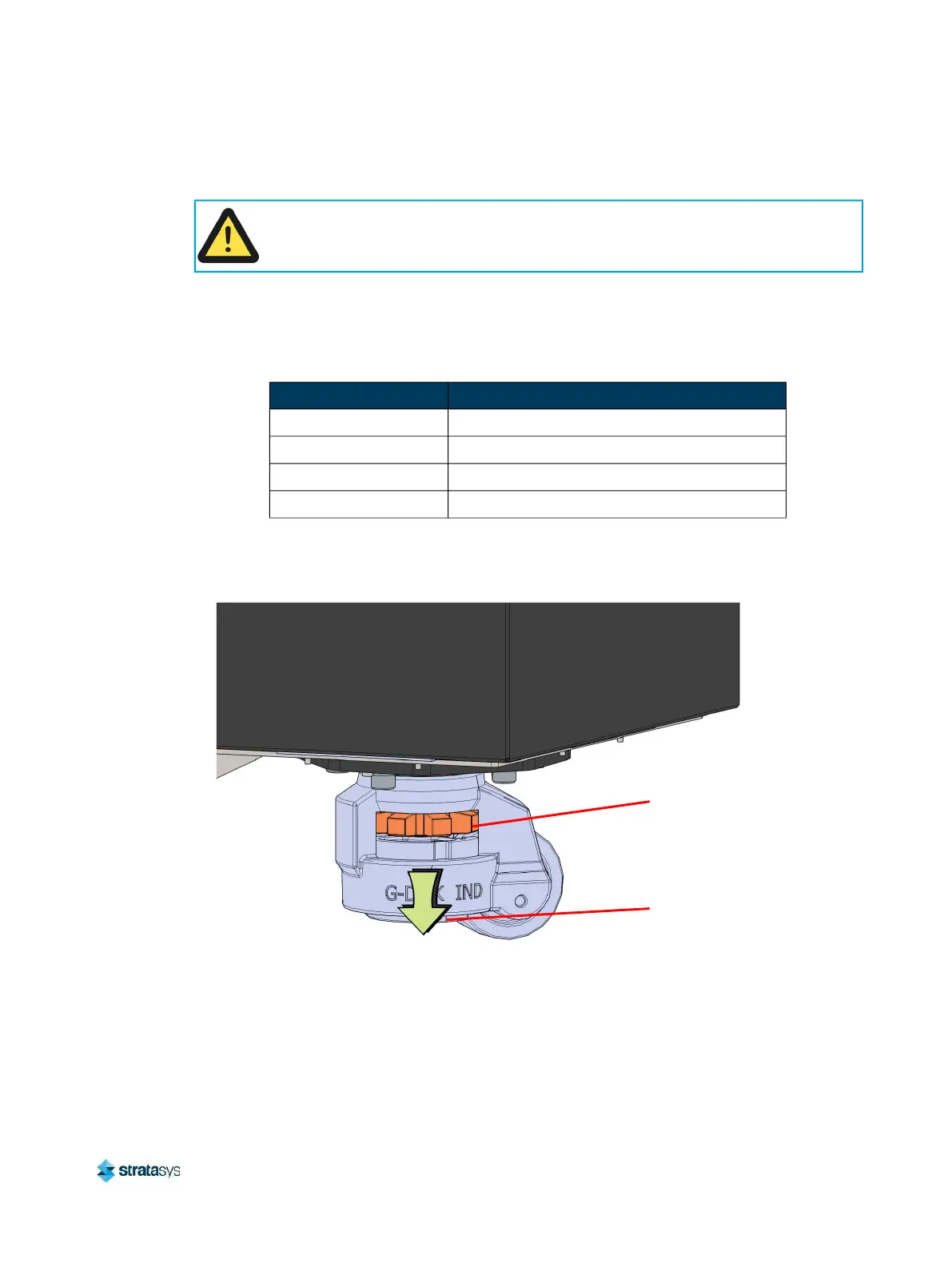
2. Rotate the thumb wheel on each of the four printer casters to lower the leveling pads to the
floor. (see Figure 3).
Figure 3: Stability Pad Jackscrew Adjustment
Caution: Unstable Object.
The stability pads are used to stabilize the printer after it has been moved to its
desired operating location. The stability pads must be set prior to printer operation.
Table 3: Printer Clearances
Side Clearance
Side Clearance Minimum 36 inches (91.4 cm) on each side
Rear Clearance Minimum 36 inches (91.4 cm)
Front Clearance Minimum 60 inches (152.4 cm)
Overhead Clearance Minimum 20 inches (50.80 cm)
Leveling
Pad
Thumb
Wheel














 To Next Page