Tip Calibration
Page 150
© Copyright 2021 Stratasys. All rights reserved.
6 CALIBRATION AND
ADJUSTMENTS
This chapter describes basic calibration and adjustment procedures for the F770 printer. The
buttons/pages described within this chapter are accessible via the Calibration page.
To open the Calibration page, press the Tools button within the Navigation Menu; the Tools
page will be displayed (see “Working with the Tools Page” (page 76)). Within the Tools page
select the Calibration button; the Calibration page will be displayed.
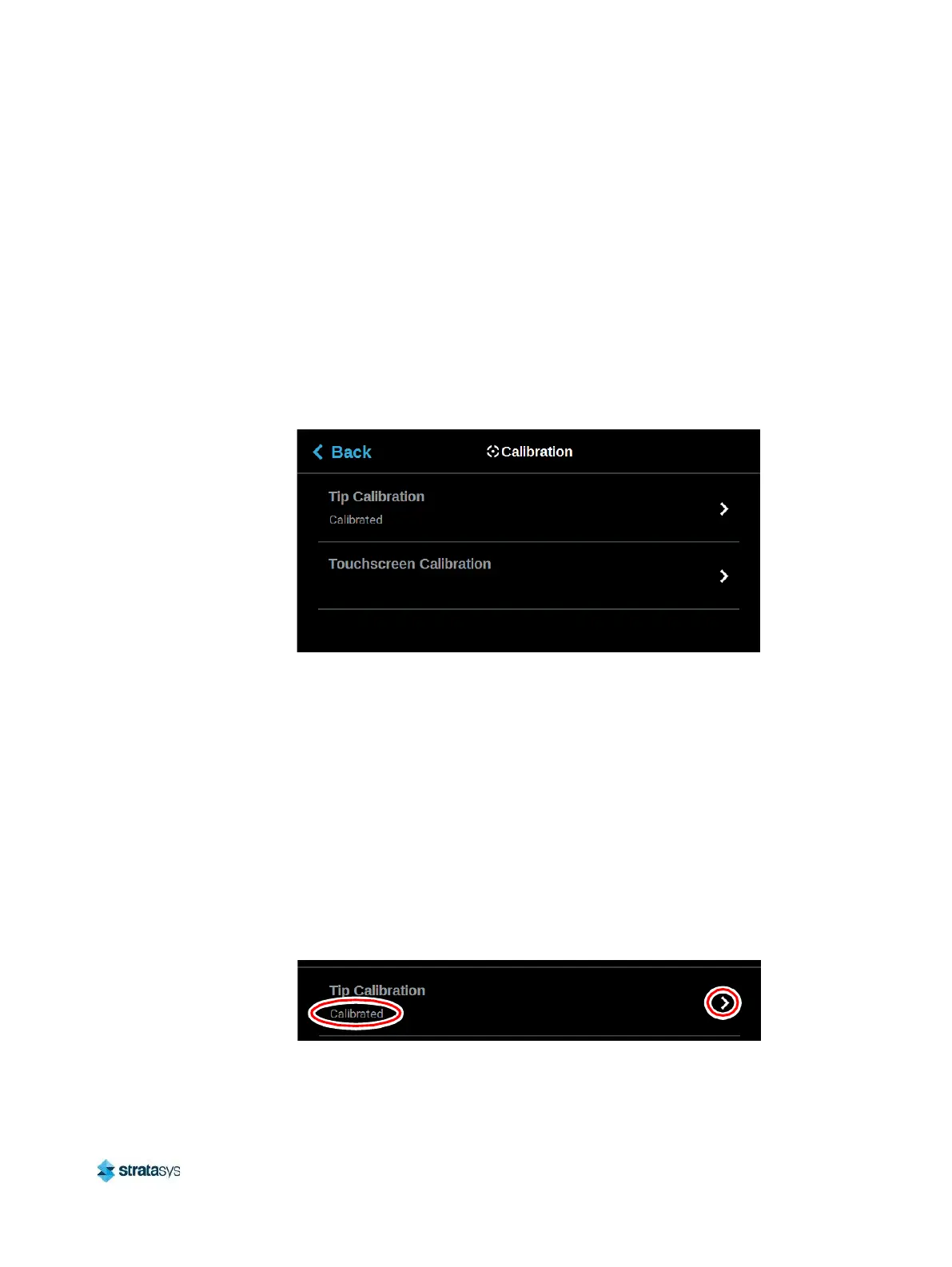
Figure 1: Calibration page
Tip Calibration
The printer’s calibration status will be displayed within the Tip Calibration row. Calibrated or
Not Calibrated will be displayed depending on the printer’s calibration status.
Pressing anywhere within the Tip Calibration row will open a page allowing you to select from a
variety of tip calibration options. You cannot build parts on the printer until the printer’s tips are
calibrated. In addition to performing a tip callibraion after head changes, It is also
recommended to perform both an automatic and a tip calibration in the following
circumstances: Before a long or critical build, when a change in model-to-support adhesion is
observed, when there is difficulty removing the model from the base layers of support, or once
per week on a printer that experiences heavy use.
Figure 2: Tip Calibration














 To Next Page