Printer Overview Interface Panel
Page 27
© Copyright 2021 Stratasys. All rights reserved.
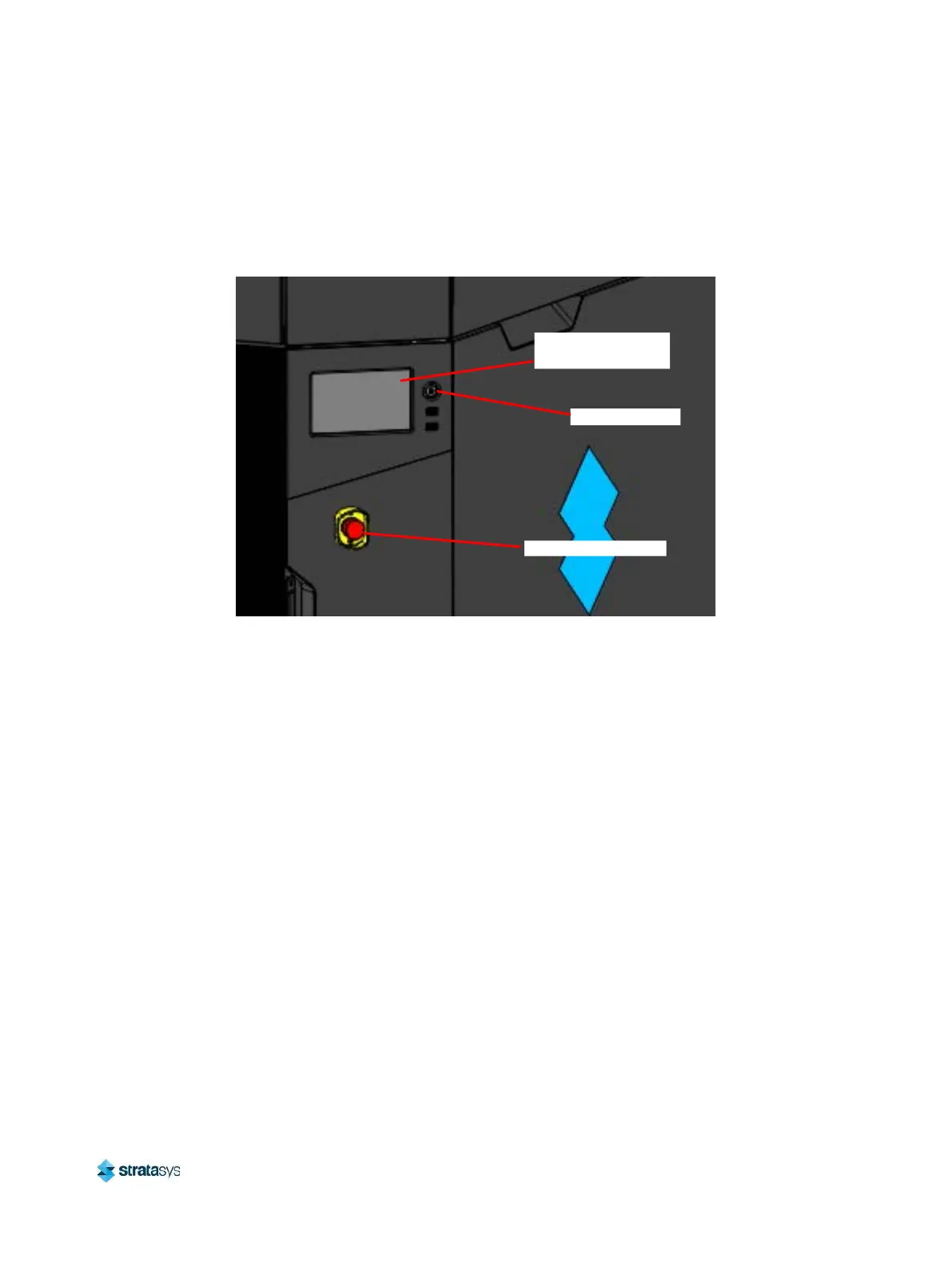
Interface Panel
The interface panel houses the printer’s touchscreen user interface, power button, and USB
ports.
Figure 3: Interface Panel
Touchscreen User Interface
Allows for user control of the printer. From the User Interface you can access various screens
to select jobs for building, control jobs in the process of being built, change materials, perform
calibrations, and configure your printer’s settings and maintenance options. The touchscreen
visually displays the operational state of the printer as well as any warning information
available.
See Chapter , 4 User Interface (page 41) for detailed information on the components and
pages of the user interface.
Power Button
Allows you to power the printer ON and OFF (see “Powering ON the Printer” (page 105) and
“Powering OFF the Printer” (page 106) more information).
USB Ports
The printer’s USB ports allow you to easily upload job files to be built. After plugging a USB
flash drive into any of the USB ports you can access the flash drive’s contents via the Queue
page (see “Working with the Queue Page” (page 53) for details).
Touchscreen User
Interface
Power Button
Emergency Stop














 To Next Page